

Siemens
RFQ Ready
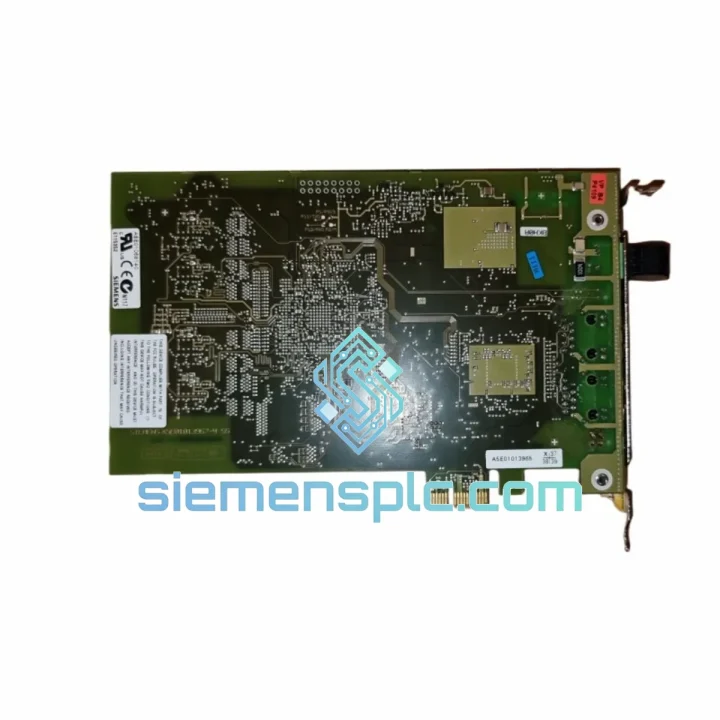
SIEMENS 6GK5108-0BA00-2AA3 Industrial Ethernet Switch
SIMATIC
Origin DE
Industrial Ethernet Switch
Request verified availability, condition, replacement risk review, packing options and courier lead time for 6GK1162-3AA00.
Click Request Quote and the part number is inserted into the inquiry form automatically.
Core fields for model confirmation and RFQ routing. Detailed product narrative remains below.
Your PROFIBUS network is down. The S7-400 rack is dark. The line supervisor is standing behind you. You already know the CP 1623 is the culprit — the PCIe card that bridges your engineering workstation to the PROFIBUS/MPI backbone has failed, and without it, you cannot push a single program block, run a diagnostic, or commission a replacement drive. We stock the Siemens 6GK1162-3AA00 in Xiamen and can have it on a DHL Express waybill within hours of your order confirmation. No lead-time negotiation. No “check back in two weeks.” Just the part, boxed, labeled, and moving.
URGENT REQUIREMENT? Contact: [email protected] | WhatsApp: +86 18359268345
| Parameter | Value | Status |
|---|---|---|
| Part Number | 6GK1162-3AA00 | ✔ Ready to Ship |
| Product Family | CP 1623 (SIMATIC NET) | — |
| Form Factor | PCI Express x1 (PCIe) | — |
| Supported Protocols | PROFIBUS DP, MPI, PPI | — |
| Max. Baud Rate | 12 Mbit/s | — |
| Physical Interface | 9-pin Sub-D (RS-485) | — |
| OS Support | Windows 7 / 10 / 11 (32 & 64-bit), Windows Server | — |
| Software Compatibility | STEP 7 V5.x, TIA Portal V13–V19, WinCC, SIMATIC NET | — |
| Power Supply | 3.3 V / 12 V via PCIe slot | — |
| Operating Temperature | 0 °C to +55 °C | — |
| Certifications | CE, UL | — |
| Origin | Germany (Siemens AG) | — |
| Ship-From | Xiamen, China | ✔ Same-Day Dispatch Available |
The CP 1623 fails in predictable ways. Here is what ten years of field calls have taught me about this card and how to swap it without creating a second problem.
Common Failure Signatures
Step-by-Step Replacement Procedure
Firmware & Driver Matching Note
The 6GK1162-3AA00 does not have user-flashable firmware — the card’s internal firmware is fixed at manufacture. What matters is the SIMATIC NET PC Software version on the host. Always download the version that corresponds to your TIA Portal or STEP 7 release from the Siemens Industry Online Support portal. Running an older SIMATIC NET version on a newer OS (e.g., Windows 11 22H2) is the single most common cause of post-replacement failures we see in the field.
Control rooms are not server rooms. The 6GK1162-3AA00 is engineered to operate where office-grade hardware fails within months. The card’s conformal-coated PCB resists condensation and airborne contaminants common in paper mills, chemical plants, and coastal facilities where salt-laden air accelerates corrosion on unprotected copper traces. The PCIe edge connector is gold-plated to maintain contact integrity through repeated thermal cycling — a detail that matters when your cabinet swings from 10 °C at night startup to 50 °C during peak summer production.
Vibration tolerance is validated to IEC 60068-2-6 standards. In practice, this means the card survives being mounted in a PG/PC that sits on the same steel frame as a 200-ton press or a compressor skid. The Sub-D connector’s locking screws are not decorative — torque them to spec (0.4 Nm) and use a cable with a strain-relief clamp. A loose PROFIBUS cable that vibrates against the connector backshell is responsible for more “intermittent CP faults” than actual card failures.
Humidity performance is rated to 95% RH non-condensing. For installations in tropical climates or near cooling towers, ensure the host PC enclosure has adequate positive-pressure ventilation to prevent condensation during humidity spikes. The card itself will survive; the problem is usually the Sub-D connector corroding at the cable end, not the card.
Our warehouse is located in Xiamen, Fujian Province — one of China’s primary export hubs with direct access to DHL Express, FedEx International Priority, and UPS Worldwide Express gateways. This is not a drop-ship arrangement. The 6GK1162-3AA00 is physically on our shelf, inspected, and ready to pack.
Typical Transit Times from Xiamen:
Our Dispatch Process: Orders confirmed before 14:00 CST are packed and handed to the carrier the same day. You receive a tracking number within 2 hours of dispatch. We pre-fill all commercial invoice fields with accurate HS codes and declared values to minimize customs holds. For orders requiring a Certificate of Origin or specific customs documentation, notify us at order time and we will prepare the paperwork in parallel with packing.
For plant shutdowns or production emergencies, contact us directly on WhatsApp before placing the order. We can confirm stock, generate a proforma invoice, and initiate packing while payment is being processed — shaving hours off your response time when every hour counts.
Email: [email protected]
WhatsApp: +86 18359268345
Web: siemensplc.com
© 2026 siemensplc.com. All rights reserved.
We check the full part number, brand, series and visible nameplate information before quotation.
Sales confirms stock path, condition option, quantity and realistic lead time for export dispatch.
DHL, FedEx, UPS or buyer courier arrangements can be reviewed with packing requirements.
Similar brand or category products for fast comparison and multi-item RFQ lists.


