

Siemens
RFQ Ready
SIEMENS 6GK5108-0BA00-2AA3 Industrial Ethernet Switch
SIMATIC
Origin DE
Industrial Ethernet Switch
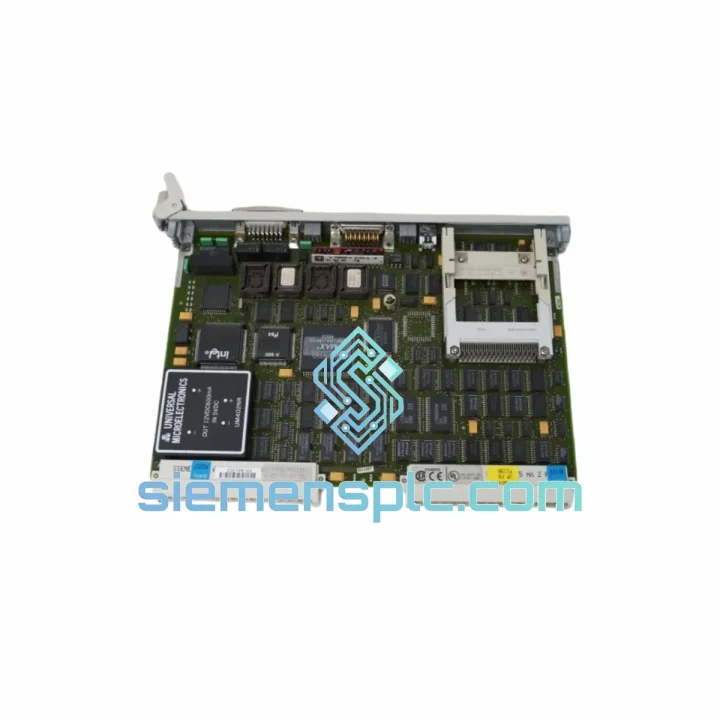
Request verified availability, condition, replacement risk review, packing options and courier lead time for 6GK1503-3CD00.
Click Request Quote and the part number is inserted into the inquiry form automatically.
Core fields for model confirmation and RFQ routing. Detailed product narrative remains below.
Your PROFIBUS ring just dropped. The HMI is frozen. The S7-400 CPU is throwing BF and SF LEDs simultaneously. You’ve already isolated the fault to the optical link module — and now you need a replacement on-site before the next shift starts. That’s exactly the scenario this page is built for.
The Siemens 6GK1503-3CD00 is a PROFIBUS DP/FMS optical link module from the SINEC L2 FO family. It converts RS-485 electrical signals to fiber-optic signals, enabling noise-immune, long-distance fieldbus communication in environments where copper cable simply fails — VFD rooms, welding lines, high-voltage switchgear bays. When this module goes down, your entire PROFIBUS segment goes with it. We stock it. We ship it. Same day.
URGENT REQUIREMENT? Contact: [email protected] | WhatsApp: +86 18359268345
| Parameter | Specification | Status |
|---|---|---|
| Part Number (MLFB) | 6GK1503-3CD00 | ✅ Ready to Ship |
| Manufacturer | Siemens AG | 100% Original OEM |
| Product Family | SINEC L2 FO / PROFIBUS OLM | — |
| Network Protocol | PROFIBUS DP / PROFIBUS FMS | — |
| Electrical Interface | RS-485, 9-pin Sub-D | — |
| Optical Interface | BFOC/2.5 (ST-type), glass fiber / plastic fiber | — |
| Baud Rate | 9.6 kbps – 1.5 Mbps (auto-adaptive) | — |
| Optical Wavelength | 660 nm (plastic) / 820 nm (glass) | — |
| Max. Cable Length | 80 m (plastic fiber) / 3,000 m (glass fiber) | — |
| Topology | Bus, Ring (with redundancy failover) | — |
| Supply Voltage | 24 V DC (±20%) | — |
| Power Consumption | ≈ 2.5 W | — |
| Operating Temperature | 0 °C to +60 °C | — |
| Storage Temperature | −40 °C to +85 °C | — |
| Protection Rating | IP20 | — |
| Mounting | 35 mm DIN rail | — |
| Dimensions (W×H×D) | ≈ 35 × 90 × 65 mm | — |
| Weight | ≈ 340 g | — |
| Certifications | CE, UL, cUL | — |
| Country of Origin | Germany | — |
| Dispatch Location | Xiamen, China | ✅ Same-Day Available |
Common Fault Signatures Before the OLM Dies:
Step-by-Step Replacement Procedure:
Frequently Misdiagnosed Scenarios:
The 6GK1503-3CD00 was not designed for a clean server room. It was designed for the environments that destroy ordinary networking hardware — and it has 20+ years of field deployment to prove it.
Vibration: DIN rail mounting with positive locking clip prevents micro-movement that causes intermittent contact failures on vibration-heavy machinery such as compressors, presses, and conveyor drives. The internal PCB is conformally coated on production variants, protecting solder joints from mechanical fatigue.
Electromagnetic Interference: The entire point of fiber-optic conversion is galvanic isolation. The 6GK1503-3CD00 breaks the ground loop between PROFIBUS segments — a critical requirement in motor control centers where VFDs inject common-mode noise at 2–20 kHz directly onto cable shields. Copper PROFIBUS fails here. Fiber does not.
Temperature Cycling: Rated 0 °C to +60 °C operating, −40 °C to +85 °C storage. In practice, units installed in outdoor junction boxes in northern climates have operated reliably through seasonal temperature swings of 60+ °C delta. The optical transceivers are the most temperature-sensitive component — keep ambient below 55 °C at the module surface for maximum service life.
Humidity and Condensation: IP20 rating means the enclosure provides no moisture protection on its own — the module must be installed inside a sealed control cabinet (minimum IP54 enclosure). In high-humidity environments such as food processing or coastal installations, ensure cabinet door seals are intact and anti-condensation heaters are functional. A failed cabinet heater is a more common root cause of OLM failure than the module itself.
Dust and Particulates: The primary vulnerability is the fiber optic ports. In dusty environments (cement plants, grain handling, mining), fiber connectors accumulate particulate contamination that attenuates the optical signal below the receiver threshold. Implement a quarterly fiber connector cleaning schedule as preventive maintenance — this single action eliminates the majority of OLM-related unplanned downtime.
We operate from Xiamen, China — one of the most logistics-connected export hubs on the mainland, with direct access to DHL, FedEx, and UPS international express networks. When you place an urgent order, here is exactly what happens:
For plant shutdowns, insurance claims, or production restart deadlines, contact us directly on WhatsApp for real-time coordination. We have handled emergency shipments with 24-hour door-to-door delivery to Singapore, Germany, and the UAE.
Email: [email protected]
WhatsApp: +86 18359268345
Web: siemensplc.com
© 2026 siemensplc.com. All rights reserved.
We check the full part number, brand, series and visible nameplate information before quotation.
Sales confirms stock path, condition option, quantity and realistic lead time for export dispatch.
DHL, FedEx, UPS or buyer courier arrangements can be reviewed with packing requirements.
Similar brand or category products for fast comparison and multi-item RFQ lists.


