

Siemens
RFQ Ready
SIEMENS 6GK5108-0BA00-2AA3 Industrial Ethernet Switch
SIMATIC
Origin DE
Industrial Ethernet Switch
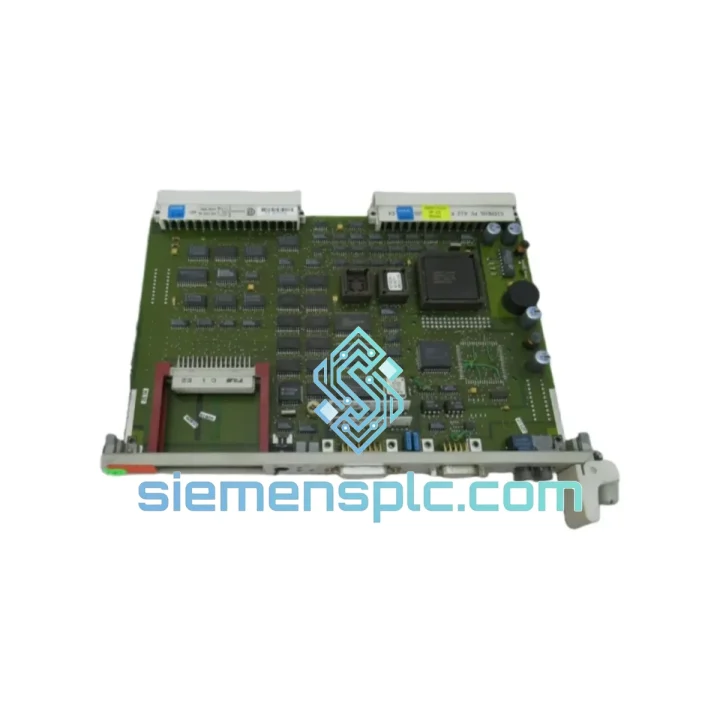
Request verified availability, condition, replacement risk review, packing options and courier lead time for 6GK1543-1AA00.
Click Request Quote and the part number is inserted into the inquiry form automatically.
Core fields for model confirmation and RFQ routing. Detailed product narrative remains below.
Your S7-400 rack just lost its Ethernet link. PROFINET I/O devices are offline, the SCADA historian has gone dark, and the shift supervisor is already on the phone. Every minute the CP 543-1 slot sits empty, you’re bleeding production output. We stock the Siemens 6GK1543-1AA00 in Xiamen and ship same-day via DHL/FedEx Express — because a 72-hour lead time from a distributor is not an option when the line is down.
The 6GK1543-1AA00 is the CP 543-1 Communications Processor within the SIMATIC NET family, purpose-built for the S7-400 platform. It handles TCP/IP, ISO-on-TCP, UDP, S7 Communication, and FETCH/WRITE simultaneously — one slot, full Ethernet integration. Whether you’re bridging to a SCADA historian, polling from an MES, or running peer-to-peer S7 links across racks, this module carries the load without complaint. It has been doing exactly that in automotive body shops, chemical process islands, and power substation automation cabinets for over two decades.
URGENT REQUIREMENT? Contact: [email protected] | WhatsApp: +86 18359268345
| Parameter | Specification |
|---|---|
| Part Number | 6GK1543-1AA00 |
| Product Series | SIMATIC NET CP 543-1 |
| Compatible Platform | SIMATIC S7-400 |
| Network Standard | Industrial Ethernet IEEE 802.3 |
| Transmission Rate | 10/100 Mbit/s auto-sensing |
| Connector | RJ45 |
| Protocols | TCP/IP, ISO-on-TCP, UDP, S7 Comm, FETCH/WRITE |
| Configuration Tool | STEP 7 V5.x (NCM S7) / TIA Portal V13+ |
| Power Supply | Via S7-400 backplane bus (no external PSU) |
| Operating Temperature | 0 °C to +60 °C |
| Storage Temperature | -40 °C to +70 °C |
| Protection Rating | IP20 |
| Certifications | CE, UL, cUL, FM |
| Weight | ~300 g |
| Country of Origin | Germany |
| Stock Status | ✅ Ready to Ship — Xiamen Warehouse |
Step 1 — Confirm the fault before pulling the module. In STEP 7 / TIA Portal, open the hardware diagnostics for the CP 543-1 slot. Look for fault codes 0x8085 (Ethernet link failure) or 0x8090 (internal hardware fault). If you’re seeing 0x8085 and the RJ45 link LED is dark even with a known-good cable, the module’s PHY is gone — replace it. If the LED is active but communication is dead, check the IP configuration and routing table first; a misconfigured gateway kills comms without any hardware fault.
Step 2 — Power down the rack correctly. The S7-400 backplane is hot-swap capable for I/O modules, but the CP 543-1 occupies a communications slot. Siemens recommends powering down the PS 407 before swapping any CP module to avoid backplane transient damage. Do not skip this step under time pressure — a backplane fault is a far worse outcome than an extra 90-second shutdown.
Step 3 — Slot assignment and hardware configuration. The CP 543-1 does not use DIP switches or physical addressing — slot position is defined in the STEP 7 hardware configuration (HW Config). When you insert the replacement module, STEP 7 will detect it by its order number. Verify the slot number in HW Config matches the physical rack position. If you’re using TIA Portal, the module is recognized automatically after a hardware scan, but you must re-download the network configuration to the CPU before the CP will initialize its IP stack.
Step 4 — Firmware revision check. The 6GK1543-1AA00 (hardware revision A) and the later -1AA01 share the same firmware base but differ in minor hardware revisions. If your project was configured on a -1AA01 and you’re installing a -1AA00, STEP 7 will flag a hardware mismatch warning. You can suppress this by editing the module properties in HW Config and selecting the installed revision — the functional behavior is identical for standard TCP/IP and S7 communication use cases.
Step 5 — IP address and connection table restore. The CP 543-1 stores its IP configuration and connection table in non-volatile memory on the module itself, not in the CPU. After replacing the module, you must download the network configuration from STEP 7 / TIA Portal directly to the CP (not just to the CPU). Use the “Download to Module” function in NCM S7 or the TIA Portal device view. Skipping this step leaves the new module with factory-default IP settings (0.0.0.0), which will not communicate.
Common fault codes at a glance:
The CP 543-1 was not designed for a climate-controlled server room. It was designed for the inside of a steel cabinet bolted to a press frame, three meters from a 500-ton stamping machine. The module’s conformal-coated PCB resists condensation and airborne contaminants — the kind of fine metallic dust that kills consumer-grade hardware within weeks. Its operating temperature ceiling of 60 °C means it keeps running through summer shutdowns when cabinet cooling fails and ambient temperatures spike.
Vibration tolerance is validated to IEC 60068-2-6 (sinusoidal) and IEC 60068-2-27 (shock), covering the mechanical stress profiles of heavy press lines, compressor rooms, and rail-mounted control panels. The backplane connector is a zero-insertion-force design with positive locking — it does not work loose under continuous vibration cycles the way edge-card connectors do.
EMC immunity is rated to EN 61000-6-2 (industrial immunity), which means the module maintains communication integrity in environments with variable-frequency drives, large motor starters, and induction heating equipment operating nearby. In practice, this is the difference between a communications processor that drops packets during a motor start and one that doesn’t.
Our warehouse is located in Xiamen, Fujian — one of China’s primary export hubs with direct DHL and FedEx gateway access. Orders confirmed before 15:00 CST ship same business day. Here’s what the logistics chain looks like from your purchase order to your receiving dock:
For genuinely critical shutdowns, contact us directly via WhatsApp before placing the order. We can coordinate with the carrier for priority handling and provide a realistic delivery commitment based on your specific destination — not a generic estimate.
Email: [email protected]
WhatsApp: +86 18359268345
Web: siemensplc.com
© 2026 siemensplc.com. All rights reserved.
We check the full part number, brand, series and visible nameplate information before quotation.
Sales confirms stock path, condition option, quantity and realistic lead time for export dispatch.
DHL, FedEx, UPS or buyer courier arrangements can be reviewed with packing requirements.
Similar brand or category products for fast comparison and multi-item RFQ lists.


