Siemens
RFQ Ready
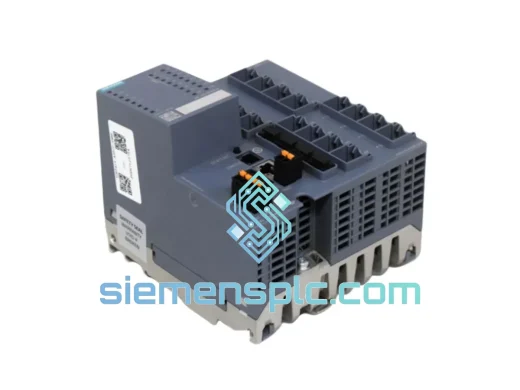
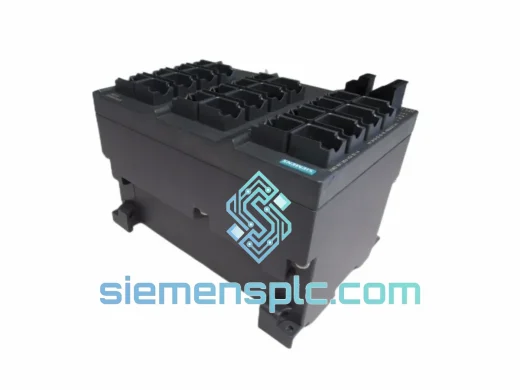
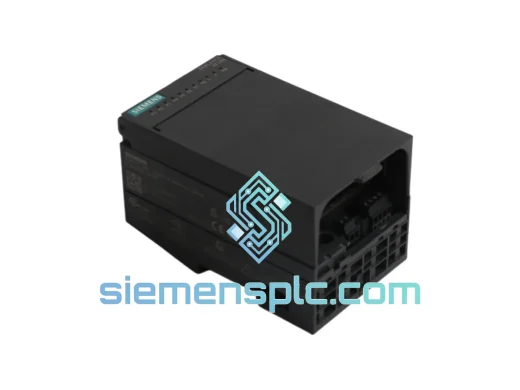
Siemens 6ES7321-1BL00-0AA0 SM321 Digital Input Module
SIMATIC
Origin DE
PLC Digital Input Module
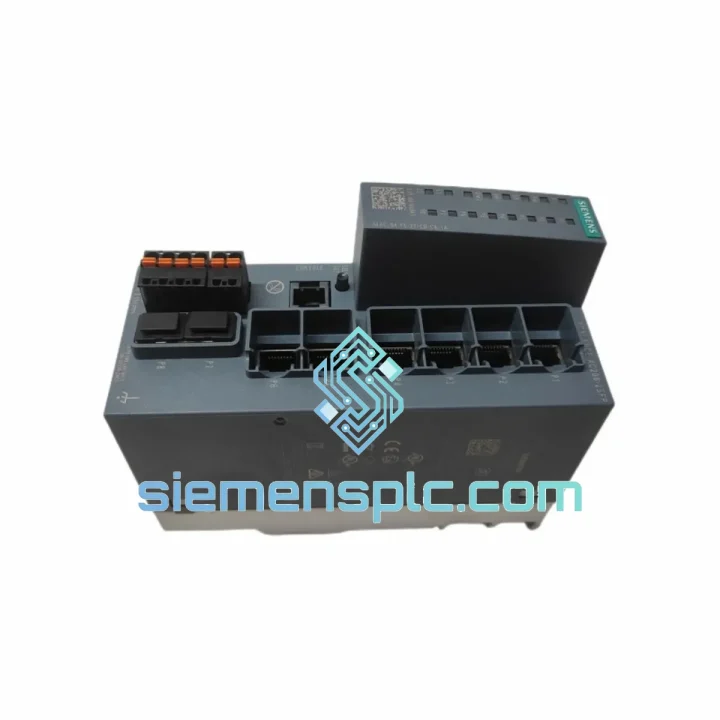
Request verified availability, condition, replacement risk review, packing options and courier lead time for 6GK5206-2BS00-2AC2.
Click Request Quote and the part number is inserted into the inquiry form automatically.
Core fields for model confirmation and RFQ routing. Detailed product narrative remains below.
Three hours into an unplanned outage. Your maintenance team has already swapped the fiber patch cords, power-cycled the cabinet twice, and run a loopback test on every port. The PROFINET ring is still broken. The S7-1500 CPU is locked in STOP. Shift supervisor is standing behind you. You’ve narrowed it to the SCALANCE XC206-2SFP — and the only question left is how fast you can get a verified replacement on-site.
We carry the Siemens 6GK5206-2BS00-2AC2 in our Xiamen facility. Confirmed stock. Orders placed before 15:00 CST go out the same business day on DHL Express or FedEx International Priority. Southeast Asia typically sees delivery in 24–48 hours. Europe and the Middle East in 72–96 hours. No middlemen, no grey-market sourcing, no excuses — just a sealed, original unit with full documentation moving toward your site while your team prepares the cabinet.
URGENT REQUIREMENT? Contact: [email protected] | WhatsApp: +86 18359268345
| Parameter | Value |
|---|---|
| Order Number | 6GK5206-2BS00-2AC2 |
| Product Name | SCALANCE XC206-2SFP |
| Product Family | SCALANCE X-200 Managed |
| Switch Architecture | Layer 2 Managed Industrial Ethernet |
| Copper Ports | 4 × RJ45, 10/100 Mbps, auto-MDI/MDIX |
| Combo SFP Ports | 2 × SFP (100/1000 Mbps, fiber or copper SFP) |
| Redundancy Protocols | MRP (IEC 62439-2), RSTP (IEEE 802.1D-2004), MSTP |
| MRP Ring Recovery | < 200 ms (standard), < 30 ms (fast mode) |
| VLAN Support | IEEE 802.1Q, max. 256 VLANs |
| QoS | IEEE 802.1p, 4 hardware queues per port |
| Management Interfaces | Web UI (HTTPS), SNMP v1/v2c/v3, CLI via SSH/Telnet, PROFINET IO |
| TIA Portal | Supported from V13 SP1 — full GSDML device integration |
| Supply Voltage | 24 V DC nominal (SELV/PELV), operating range 9.6–60 V DC |
| Power Draw | Max. 8.3 W |
| Operating Temperature | −40 °C to +70 °C |
| Relative Humidity | 5–95% RH, non-condensing |
| Ingress Protection | IP30 |
| Mounting | 35 mm DIN rail or S7-300 profile rail |
| Dimensions (W×H×D mm) | 60 × 125 × 124 |
| Weight | Approx. 520 g |
| Certifications | CE, UL 508, cUL, ATEX Zone 2, IECEx, DNV GL, RoHS 2 |
| Conformal Coating | Yes (suffix -2AC2) |
| Availability | ✔ Ready to Ship — Xiamen Warehouse |
These are the failure patterns and swap pitfalls that actually show up in the field — not the ones in the manual.
Fault Pattern 1 — PWR LED green, all port LEDs dark, zero traffic forwarding. The switching fabric has failed internally. The unit is drawing power but not processing frames. There is no firmware recovery path for this state. Pull the unit, document the MAC address from the label for your asset records, and proceed with replacement. Do not waste time on TFTP recovery attempts.
Fault Pattern 2 — MRP ring broken, one SFP port LINK LED amber-flashing. Before condemning the switch, clean the SFP receptacle with IEC 61300-3-35 compliant swabs and swap the SFP transceiver with a known-good unit. Fiber contamination accounts for roughly 30% of apparent switch failures on SFP ports. If the fault persists after a clean SFP swap, the port PHY is damaged — replace the switch.
Fault Pattern 3 — PROFINET IO devices show “No connection” in TIA Portal after a firmware update. A firmware update that completes during a power interruption can reset VLAN tables to factory defaults. Verify VLAN configuration first. If VLANs are intact and the PROFINET stack is still unresponsive, reload firmware via TFTP from a dedicated laptop on an isolated segment. Only escalate to hardware replacement if the TFTP reload fails.
Fault Pattern 4 — Intermittent packet loss correlated with vibration or temperature spikes. Inspect the DIN rail latch for micro-movement. After 5+ years in high-vibration environments — press lines, compressor rooms, stamping areas — the rail clip can develop enough play to cause intermittent backplane connector contact loss. Reseat the unit firmly. If loss continues under vibration, the internal connector between the port PCB and backplane is suspect. Replace the unit.
Replacement Procedure — What Actually Matters
Step 1: Export the configuration before cutting power. Navigate to System → Configuration → Export in the Web UI and save the XML file. The 6GK5206-2BS00-2AC2 does not support C-PLUG. There is no automatic configuration transfer. If you skip this step, you are manually rebuilding every VLAN, every MRP parameter, and every SNMP community string from scratch on the replacement unit.
Step 2: Check firmware version on the replacement unit before inserting it into the ring. Factory firmware is typically V4.x. If your ring members are running a different major version, mismatched MRP ring manager election behavior can cause intermittent ring breaks after commissioning. Update the replacement unit via Web UI or TFTP on an isolated bench setup before connecting it to the live network.
Step 3: Reuse your existing SFPs if undamaged. The XC206-2SFP accepts standard SFP modules, but Siemens maintains a qualified SFP list (SCALANCE X-200 manual, Appendix B). Third-party SFPs outside this list can cause port instability at Gigabit speeds. Your existing SFPs from the failed unit are already qualified — reuse them.
Step 4: Resolve the factory default IP before connecting to the plant network. Factory default is 192.168.1.1. If your plant network uses this subnet, connect via a dedicated laptop on an isolated segment for initial configuration. Connecting a factory-default unit directly to a live plant network with this IP will cause an address conflict and may disrupt other devices.
Step 5: Reassign the MRP Ring Manager role explicitly. If the failed unit held the Ring Manager role, you must manually assign this role to the replacement unit after importing the configuration. On older firmware versions, the MRP Ring Manager role is not preserved in the XML export. Verify this in the MRP configuration tab immediately after import — do not assume the role transferred automatically.
The SCALANCE XC206-2SFP is not rated for harsh environments as a marketing claim — it is tested to specific IEC standards that define exactly what “harsh” means in measurable terms.
The −40 °C to +70 °C operating range is validated under IEC 60068-2-1 (cold exposure) and IEC 60068-2-2 (dry heat). Full switching performance is maintained at 70 °C ambient with no derating. This matters in non-air-conditioned electrical rooms in tropical climates, in outdoor cabinets in northern Europe, and in installations adjacent to furnace lines or heat treatment equipment where ambient temperatures routinely exceed what commercial-grade switches can tolerate.
Vibration qualification covers IEC 60068-2-6 (sinusoidal vibration, 5–150 Hz, 1 g) and IEC 60068-2-27 (mechanical shock, 15 g at 11 ms half-sine pulse). These figures cover the majority of press-room, compressor-adjacent, and mobile equipment installations without requiring additional isolation mounts or shock absorbers.
The conformal coating included in the -2AC2 suffix protects the PCB against condensation cycles, sulfur compounds from industrial atmospheres, cutting fluid mist, and salt fog per IEC 60068-2-52. This is not a dip coating — it is a selective conformal coat applied to the PCB assembly, leaving connectors and mechanical interfaces uncoated for reliable mating.
ATEX Zone 2 and IECEx certification allows deployment in areas where explosive gas atmospheres may occur occasionally — petrochemical plants, offshore platforms, grain handling facilities, and solvent-based coating lines. This certification is intrinsic to the hardware design of the 6GK5206-2BS00-2AC2, not achieved through an external enclosure solution. DNV GL certification additionally covers marine and offshore installation requirements.
The DIN rail latch is stainless steel. This is a detail that matters after three to five years in coastal or high-humidity installations, where zinc alloy latches on lower-cost switches corrode and develop enough play to cause the intermittent contact issues described in the troubleshooting section above.
Our warehouse operates out of Xiamen, Fujian Province. Xiamen Gaoqi International Airport (XMN) handles direct cargo connections to DHL Express and FedEx International Priority hubs in Hong Kong, Shanghai, and Guangzhou, which gives us consistent next-flight-out options for urgent shipments without routing through congested inland hubs.
Typical door-to-door transit times from our Xiamen facility:
Every shipment includes a commercial invoice, packing list, and certificate of origin. HS Code 8517.62 applies to this product in most jurisdictions. For customers in countries with preferential tariff agreements with China, we provide the documentation your customs broker needs to file for duty reduction or exemption.
For genuine plant-down situations, contact us on WhatsApp before placing the order. We confirm real-time stock availability, arrange same-day dispatch for orders confirmed before 15:00 CST, and provide the AWB tracking number within hours of payment confirmation. If the unit is not in stock, we tell you immediately with an honest lead time — we do not hold your order while we source from secondary suppliers without telling you.
Email: [email protected]
WhatsApp: +86 18359268345
Web: siemensplc.com
© 2026 siemensplc.com. All rights reserved.
We check the full part number, brand, series and visible nameplate information before quotation.
Sales confirms stock path, condition option, quantity and realistic lead time for export dispatch.
DHL, FedEx, UPS or buyer courier arrangements can be reviewed with packing requirements.
Similar brand or category products for fast comparison and multi-item RFQ lists.