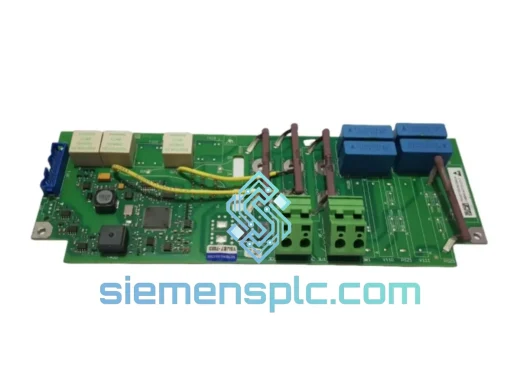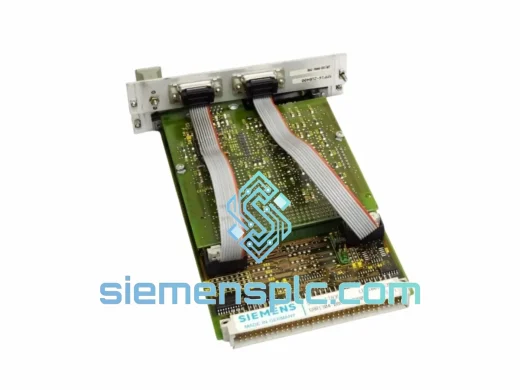
Siemens
RFQ Ready
Siemens SMP16-CTR356 6AR1304-0BA00-0AA0 Control Board – SINUMERIK
SINUMERIK
Origin DE
CNC Drive Control Board
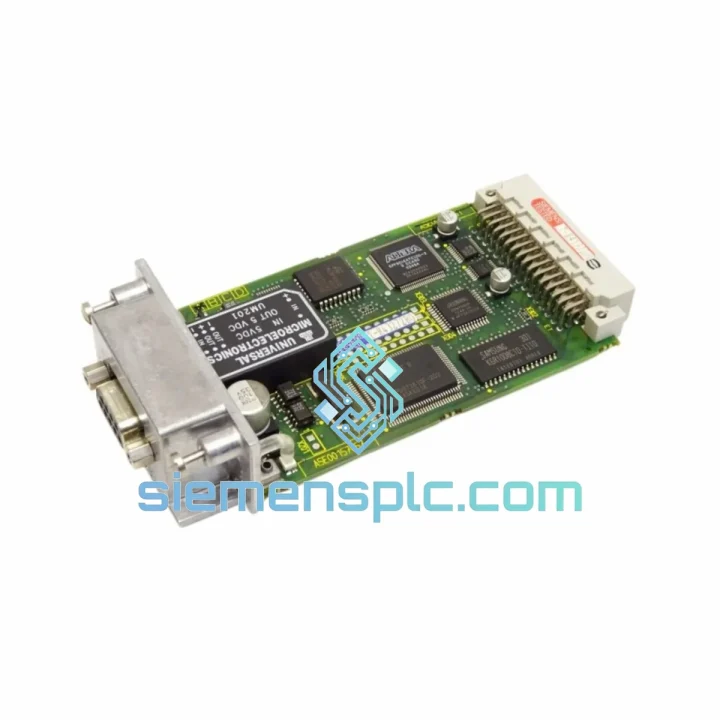
Request verified availability, condition, replacement risk review, packing options and courier lead time for 6SN1114-0NB01-0AA0.
Click Request Quote and the part number is inserted into the inquiry form automatically.
Core fields for model confirmation and RFQ routing. Detailed product narrative remains below.
A Profibus-DP communication failure on a SIMODRIVE 611 axis does not announce itself politely. One moment the spindle is running; the next, the SINUMERIK HMI throws Alarm 380500 or 380501 — “Profibus: setpoint timeout” — and the entire machining cell locks out. Every minute the line stays down, the cost accumulates: scrapped workpieces, idle operators, missed delivery windows. The 6SN1114-0NB01-0AA0 is the Profibus-DP slave option board that sits inside your SIMODRIVE 611 Universal or Digital control module and handles all cyclic process data exchange with the SIMATIC S7 or SINUMERIK NCU master. When this card fails, there is no workaround — the drive cannot receive speed setpoints or report status over the fieldbus. You need an exact replacement, verified, and on a plane today.
We stock the 6SN1114-0NB01-0AA0 in Xiamen, China. Orders confirmed before 14:00 CST ship same business day via DHL Express or FedEx International Priority. Most destinations in Europe, Southeast Asia, and North America receive the part within 2–4 working days — fast enough to keep a planned maintenance window from becoming a week-long crisis.
URGENT REQUIREMENT? Contact: [email protected] | WhatsApp: +86 18359268345
| Parameter | Specification |
|---|---|
| Part Number | 6SN1114-0NB01-0AA0 |
| Manufacturer | Siemens AG |
| Product Family | SIMODRIVE 611 Option Modules |
| Function | Profibus-DP Slave Communication Interface |
| Fieldbus Protocol | Profibus-DP (EN 50170 / IEC 61158) |
| Max. Baud Rate | 12 Mbit/s (auto-detected) |
| Station Address Setting | DIP switch on module body (1–125) |
| Module Form Factor | Plug-in option card for 6SN1118-xxx control modules |
| Compatible Control Modules | SIMODRIVE 611 Universal (6SN1118-0AA1x / 0AA0x), Digital (6SN1118-0DM3x) |
| Compatible CNC / PLC Masters | SINUMERIK 840D sl / 840D / 810D; SIMATIC S7-300/400 with CP 342-5 / CP 443-5 |
| Process Data Width | Up to 16 words PKW + 4 words PZD (configurable via GSD file) |
| GSD File | SI611U.GSD / SI611D.GSD (Siemens download portal) |
| Operating Temperature | 0°C to +55°C |
| Storage Temperature | -25°C to +70°C |
| Weight | Approx. 95 g |
| Origin | Germany (Siemens AG production) |
| Warranty | 12 months from dispatch date |
| Stock Status | ✔ Ready to Ship – Xiamen, China |
Identifying the failed module: Before pulling the card, confirm the fault is communication-layer, not a cable or master-side issue. On the SINUMERIK 840D, navigate to Diagnosis → Drive System → Profibus Status. If the affected axis shows “No Data Exchange” while all other axes are green, the option board on that specific drive module is the prime suspect. Also check the green LED on the 6SN1114-0NB01-0AA0 faceplate: steady green = active data exchange; flashing = baud rate search; off = no power or hardware fault.
Pre-replacement checklist:
Installation procedure:
Common post-replacement alarms and fixes:
The SIMODRIVE 611 platform was designed for installation inside machine tool cabinets — environments that combine high-frequency switching noise from adjacent power modules, thermal cycling from spindle load variations, and vibration from the machine structure itself. The 6SN1114-0NB01-0AA0 option board is built to the same industrial-grade standard as the host drive.
The PCB uses conformal coating on signal-layer traces, providing resistance to condensation and airborne metallic particulates common in machining environments. The edge connector is gold-plated to maintain low contact resistance across thousands of insertion cycles and in the presence of mild oxidation. The Profibus transceiver IC is rated for extended industrial temperature range, maintaining signal integrity at the full 12 Mbit/s baud rate even when cabinet ambient temperatures approach the 55°C operating limit.
EMC performance is a critical design parameter for any fieldbus interface operating inside a drive cabinet. The 6SN1114-0NB01-0AA0 incorporates differential signal transmission (RS-485 physical layer) with common-mode rejection, making it inherently resistant to the high dV/dt switching transients generated by the IGBT inverter stages in adjacent power modules. The module meets the EMC requirements of EN 61800-3 as part of the complete SIMODRIVE 611 drive system.
Vibration resistance conforms to IEC 60068-2-6 (sinusoidal) and IEC 60068-2-27 (shock), consistent with Siemens’ standard qualification testing for drive option modules. Units sourced from our stock are stored in climate-controlled conditions and shipped in ESD-safe, foam-cushioned packaging to preserve these characteristics through transit.
Our warehouse is located in Xiamen, China (XMN), with direct access to DHL Express and FedEx International Priority pickup routes. The logistics process from order confirmation to delivery is structured to minimize elapsed time at every step:
Email: [email protected]
WhatsApp: +86 18359268345
Web: siemensplc.com
Location: Xiamen, China
© 2026 siemensplc.com. All rights reserved.
We check the full part number, brand, series and visible nameplate information before quotation.
Sales confirms stock path, condition option, quantity and realistic lead time for export dispatch.
DHL, FedEx, UPS or buyer courier arrangements can be reviewed with packing requirements.
Similar brand or category products for fast comparison and multi-item RFQ lists.