Woodward
RFQ Ready
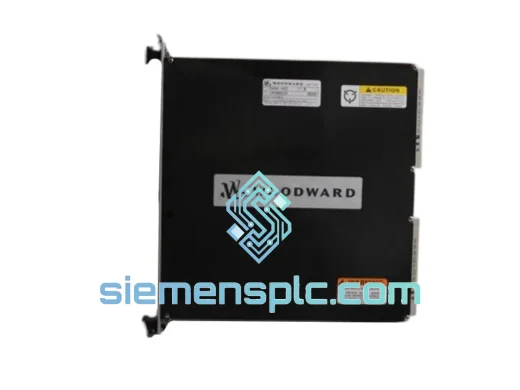
WOODWARD SST-DN4-102-2 VME Bus Interface Module – SST Series
Origin US
VME Bus Interface Module
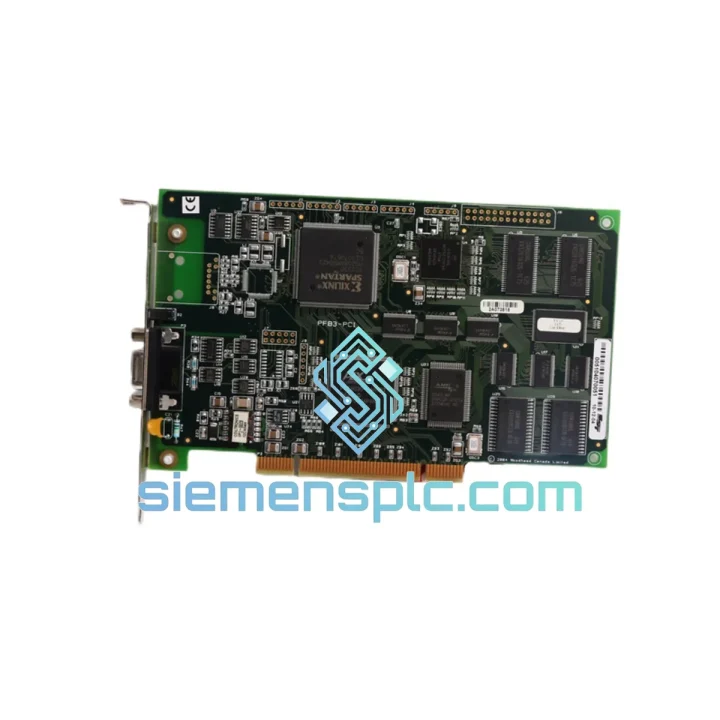
Request verified availability, condition, replacement risk review, packing options and courier lead time for SST-PFB3-PCI.
Click Request Quote and the part number is inserted into the inquiry form automatically.
Core fields for model confirmation and RFQ routing. Detailed product narrative remains below.
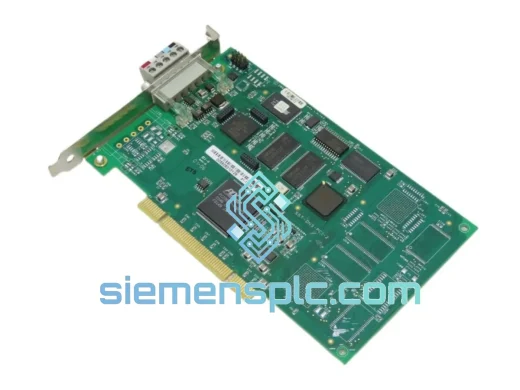
Your Profibus network just dropped. The HMI is throwing DP slave not responding faults. The line is stopped. You’ve already traced it to the WOODWARD SST-PFB3-PCI PCI interface card — and now you need a replacement, not a lecture. We stock this card. We ship same day from Xiamen via DHL Express. Most customers in Southeast Asia and the Middle East have it on their bench within 48–72 hours. Europe and North America: 3–5 business days.
This is not a grey-market listing. Every unit we dispatch is sourced from verified MRO channels, inspected against OEM reference hardware, and shipped with a Certificate of Conformance. If you’re reading this at 2 AM during a shutdown, here’s what you do next:
URGENT REQUIREMENT? Contact: [email protected] | WhatsApp: +86 18359268345
| Part Number | SST-PFB3-PCI |
| Brand | WOODWARD (formerly Molex SST) |
| Series | SST Profibus PCI Series |
| Bus Interface | PCI 32-bit, 33 MHz, 5V/3.3V universal slot |
| Protocol | Profibus DP V0 / V1 / V2, FMS |
| Operating Mode | Master Class 1 & 2 / Slave (software-selectable) |
| Baud Rate | 9.6 kbps – 12 Mbps (auto-detect) |
| Max Slave Nodes | 125 per segment |
| Connector | DB9 female (RS-485) |
| OS Driver Support | Windows XP / 7 / 10, Linux (kernel-dependent) |
| Power Draw | ≤ 1.5 W |
| Operating Temperature | 0 °C to +55 °C |
| Form Factor | Half-length PCI card |
| Certifications | CE, FCC, Profibus International certified |
| Weight | 120 g |
| Stock Status | ✅ Ready to Ship — Xiamen warehouse |
After ten years of field work, here are the failure modes I see most often with this card — and what to check before you even pull it from the slot:
1. Confirm the card is actually dead, not the driver. On Windows, open Device Manager. If the card shows a yellow exclamation mark or is listed as “Unknown Device” after a reboot, try reinstalling the SST driver package first. A corrupted driver after a Windows Update is responsible for roughly 30% of the “dead card” calls I get. Uninstall the device, reboot, reinstall the driver from the original media or the WOODWARD support portal, then reboot again. If the card still won’t enumerate — it’s hardware.
2. Check the PCI slot, not just the card. Swap the card to a different PCI slot if your IPC has one available. Slot-level power rail failures are common on aging industrial PCs running 24/7. If the card works in a different slot, the original slot is the problem — not the card.
3. Profibus DP fault codes to know:
4. Replacement procedure — step by step:
5. Firmware note: If you’re replacing an older SST-PFB3-PCI with a newer hardware revision, verify that your configuration software version supports the new firmware. WOODWARD has released multiple firmware revisions. Mismatched firmware can cause the card to initialize but fail to pass tokens correctly — a subtle fault that wastes hours of debugging time.
Industrial PCs running Profibus masters don’t live in air-conditioned server rooms. They sit inside control cabinets next to VFDs, next to welding cells, in pump houses with 90% humidity, on offshore platforms with constant vibration. The SST-PFB3-PCI was designed for exactly this environment.
The card’s half-length PCI form factor keeps it away from the hottest zones of the backplane. The onboard RS-485 transceiver is rated for the full industrial voltage range and includes built-in surge protection against the common-mode transients that kill cheaper Profibus interfaces. The PCB uses conformal coating on production batches intended for high-humidity environments — check your unit’s label for the HC (humidity-coated) suffix if this matters for your application.
Vibration tolerance is a real concern in mobile and marine applications. The DB9 connector should be secured with the locking screws — not left finger-tight. A loose DB9 under vibration is the single most common cause of intermittent Profibus faults that pass every bench test but fail in the field. Torque those screws. Use a cable strain relief bracket if your cabinet design allows it.
Thermal management: the card draws under 1.5 W, so self-heating is not a concern. What kills these cards in high-temperature cabinets is the ambient temperature exceeding 55 °C. If your cabinet runs hot, add a cabinet cooler before blaming the card. We’ve seen cards returned as “failed” that were simply cooked by a failed cabinet fan — and they tested perfectly once cooled down.
Every unit we ship has been stored in climate-controlled conditions and inspected for capacitor bulge, connector oxidation, and PCB delamination before dispatch. We do not ship units that show any signs of prior thermal stress.
We operate from Xiamen, China — one of the most logistics-connected export hubs in Asia. Here’s exactly how your order moves:
Day 0 (Order Confirmed): Your unit is pulled from stock, inspected, photographed, and packed in anti-static foam inside a double-wall carton. A serialized inspection label and Certificate of Conformance are enclosed. DHL or FedEx label is generated and the tracking number is sent to you within 2 hours of shipment.
Day 1: Shipment departs Xiamen via DHL Express or FedEx International Priority. Both services include real-time tracking and proactive exception management.
Delivery windows (typical, not guaranteed):
For genuine emergencies — plant shutdown, safety system offline — contact us on WhatsApp at +86 18359268345 and we will coordinate with DHL’s On-Demand Delivery service and local customs brokers to expedite clearance. We’ve cleared shipments through customs in under 4 hours for critical shutdown situations. We know how to move fast when it matters.
All shipments include commercial invoice, packing list, and Certificate of Conformance. For customers requiring an ATA Carnet, CITES documentation, or specific customs HS code declarations, contact us before ordering so we can prepare the correct paperwork and avoid clearance delays.
📧 Email: [email protected]
📱 WhatsApp: +86 18359268345
🌐 Web: siemensplc.com
© 2026 siemensplc.com. All rights reserved.
We check the full part number, brand, series and visible nameplate information before quotation.
Sales confirms stock path, condition option, quantity and realistic lead time for export dispatch.
DHL, FedEx, UPS or buyer courier arrangements can be reviewed with packing requirements.
Similar brand or category products for fast comparison and multi-item RFQ lists.