
ABB
RFQ Ready
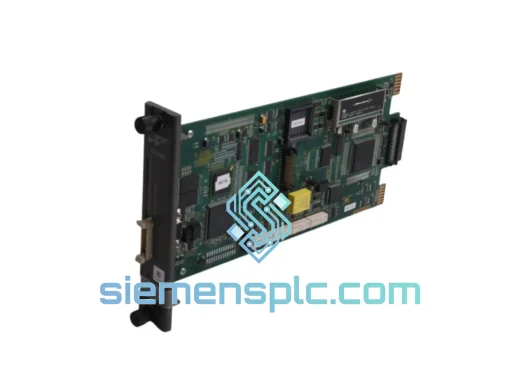
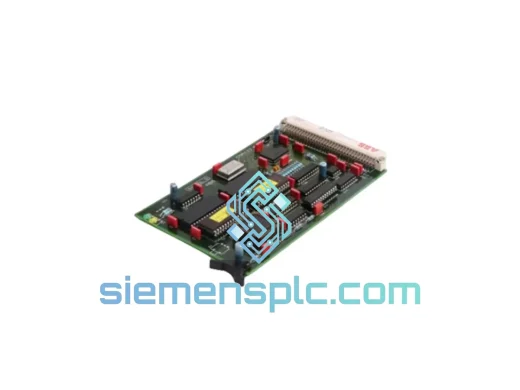
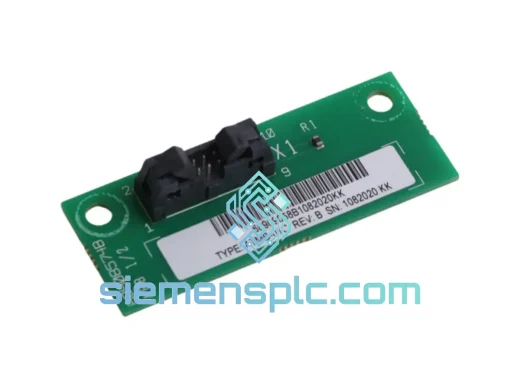
ABB PM566-TP-ETH 1SAP121500R0071 PLC CPU Module – AC500 Series
AC500
Origin SE
PLC CPU Module
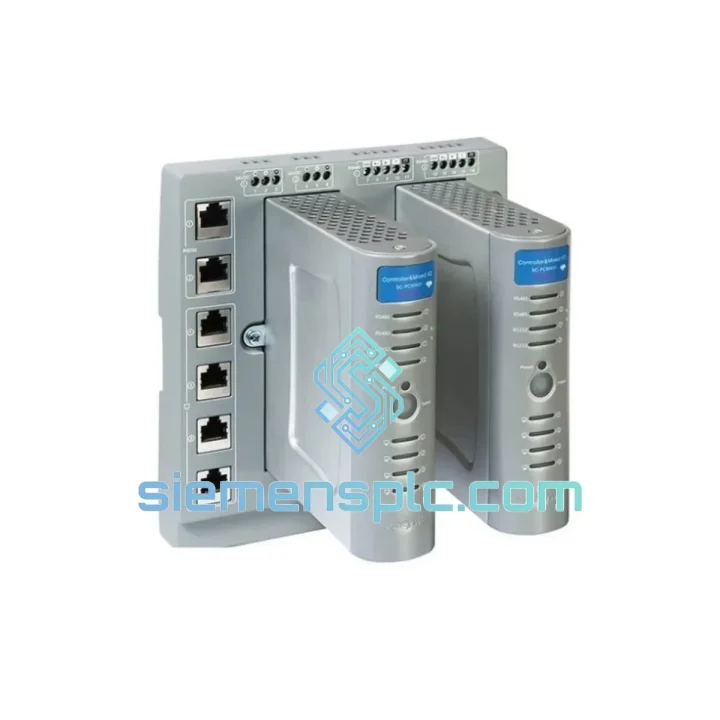
Request verified availability, condition, replacement risk review, packing options and courier lead time for PM867K01.
Click Request Quote and the part number is inserted into the inquiry form automatically.
Core fields for model confirmation and RFQ routing. Detailed product narrative remains below.
Your line is down. Every minute costs money — production losses, penalty clauses, idle labor. The ABB PM867K01 CPU module is the heart of your AC500 control system, and when it fails, nothing moves. We stock it. We ship it today. From Xiamen to your plant floor via DHL or FedEx Express — that’s the only answer that matters right now.
The PM867K01 is ABB’s mid-to-high range processor unit within the AC500 platform, handling real-time task execution, multi-protocol communication, and deterministic I/O scanning across large-scale distributed architectures. It runs IEC 61131-3 programs compiled in ABB Automation Builder (Codesys-based), supports hot-swap-capable I/O expansion via the S500 bus, and manages simultaneous Ethernet, PROFIBUS DP, CANopen, and Modbus TCP/RTU sessions without performance degradation. When this module goes down, the entire rack goes dark.
URGENT REQUIREMENT? Contact: [email protected] | WhatsApp: +86 18359268345
| Part Number | PM867K01 ✅ Ready to Ship |
| Manufacturer | ABB |
| Series | AC500 |
| Module Type | Processor Unit (CPU) |
| Programming Environment | ABB Automation Builder (IEC 61131-3: LD, FBD, ST, IL, SFC) |
| Communication Ports | 2× Ethernet (10/100 Mbps), 1× PROFIBUS DP Master/Slave, CANopen, Modbus TCP/RTU |
| Program Memory | 16 MB (expandable via SD card) |
| Data Retention | Battery-backed SRAM + SD card backup |
| Operating Temperature | 0°C to +60°C (storage: -40°C to +70°C) |
| Supply Voltage | 24 V DC (via AC500 backplane bus) |
| Protection Class | IP20 |
| Certifications | CE, UL, cUL, RoHS, IEC 61131-2 |
| Country of Origin | Germany |
| Stock Status | ✅ In Stock – Ships within 24 hours |
Ten years of field calls on AC500 systems teach you the same lessons. Here’s what actually matters when you’re swapping a PM867K01 under pressure:
1. Firmware Version Lock — Check Before You Pull the Old Module
The PM867K01 runs firmware that must match the Automation Builder project version. Before removing the failed unit, note the firmware version displayed on the front LCD (or via the web server at the module’s IP). Mismatched firmware causes immediate boot failure or task execution errors. If you’re replacing with a unit from stock, confirm the firmware version and use the Automation Builder firmware update tool to align before going live. Do not assume a new unit ships with the latest firmware.
2. IP Address and Node Configuration
The PM867K01 stores its Ethernet IP configuration in non-volatile memory. A replacement unit ships with factory defaults (typically 192.168.0.1). You must reconfigure the IP via the front-panel rotary switches or the web interface before the SCADA/DCS can reconnect. PROFIBUS node address is set via software in Automation Builder — it is not a hardware DIP switch on this model. Confirm the node address in your project configuration before downloading.
3. SD Card — Your Fastest Recovery Path
If the original PM867K01 had an SD card installed with a valid project backup, transfer it directly to the replacement unit. The AC500 will auto-boot from SD card on first power-up if no internal project is found. This cuts recovery time from hours to minutes. Verify the SD card is formatted as FAT32 and the project file is named correctly per ABB’s naming convention (check your Automation Builder project export settings).
4. Battery Replacement on Swap
The onboard lithium battery maintains SRAM data retention during power loss. A replacement module from stock may have a partially depleted battery depending on storage duration. Replace the battery (ABB part: TA521) immediately after installation if the module has been in storage for more than 12 months. A dead battery means loss of retain variables on next power cycle — a silent failure that causes erratic process behavior.
5. Common Fault Codes on PM867K01
The PM867K01 was not designed for a climate-controlled server room. It was built for the realities of industrial plant environments — and it shows in the engineering.
The module’s conformal-coated PCB resists condensation and airborne contaminants common in food processing, chemical, and coastal facilities. Vibration resistance meets IEC 60068-2-6 specifications, making it suitable for installation near compressors, presses, and rotating machinery without additional isolation mounts. The wide operating temperature range of 0°C to +60°C covers the majority of industrial enclosure environments without forced cooling, and the storage rating of -40°C to +70°C means units can be warehoused in unheated facilities without degradation.
Electromagnetic compatibility is certified to EN 61000-4 series standards — the module maintains stable operation in environments with variable-frequency drives, large motor starters, and high-current switching equipment running in adjacent panels. The isolated communication ports prevent ground loop interference from propagating into the CPU logic, a common failure mode in older PLC architectures.
In short: this module is built to outlast the equipment it controls. When it does fail, it’s usually a firmware issue, a battery, or an upstream power quality problem — not the hardware itself. That’s why a verified replacement unit gets you back online fast.
Our warehouse is located in Xiamen, Fujian Province — one of China’s primary export hubs with direct access to international freight lanes. When you place an order before 15:00 CST, your PM867K01 ships the same business day.
Standard Express Routing:
Export Documentation Included: Commercial invoice, packing list, and certificate of origin are prepared for every shipment. HS Code 8537.10 is pre-classified for customs clearance. For destinations requiring additional import permits or end-user declarations, contact us 24 hours before shipment to allow document preparation.
Packaging: Every PM867K01 ships in anti-static shielding bag, foam-lined carton, and outer corrugated box rated for air freight handling. Connector pins are protected with factory-style plastic covers. No unit leaves our facility without passing a final visual inspection against the packing checklist.
Emergency orders — including weekend and holiday dispatch — are handled on a case-by-case basis. Contact us directly via WhatsApp for urgent freight coordination.
📧 Email: [email protected]
💬 WhatsApp: +86 18359268345
🌐 Web: siemensplc.com
© 2026 siemensplc.com. All rights reserved. All brand names, trademarks, and part numbers referenced herein are the property of their respective owners and are used solely for product identification purposes.
We check the full part number, brand, series and visible nameplate information before quotation.
Sales confirms stock path, condition option, quantity and realistic lead time for export dispatch.
DHL, FedEx, UPS or buyer courier arrangements can be reviewed with packing requirements.
Similar brand or category products for fast comparison and multi-item RFQ lists.