
Allen-Bradley
In Stock OK
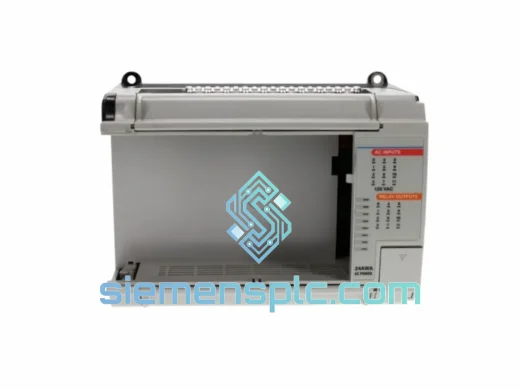
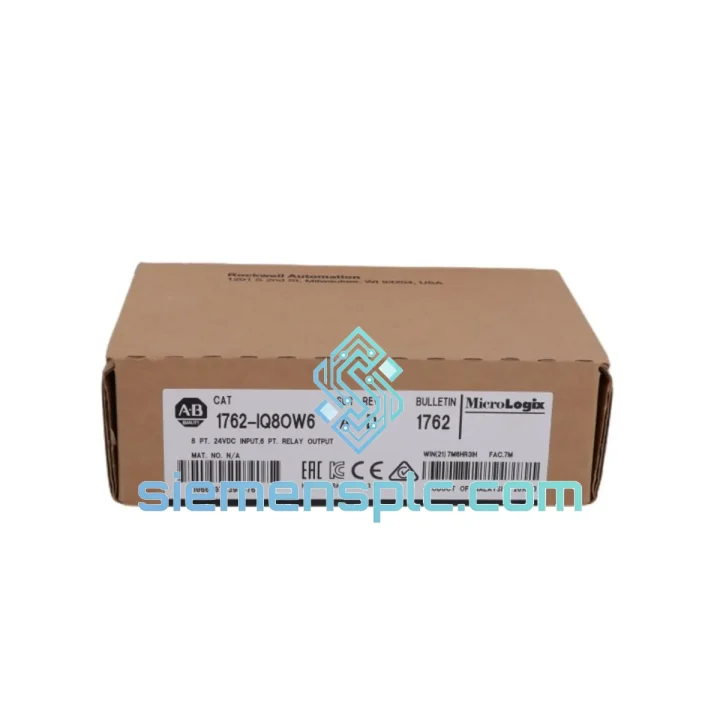
Allen-Bradley 1762-IQ8 Digital Input Module
Request verified availability, condition, replacement risk review, packing options and courier lead time for 1762-IQ8.
BrandAllen-Bradley
Part Number1762-IQ8
ConditionAvailability Check
Lead TimeRFQ Confirmation
DocumentsDatasheet / photos by RFQ
ShippingExport packing available
Auto-filled RFQ
1762-IQ8
Click Request Quote and the part number is inserted into the inquiry form automatically.
- Reply by email: [email protected]
- WhatsApp / Tel: +86 18359268345
- Mon-Sat 9:00-18:00 GMT+8
Procurement Data
Key Product Information
Core fields for model confirmation and RFQ routing. Detailed product narrative remains below.
- Brand
- Allen-Bradley
- Primary Part Number
- 1762-IQ8
- Product Type
- PLC Digital Input Module
- Series / Family
- MicroLogix
- Country of Origin
- US
- Catalog Category
- I/O Modules
- Operating Temp.
- 0°C to +60°C
- Humidity
- 5 – 95% RH, non-condensing
Model confirmed for inquiry
1762-IQ8
Send quantity, destination and urgency. The RFQ form keeps this part number attached.
Request Quote
Product Overview
1762-IQ8 Down? Every Minute of Downtime Costs You — Get Back Online Fast
Your line stopped. The HMI is throwing faults. Maintenance pulled the module and confirmed it: the 1762-IQ8 is dead. You’ve been here before — waiting days for a part while the production manager calls every hour. That ends now.
We stock the Allen-Bradley 1762-IQ8 in Xiamen, China, ready for same-day dispatch via DHL Express or FedEx International Priority. Whether you’re running a conveyor in Malaysia, a packaging line in Saudi Arabia, or a water treatment skid in Poland — we’ve shipped to your region before, and we’ll do it again, fast.
URGENT REQUIREMENT? Contact: [email protected] | WhatsApp: +86 18359268345
Quick Technical Datasheet
| Part Number | 1762-IQ8 ✅ Ready to Ship |
| Brand | Allen-Bradley (Rockwell Automation) |
| Series | MicroLogix 1762 Expansion I/O |
| Compatible Controllers | MicroLogix 1100 (1763-Lxx), MicroLogix 1400 (1766-Lxx) |
| Input Points | 8 Points — Discrete DC Sourcing (IEC Type 1) |
| Nominal Input Voltage | 24V DC |
| Input Voltage Range | 10 – 28.8V DC |
| ON-State Current | 6 mA @ 24V DC |
| ON Threshold | ≥ 10V DC |
| OFF Threshold | ≤ 5V DC |
| Input Impedance | 4 kΩ |
| Response Time | ≤ 2 ms (ON and OFF) |
| Isolation | Optical — field side isolated from logic backplane |
| Backplane Current (5V DC) | 75 mA |
| Power Dissipation | 1.8 W max |
| Operating Temperature | 0°C to +60°C |
| Storage Temperature | -40°C to +85°C |
| Humidity | 5 – 95% RH, non-condensing |
| Enclosure Rating | IP20 (panel mount) |
| Terminal Block | Removable (RTB) — field wiring stays during swap |
| Dimensions (H×W×D) | 90 × 40 × 87 mm |
| Weight | ~250 g |
| Certifications | UL, CE, CSA, RCM, IEC 61131-2 Type 1, RoHS |
| Origin | United States |
| Stock Status | ✅ In Stock — Ships Same Day |
Troubleshooting & Replacement Tips
Ten years of field work teaches you that most 1762-IQ8 failures fall into three categories. Here’s how to diagnose and swap correctly without creating new problems.
Fault Pattern 1 — All 8 inputs read OFF regardless of field signal
This is the most common failure mode. The optical isolators on the field side have degraded, usually from sustained overvoltage (field wiring shorted to 120VAC momentarily) or from accumulated moisture ingress at the terminal block. Before condemning the module, verify 24VDC is present at the common terminal and that your sensor supply hasn’t dropped below 10V. If supply checks out and inputs are still dead, the module is gone. Pull it.
Fault Pattern 2 — Intermittent input chattering on one or two points
Chattering on isolated points usually points to a failing sensor or marginal wiring, not the module itself. However, if the chattering follows the module when you swap it to a test bench with a known-good sensor, the input filter capacitor on that channel has failed. Replace the module. Do not attempt to repair — the 1762-IQ8 is not field-serviceable.
Fault Pattern 3 — RSLogix 500 shows Module Fault (Error Code 0x0010 or 0x0020)
These codes indicate a backplane communication failure between the module and the MicroLogix base unit. First, reseat the module firmly — the expansion connector is a friction-fit and can work loose from vibration. If reseating clears the fault, inspect the connector pins for corrosion or mechanical damage. If the fault persists after reseating, the module’s backplane interface has failed.
Replacement Procedure — Step by Step
- Place the controller in Program mode via the keyswitch or RSLogix 500 before removing the module. Never hot-swap 1762-series I/O — the expansion bus is not designed for live insertion.
- Disconnect field wiring at the RTB. The RTB lifts off the module face without tools. Label your wires before removal if they aren’t already marked — you’ll thank yourself later.
- Release the DIN-rail latch at the bottom of the module and slide it off the expansion bus connector. Note the slot position — the 1762-IQ8 must be reinstalled in the same slot number for the I/O map to remain valid without a program edit.
- Seat the replacement module firmly onto the expansion connector. You should feel a positive click. Reattach the RTB with field wiring.
- No address switches, no DIP switches, no firmware flashing required. The 1762-IQ8 is auto-addressed by the MicroLogix controller at power-up based on slot position.
- Power up the controller. RSLogix 500 should show the module online with no faults within 3 seconds of power-on. If you see a configuration mismatch fault, verify the replacement module’s catalog number exactly matches what’s in the I/O configuration tree — a 1762-IQ8OW6I is not a drop-in replacement for a 1762-IQ8.
- Force each of the 8 input bits individually using RSLogix 500 I/O forcing to confirm all channels are functional before returning the machine to Auto mode.
Firmware Note: The 1762-IQ8 carries no user-configurable firmware. Input filter times (0–32 ms) are set in the controller’s I/O configuration, not on the module itself. If your replacement module shows different filter behavior, check the RSLogix 500 I/O configuration for that slot — the filter setting may have been customized by the original programmer.
Reliability in Harsh Conditions
The 1762-IQ8 was engineered for the kind of environments that destroy consumer-grade electronics in weeks. The optical isolation barrier between field wiring and the logic backplane is the first line of defense — it blocks voltage transients, ground loops, and the kind of electrical noise that motor drives and contactors inject into panel wiring every time they switch. In a panel with a 22kW VFD two feet away, that isolation is not optional.
The operating temperature ceiling of 60°C is real-world tested, not a marketing number. In a sealed NEMA 12 enclosure on a summer production floor in Southeast Asia, internal panel temperatures routinely hit 50–55°C. The 1762-IQ8 runs continuously in those conditions without derating. The storage range of -40°C to +85°C means modules shipped in unheated cargo containers through northern winters arrive fully functional.
Vibration resistance is built into the DIN-rail mounting system and the expansion bus connector design. The friction-fit connector maintains electrical contact under the continuous low-frequency vibration typical of pump skids, compressor rooms, and mobile equipment installations. The removable terminal block adds a mechanical advantage — the RTB body absorbs some of the vibration stress that would otherwise be transmitted directly to the PCB solder joints through the field wiring.
Humidity tolerance up to 95% RH non-condensing covers the vast majority of industrial environments, including coastal facilities, food processing areas with steam cleaning cycles, and tropical climates. The IP20 enclosure rating assumes panel-mount installation — the module is not designed for open-air or outdoor use without an appropriate enclosure.
Every unit we ship has been inspected for label integrity, housing condition, and terminal block seating. Surplus units undergo bench-level power-on verification. Anti-static bags and foam cushioning are standard for all international shipments.
Global Express Logistics
Our warehouse is in Xiamen, Fujian Province — one of China’s primary export hubs with direct access to DHL, FedEx, and UPS international gateways. Orders confirmed before 15:00 CST ship the same business day. Here’s what the timeline looks like from your purchase order to your panel:
- Day 0 (Order Confirmed): Stock verified, unit inspected, packed in anti-static and foam-cushioned export carton. Commercial invoice and packing list generated. Shipment booked with DHL Express or FedEx International Priority based on your destination.
- Day 1: Parcel collected by courier and cleared through Xiamen customs. Tracking number sent to your email. Most Southeast Asian destinations (Singapore, Malaysia, Thailand, Vietnam) receive shipments within 2–3 business days from this point.
- Day 2–4 (Asia-Pacific): Delivery to Singapore, Malaysia, Indonesia, Philippines, Thailand, Vietnam, South Korea, Japan. DHL Express typically delivers within this window.
- Day 3–5 (Middle East & South Asia): Delivery to UAE, Saudi Arabia, Qatar, India, Pakistan. FedEx International Priority is the preferred carrier for Gulf destinations.
- Day 4–6 (Europe): Delivery to Germany, Netherlands, Poland, UK, France, Italy, Spain. DHL Express Europe network provides reliable transit with full customs clearance support.
- Day 5–7 (Americas): Delivery to USA, Canada, Mexico, Brazil. FedEx International Priority with full commercial documentation for customs clearance.
We provide complete export documentation: commercial invoice, packing list, certificate of conformance, and HS code declaration (HS 8537.10 for PLC modules). For orders requiring a formal quotation, proforma invoice, or letter of credit, contact us directly — we handle project procurement paperwork routinely.
Emergency shipments with Saturday delivery or door-to-door courier tracking are available on request. If your plant is down and every hour matters, tell us when you contact us — we will prioritize your order in the dispatch queue.
Contact Information
Production stopped? Send us the part number and your delivery address right now.
📧 Email: [email protected]
💬 WhatsApp: +86 18359268345
🌐 Web: siemensplc.com
© 2026 siemensplc.com. All rights reserved.
Ready to quote
[email protected]
Send This Part Number to Sales
RFQ workflow
Quality workflow ->
Confirmation Process
01Model confirmation
We check the full part number, brand, series and visible nameplate information before quotation.
02Availability reply
Sales confirms stock path, condition option, quantity and realistic lead time for export dispatch.
03Packing & courier
DHL, FedEx, UPS or buyer courier arrangements can be reviewed with packing requirements.
Continue sourcing
Browse full catalog ->
Related Automation Parts
Similar brand or category products for fast comparison and multi-item RFQ lists.
Allen-Bradley
RFQ Ready
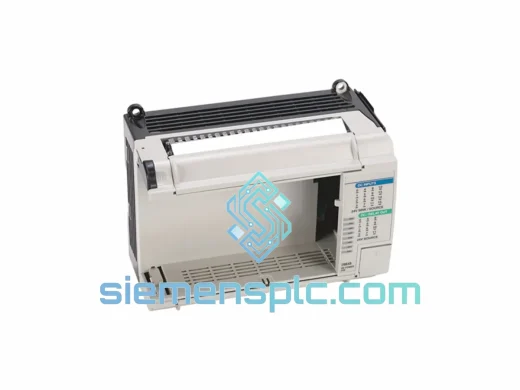
Allen-Bradley 1762-OA8 PLC Output Module – MicroLogix 1762 Series
MicroLogix
Origin US
PLC Output Module
Allen-Bradley
RFQ Ready
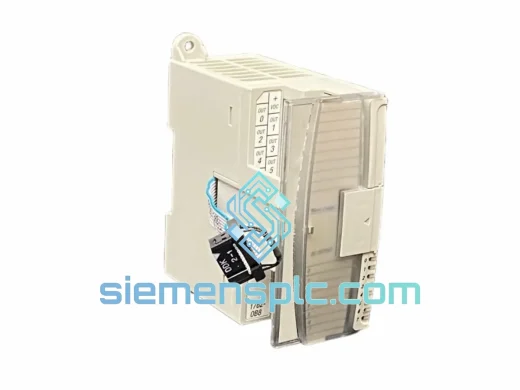
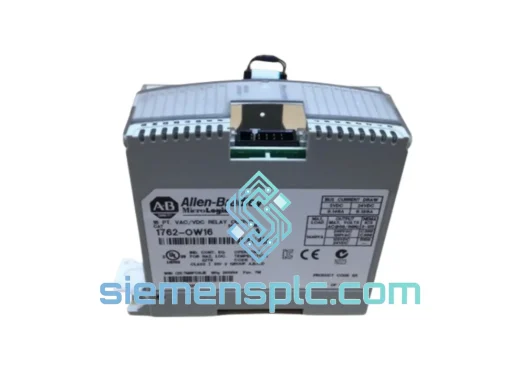
Allen-Bradley 1762-OW16 Relay Output Module
MicroLogix
Origin US
PLC Relay Output Module