
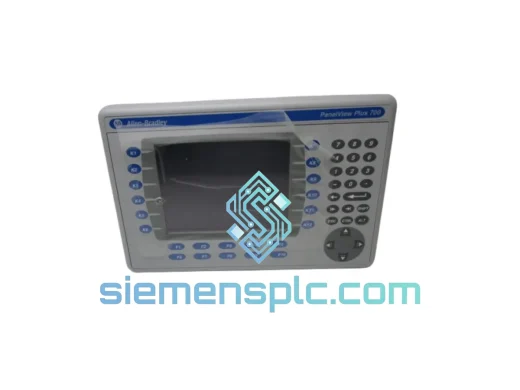
Allen-Bradley
In Stock OK
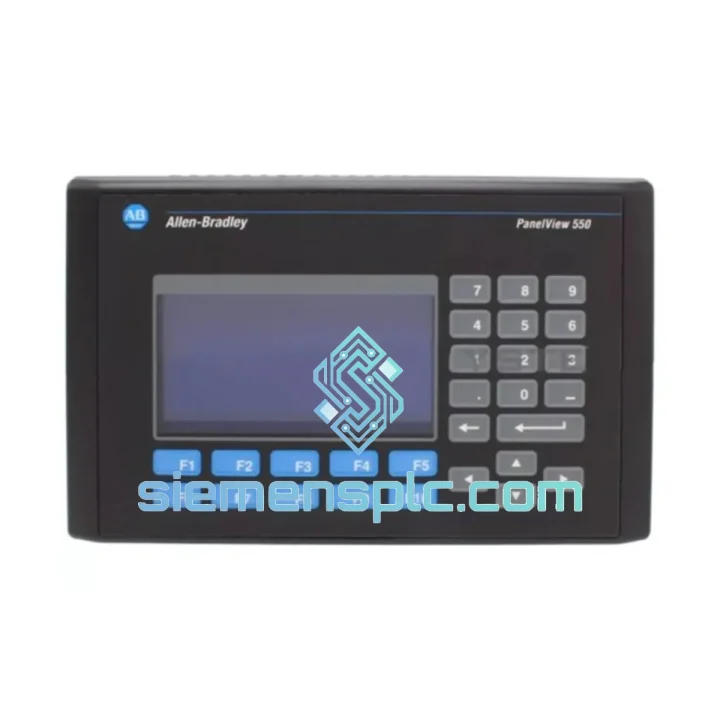
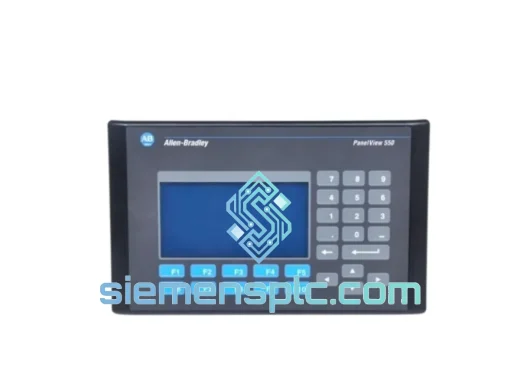
Allen-Bradley 2711-B5A10 HMI Operator Terminal
Request verified availability, condition, replacement risk review, packing options and courier lead time for 2711-B5A10.
BrandAllen-Bradley
Part Number2711-B5A10
ConditionAvailability Check
Lead TimeRFQ Confirmation
DocumentsDatasheet / photos by RFQ
ShippingExport packing available
Auto-filled RFQ
2711-B5A10
Click Request Quote and the part number is inserted into the inquiry form automatically.
- Reply by email: [email protected]
- WhatsApp / Tel: +86 18359268345
- Mon-Sat 9:00-18:00 GMT+8
Procurement Data
Key Product Information
Core fields for model confirmation and RFQ routing. Detailed product narrative remains below.
- Brand
- Allen-Bradley
- Primary Part Number
- 2711-B5A10
- Product Type
- HMI Operator Terminal
- Series / Family
- PanelView
- Country of Origin
- US
- Catalog Category
- HMI Panels
Model confirmed for inquiry
2711-B5A10
Send quantity, destination and urgency. The RFQ form keeps this part number attached.
Request Quote
Product Overview
Allen-Bradley 2711-B5A10 PanelView 550 — Stop the Clock on Your Downtime
Every minute your line sits idle, you’re bleeding money. A failed HMI terminal shouldn’t be the bottleneck that shuts down an entire production cell. The Allen-Bradley 2711-B5A10 PanelView 550 is one of the most widely deployed operator terminals in North American and Asian discrete manufacturing — and when it fails, the pressure to restore operations is immediate. We stock this unit in Xiamen, China, and ship globally via DHL and FedEx Express. From the moment you confirm your order, our team moves fast so your line moves again.
This is not a listing for a unit that’s “available on request.” We maintain physical inventory. If you’re reading this page during a breakdown, pick up the phone or send a WhatsApp message right now.
URGENT REQUIREMENT? Contact: [email protected] | WhatsApp: +86 18359268345
Quick Technical Datasheet
| Part Number | 2711-B5A10 ✅ Ready to Ship |
| Brand | Allen-Bradley (Rockwell Automation) |
| Series | PanelView 550 |
| Display | 5.5-inch monochrome LCD, keypad input (non-touch) |
| Communication | DH-485 (RS-422/RS-485) |
| Supply Voltage | 24 VDC |
| Application Memory | 512 KB |
| Operating Temp | 0 °C to +55 °C |
| Storage Temp | -40 °C to +85 °C |
| Enclosure Rating | NEMA 4 / 4X / 12 / 13 (front face) |
| Programming Software | PanelBuilder32 / PanelBuilder 1400e |
| Certifications | UL 508, CE, CSA, RoHS |
| Weight | ~3.0 kg |
| Stock Status | ✅ In Stock — Ships within 24–48 hrs of order confirmation |
Troubleshooting & Replacement Tips
The 2711-B5A10 fails in predictable ways. Here’s what field experience tells you to check before you condemn the unit — and what to watch when you swap it out.
Common Failure Modes:
- Blank or flickering display — Backlight lamp failure is the #1 cause on units with 5+ years of runtime. Before replacing the terminal, check if the backlight lamp (2711-NL1) is the culprit. If the display is completely dark but the unit still communicates (you can hear relay clicks or see PLC data change), it’s almost certainly the lamp, not the logic board.
- Keypad unresponsive or intermittent — Membrane keypad delamination from thermal cycling. Inspect the ribbon cable connector at the PCB. Re-seating often restores function temporarily; full replacement is the correct fix.
- DH-485 communication fault (Error 85 or “No Comm”) — Check network termination resistors at both ends of the DH-485 segment. The 2711-B5A10 has an internal 150 Ω termination switch — verify it matches your network topology. Also confirm baud rate matches the SLC/MicroLogix port setting (typically 19.2 kbps).
- Application not loading after power cycle — Battery-backed RAM failure. The internal lithium coin cell (CR2032 or equivalent) maintains application memory during power loss. If the unit boots to a blank application, the battery is dead. Replace the cell and reload the .PBA file from PanelBuilder32.
- “Transfer Error” during application download — Firmware mismatch between PanelBuilder32 version and terminal firmware. Check the terminal firmware revision via the Configuration Menu (hold F1 + F10 at power-up on most revisions). Match your PanelBuilder32 version accordingly.
Replacement Checklist (Hot-Swap Protocol):
- Before removing the old unit, export the .PBA application file from PanelBuilder32 if you don’t already have a backup. If the terminal is non-functional, retrieve the file from your engineering workstation or DCS archive.
- Note the DH-485 node address configured on the outgoing unit (accessible via Configuration Menu). The replacement unit must be set to the same node address before going online.
- Verify the termination switch position on the replacement unit matches the original.
- After physical installation, download the application via PanelBuilder32 before powering the PLC into Run mode. Confirm all screen navigation and data tag mappings are functional.
- If the replacement unit has a different firmware revision, test all screens thoroughly — minor rendering differences can occur between firmware generations.
Reliability in Harsh Conditions
The PanelView 550 platform was engineered for the factory floor, not the office. The 2711-B5A10 carries a NEMA 4/4X front-face rating, meaning the panel cutout seal resists directed water jets, dust ingress, and oil mist — conditions that are standard in food processing, automotive paint shops, and chemical handling facilities.
The operating temperature ceiling of +55 °C covers the vast majority of industrial enclosure environments, even in poorly ventilated control cabinets in tropical climates. The storage range of -40 °C to +85 °C means units held in unheated warehouses or outdoor equipment shelters retain full functionality when brought back into service.
Vibration tolerance is a practical strength of the keypad-based design. Unlike resistive or capacitive touchscreens, the membrane keypad has no glass layer to crack under mechanical shock and no calibration to drift under sustained vibration. This makes the 2711-B5A10 a preferred choice for mobile equipment, compressor skids, and conveyor drive panels where vibration is continuous.
Every unit we ship has been visually inspected for housing cracks, connector damage, and keypad membrane integrity. Units that show signs of prior repair or board-level rework are disclosed and priced accordingly — we do not mix grades without disclosure.
Global Express Logistics
Our warehouse is located in Xiamen, Fujian Province, China — one of the most logistics-efficient export hubs in Southeast China, with direct access to DHL, FedEx, and UPS international express networks.
Typical transit times from Xiamen:
- Southeast Asia (Singapore, Thailand, Vietnam, Malaysia) — 2–4 business days via DHL Express
- Australia & New Zealand — 3–5 business days via FedEx International Priority
- Middle East (UAE, Saudi Arabia, Qatar) — 3–5 business days via DHL Express
- Europe (Germany, UK, Netherlands, Poland) — 4–6 business days via FedEx International Priority
- North America (USA, Canada, Mexico) — 4–7 business days via DHL Express or FedEx
- South America (Brazil, Chile, Colombia) — 5–8 business days depending on customs clearance
All shipments include full tracking from pickup to delivery. We prepare commercial invoices, packing lists, and HS code documentation to minimize customs clearance delays. For urgent orders, we offer same-day dispatch on orders confirmed before 14:00 CST. Emergency weekend dispatch is available — contact us directly via WhatsApp to arrange.
Export compliance: all units are shipped under standard industrial goods classifications. We do not ship to sanctioned destinations. For orders requiring specific country-of-origin documentation or third-party inspection certificates, contact us in advance.
Contact Information
Email: [email protected]
WhatsApp: +86 18359268345
Web: siemensplc.com
© 2026. All rights reserved.
Ready to quote
[email protected]
Send This Part Number to Sales
RFQ workflow
Quality workflow ->
Confirmation Process
01Model confirmation
We check the full part number, brand, series and visible nameplate information before quotation.
02Availability reply
Sales confirms stock path, condition option, quantity and realistic lead time for export dispatch.
03Packing & courier
DHL, FedEx, UPS or buyer courier arrangements can be reviewed with packing requirements.
Continue sourcing
Browse full catalog ->
Related Automation Parts
Similar brand or category products for fast comparison and multi-item RFQ lists.
Allen-Bradley
RFQ Ready
Allen-Bradley 2711-B5A8X HMI Terminal – PanelView 550
PanelView
Origin US
HMI Terminal