Mitsubishi Electric
RFQ Ready
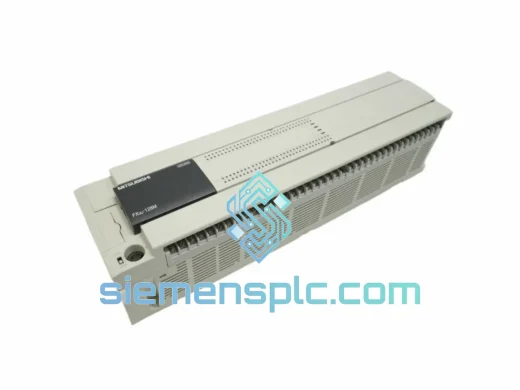
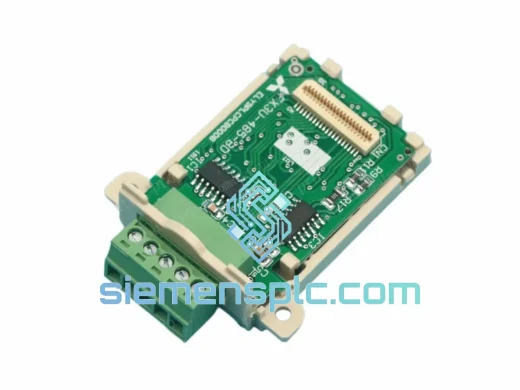
Mitsubishi FX3U-485-BD Communication Board – FX3U Series
MELSEC FX
Origin JP
Communication Board
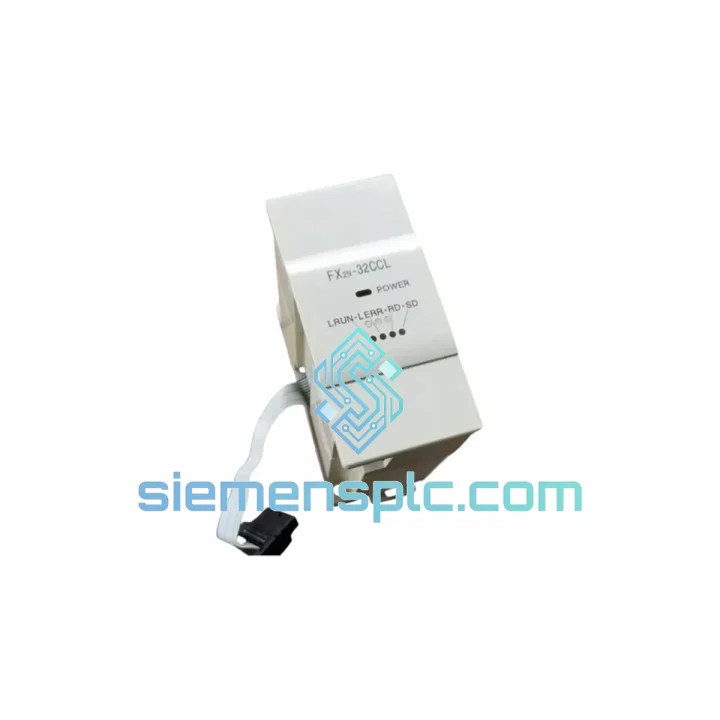
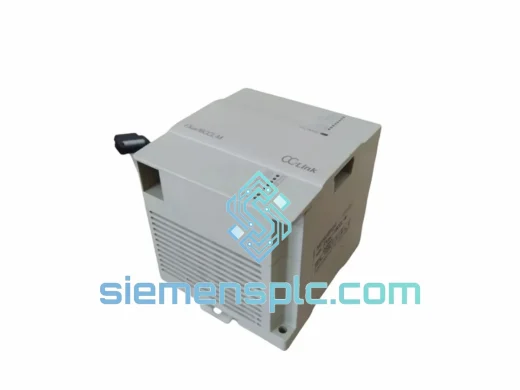
Request verified availability, condition, replacement risk review, packing options and courier lead time for FX2N-32CCL.
Click Request Quote and the part number is inserted into the inquiry form automatically.
Core fields for model confirmation and RFQ routing. Detailed product narrative remains below.
Your CC-Link network just dropped. The FX2N CPU is throwing a communication error. The line is stopped. You’ve already pulled the FX2N-32CCL and confirmed it’s the culprit. Now you need a replacement — fast, verified, and ready to drop in without surprises. That’s exactly what we stock.
We maintain ready inventory of the Mitsubishi FX2N-32CCL CC-Link Remote Device Station module at our Xiamen warehouse. Same-day dispatch on confirmed orders before 15:00 CST. DHL Express to most destinations in 2–5 business days. No waiting on distributor lead times. No minimum order quantity.
URGENT REQUIREMENT? Contact: [email protected] | WhatsApp: +86 18359268345
| Parameter | Specification |
|---|---|
| Model / SKU | FX2N-32CCL ✅ Ready to Ship |
| Manufacturer | Mitsubishi Electric |
| Series | MELSEC FX2N |
| Module Function | CC-Link Remote Device Station |
| CC-Link Version | Ver. 1.10 |
| Station Type | Remote Device Station (1 station occupied) |
| Remote I/O Points | RX / RY — 32 points each |
| Remote Register | RWr / RWw — 4 words each |
| Baud Rate Support | 156 kbps / 625 kbps / 2.5 Mbps / 5 Mbps / 10 Mbps |
| Power Supply | 5 VDC via FX2N expansion bus |
| Current Draw | 90 mA @ 5 VDC |
| Operating Temp | 0 °C to 55 °C |
| Storage Temp | −20 °C to 70 °C |
| Certifications | CE, UL, cUL |
| Country of Origin | Japan |
| Weight | Approx. 200 g (module only) |
| Stock Status | ✅ In Stock — Ships Same Day |
The FX2N-32CCL fails in predictable ways. Here’s what field experience tells you to check before you even pull the module:
Common Fault Indicators:
Step-by-Step Replacement Procedure:
GX Works2 Verification: Navigate to Network Parameter → CC-Link → Station Information. Confirm the replacement station appears with correct station type (Remote Device Station) and point count (32 points). If the station shows as Reserved or Error, check the station number match and cable continuity.
The FX2N-32CCL was engineered for the factory floor, not a server room. Mitsubishi Electric designed this module to operate continuously in environments that would kill consumer-grade electronics within weeks.
The module’s conformal-coated PCB resists moisture ingress and condensation — a real concern in food processing plants and outdoor enclosures where humidity swings are constant. Operating temperature tolerance of 0 °C to 55 °C covers the majority of industrial enclosure environments, including those without active cooling in summer months.
Vibration resistance meets IEC 61131-2 standards: 10–57 Hz at 0.075 mm amplitude, 57–150 Hz at 9.8 m/s². This matters on press lines, compressor skids, and any application where the control panel is mounted to moving or vibrating structure. The expansion bus connector uses a positive-locking slide mechanism — it does not work loose under vibration the way screw-terminal expansion modules can.
The CC-Link physical layer uses shielded twisted-pair cable with differential signaling, which provides inherent noise immunity against the high-frequency interference generated by VFDs, servo amplifiers, and welding equipment. In environments with heavy EMI, this differential architecture is what keeps your network stable when other fieldbus technologies drop packets.
Units sourced from our Xiamen warehouse are stored in climate-controlled conditions at 20–25 °C and 40–60% RH. Each module is individually bagged with desiccant and inspected for physical integrity before dispatch. You receive a module that is ready to install, not one that has been sitting in an uncontrolled warehouse for years.
Our dispatch hub is in Xiamen, Fujian Province — one of China’s primary export ports with direct access to DHL, FedEx, and UPS international gateways. This is not a drop-ship arrangement. We hold physical stock and we pack and ship in-house.
Typical Transit Times from Xiamen:
Shipment Documentation Included: Commercial invoice with HS code 8537.10 declared, packing list, and Certificate of Origin available on request. All documentation is prepared to support smooth customs clearance. For US imports, we declare under the correct HTS subheading to avoid unnecessary customs holds.
Orders confirmed before 15:00 CST Monday–Friday ship same day. Orders placed after cutoff or on weekends ship the next business day. You receive a tracking number via email within 2 hours of dispatch. WhatsApp updates are available on request — message us at +86 18359268345 and we will push tracking milestones directly to you.
For critical downtime situations, contact us directly before placing the order. We can confirm stock availability, prepare the shipment in advance, and have it at the DHL counter within the hour.
📧 Email: [email protected]
💬 WhatsApp: +86 18359268345
🌐 Web: siemensplc.com
© 2026 siemensplc.com. All rights reserved. All product names and trademarks are the property of their respective owners. Mitsubishi Electric and MELSEC are registered trademarks of Mitsubishi Electric Corporation.
We check the full part number, brand, series and visible nameplate information before quotation.
Sales confirms stock path, condition option, quantity and realistic lead time for export dispatch.
DHL, FedEx, UPS or buyer courier arrangements can be reviewed with packing requirements.
Similar brand or category products for fast comparison and multi-item RFQ lists.