Yokogawa
RFQ Ready
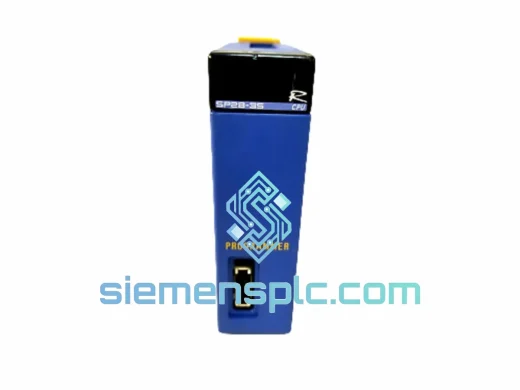
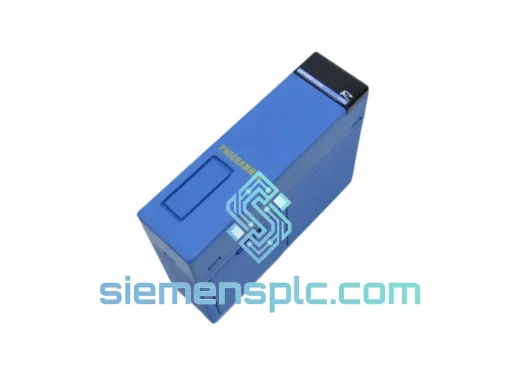
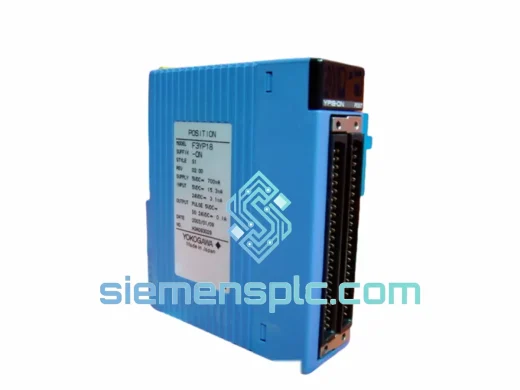
YOKOGAWA YNT511D PLC Communication Module
FA-M3
Origin JP
PLC Communication Module
Request verified availability, condition, replacement risk review, packing options and courier lead time for F3LC11-1N.
Click Request Quote and the part number is inserted into the inquiry form automatically.
Core fields for model confirmation and RFQ routing. Detailed product narrative remains below.
Your FA-M3 rack just dropped the computer link. The SCADA screen is frozen. The shift supervisor is on the phone. Every minute offline is money walking out the door — and you already know the part number: F3LC11-1N. We have it. It ships today from Xiamen. That’s the only thing that matters right now.
The F3LC11-1N is YOKOGAWA’s dedicated Computer Link Module for the FA-M3 (F3 Series) PLC platform. It handles high-speed serial communication between the FA-M3 CPU backplane and host computers, SCADA systems, or MES layers via RS-232C or RS-422/485. When this module fails, your entire supervisory data loop goes dark. There is no workaround — it must be replaced with the correct part, correctly configured, and fast.
URGENT REQUIREMENT? Contact: [email protected] | WhatsApp: +86 18359268345
| Parameter | Specification |
|---|---|
| Part Number | F3LC11-1N |
| Manufacturer | YOKOGAWA Electric Corporation |
| Series | FA-M3 (F3 Series) |
| Module Function | Computer Link Communication Module |
| Communication Interface | RS-232C / RS-422/485 |
| Protocol | YOKOGAWA Computer Link (proprietary) |
| Compatible CPUs | F3SP22-0S, F3SP28-3N, F3SP38-6N, F3SP53-4H, F3SP58-6H, F3SP67-6S, F3SP71-4N, F3SP76-7N |
| Compatible Base Units | F3BU04-0N, F3BU06-0N, F3BU13-0N |
| Programming Software | WideField3 / WideField2 |
| Operating Temperature | 0°C to +55°C |
| Storage Temperature | -20°C to +70°C |
| Humidity | 10% to 90% RH (non-condensing) |
| Weight (packaged) | 2,140 g |
| Origin | Japan |
| Stock Status | ✅ Ready to Ship — Xiamen, China |
Ten years of field calls on FA-M3 systems teach you that the F3LC11-1N fails in predictable ways. Here’s what to check before you pull the module — and what to nail down when you drop the new one in.
Common failure signatures:
Replacement field checklist:
The FA-M3 platform was built for process industries, not office environments. The F3LC11-1N reflects that. Its PCB carries conformal coating to resist moisture ingress in high-humidity environments — coastal chemical plants, paper mills, food processing facilities where steam and condensation are daily realities. The backplane connector uses gold-plated contacts rated for thousands of insertion cycles, maintaining low contact resistance through years of thermal cycling.
Vibration resistance meets IEC 61131-2 requirements — the same standard applied to PLC hardware in compressor stations, pump skids, and rotating machinery where structural vibration is continuous. The module locks positively into the FA-M3 base unit, preventing micro-movement that causes intermittent contact faults in high-vibration installations.
Operating range of 0°C to +55°C covers the vast majority of industrial control room and panel enclosure environments. For installations approaching the upper limit — a non-air-conditioned substation in Southeast Asia in August — verify panel ventilation and check that adjacent modules are not generating excess heat. The F3LC11-1N draws from the backplane 5 VDC rail; a marginal power supply module running below spec will cause erratic behavior that mimics a faulty communication module. Measure backplane voltage before condemning the F3LC11-1N.
Every unit we ship is inspected for physical integrity: label authenticity, connector condition, housing cracks, and date-code consistency. Modules with damaged edge connectors or missing firmware labels are quarantined, not sold.
We ship from Xiamen, Fujian Province — one of China’s primary export hubs with direct DHL and FedEx gateway access. This matters when you are counting hours, not days.
Ready to order or need a lead time confirmation before raising a PO? Reach us directly — no ticketing system, no chatbot queue.
📧 Email: [email protected]
💬 WhatsApp: +86 18359268345
🌐 Web: siemensplc.com
© 2026 siemensplc.com. All rights reserved. Independent specialist supplier of industrial automation components.
We check the full part number, brand, series and visible nameplate information before quotation.
Sales confirms stock path, condition option, quantity and realistic lead time for export dispatch.
DHL, FedEx, UPS or buyer courier arrangements can be reviewed with packing requirements.
Similar brand or category products for fast comparison and multi-item RFQ lists.