

Siemens
RFQ Ready
Siemens 6AV7240-0HC07-0PA0 Industrial Panel PC Motherboard – SIMATIC IPC477D
SIMATIC
Origin DE
Industrial Panel PC Motherboard
Request verified availability, condition, replacement risk review, packing options and courier lead time for 6AV2124-0GC01-0AX0.
Click Request Quote and the part number is inserted into the inquiry form automatically.
Core fields for model confirmation and RFQ routing. Detailed product narrative remains below.
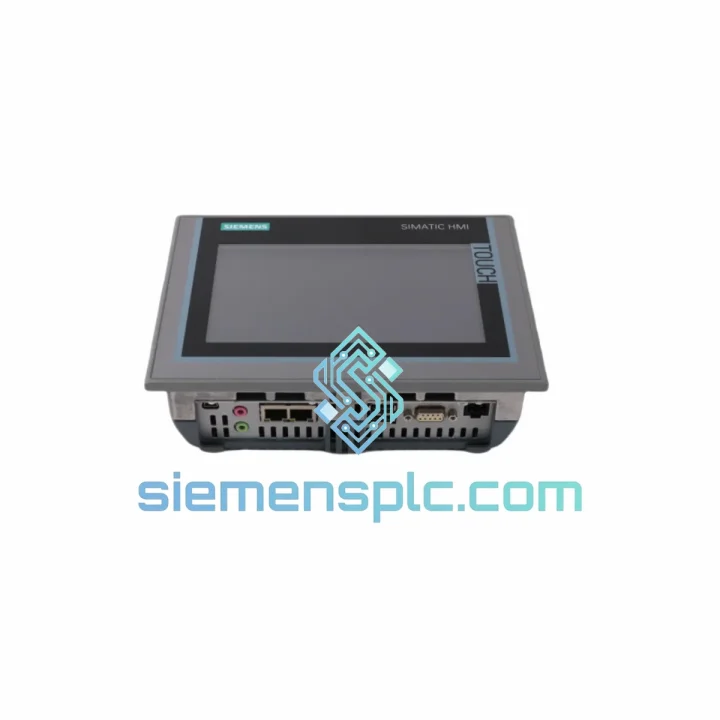
Your line is down. The operator screen is dark. Every minute the TP700 Comfort stays offline, you’re bleeding production output, missing SLA windows, and fielding calls from plant management. The 6AV2124-0GC01-0AX0 is not a commodity panel — it is the visualization backbone of your SIMATIC architecture, and when it fails, nothing downstream runs cleanly. We stock it. We ship it today. That’s the only answer that matters right now.
At siemensplc.com, we maintain physical inventory of the 6AV2124-0GC01-0AX0 specifically because HMI failures don’t schedule themselves. This 7-inch WVGA resistive touch panel runs on Windows CE 6.0, integrates natively into TIA Portal WinCC, and communicates across dual PROFINET ports plus MPI/PROFIBUS — covering virtually every SIMATIC topology in the field. Whether your plant runs S7-1200, S7-1500, or legacy S7-300/400, this panel connects without protocol adapters or gateway overhead.
URGENT REQUIREMENT? Contact: [email protected] | WhatsApp: +86 18359268345
| Parameter | Specification |
|---|---|
| Order Number | 6AV2124-0GC01-0AX0 |
| Series | SIMATIC HMI TP700 Comfort |
| Display Size | 7″ Widescreen TFT |
| Resolution | 800 × 480 px (WVGA) |
| Touch Type | Resistive, single-touch |
| CPU | ARM Cortex-A8, 600 MHz |
| RAM | 128 MB |
| User Flash Memory | 24 MB |
| Operating System | Windows CE 6.0 |
| PROFINET Ports | 2× RJ45 (integrated switch) |
| Serial Interface | 1× MPI/PROFIBUS DP (RS-422/485) |
| USB | 2× USB 2.0 (Type A) |
| Memory Expansion | 1× SD card slot |
| Supply Voltage | 24 V DC (20.4–28.8 V) |
| Power Consumption | ~14 W |
| Front Protection | IP65 |
| Rear Protection | IP20 |
| Operating Temperature | 0 °C to +50 °C |
| Storage Temperature | -20 °C to +60 °C |
| Dimensions (W×H×D) | 214 × 158 × 46 mm |
| Weight | ~1.53 kg |
| Panel Cutout | 197 × 141 mm |
| Certifications | CE, UL, cULus, ATEX Zone 2 (with kit) |
| Engineering Software | WinCC (TIA Portal) V13 SP1 and above |
| Stock Status | ✅ Ready to Ship — Xiamen Warehouse |
Before you pull the panel, confirm the fault is hardware — not configuration. The TP700 Comfort throws a black screen on boot for three distinct reasons: corrupted project file on internal flash, failed backlight (panel is alive but dark), or genuine main board failure. Hold a flashlight at an angle to the screen — if you can faintly see the UI, the backlight inverter has failed, not the panel logic. That changes your replacement urgency but not your part number.
Common fault codes and field-proven fixes:
Field-tested replacement checklist:
The 6AV2124-0GC01-0AX0 was engineered to operate continuously in the conditions that actually exist on production floors. The front bezel achieves IP65 ingress protection — it withstands direct water jets and heavy dust accumulation without seal failure. In food and beverage plants where high-pressure washdowns are routine, this rating is the difference between a panel that survives a shift change and one that fails within six months.
Vibration resistance is validated to IEC 60068-2-6 standards: sinusoidal vibration across 10–58 Hz at 0.075 mm amplitude, and 58–500 Hz at 1g. In practice, the panel holds up on machine tools, compressor skids, and mobile equipment where constant mechanical vibration would destroy consumer-grade displays within weeks.
The operating temperature ceiling of +50 °C covers the vast majority of industrial cabinet environments, including tropical climates without air conditioning. The resistive touch technology responds to gloved hands, stylus input, and knuckle operation — critical where operators wear cut-resistant or chemical-resistant gloves and cannot remove them to interact with a touchscreen.
Long-term field deployment data across automotive, chemical, and energy sectors consistently shows the TP700 Comfort achieving MTBF figures well above 50,000 hours under normal operating conditions. The backlight is the most common wear component — plan for panel swap at the 5–7 year mark in continuous 24/7 operation.
Our warehouse is in Xiamen, Fujian Province — one of China’s primary export hubs with direct access to DHL Express, FedEx International Priority, and UPS Worldwide Express freight lanes. For urgent orders confirmed before 14:00 CST, same-day dispatch is standard.
All shipments include real-time tracking from dispatch to delivery. AWB number is provided within 2 hours of dispatch confirmation. For plant shutdowns or emergency maintenance windows, contact us directly on WhatsApp for priority processing — we coordinate same-day courier pickup for orders confirmed by noon.
Export documentation prepared in-house: commercial invoice, packing list, certificate of origin, and HS code declaration (HS 8537.10) are standard with every shipment. DDP, DAP, and EXW Incoterms available. Every unit is packed in anti-static foam-lined cartons with moisture barrier film and double-walled corrugated outer carton for air freight drop protection.
📧 Email: [email protected]
💬 WhatsApp: +86 18359268345
🌐 Web: siemensplc.com
© 2026 siemensplc.com. All rights reserved.
We check the full part number, brand, series and visible nameplate information before quotation.
Sales confirms stock path, condition option, quantity and realistic lead time for export dispatch.
DHL, FedEx, UPS or buyer courier arrangements can be reviewed with packing requirements.
Similar brand or category products for fast comparison and multi-item RFQ lists.


