
ABB
In Stock OK
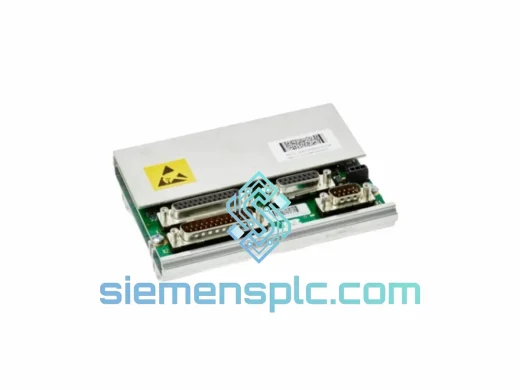
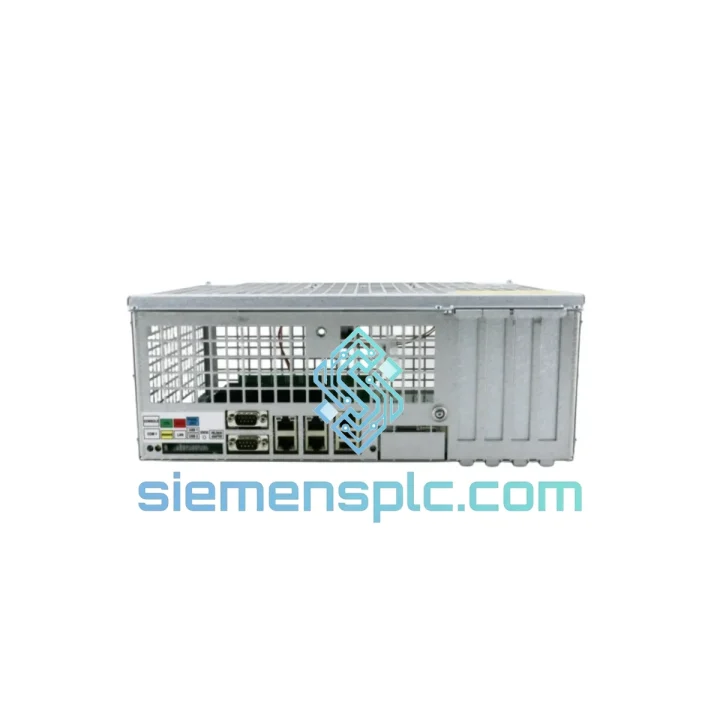
ABB DSQC639 Robot Controller Module
Request verified availability, condition, replacement risk review, packing options and courier lead time for 3hna011195-001 3hac022978-001 DSQC639.
BrandABB
Part Number3hna011195-001 3hac022978-001 DSQC639
ConditionAvailability Check
Lead TimeRFQ Confirmation
DocumentsDatasheet / photos by RFQ
ShippingExport packing available
Auto-filled RFQ
3hna011195-001 3hac022978-001 DSQC639
Click Request Quote and the part number is inserted into the inquiry form automatically.
- Reply by email: [email protected]
- WhatsApp / Tel: +86 18359268345
- Mon-Sat 9:00-18:00 GMT+8
Procurement Data
Key Product Information
Core fields for model confirmation and RFQ routing. Detailed product narrative remains below.
- Brand
- ABB
- Primary Part Number
- 3hna011195-001 3hac022978-001 DSQC639
- Product Type
- Robot Controller Module
- Series / Family
- IRC5
- Country of Origin
- SE
- Model Function
- Main Computer / CPU Board
- Catalog Category
- Industrial Automation Spares
Model confirmed for inquiry
3hna011195-001 3hac022978-001 DSQC639
Send quantity, destination and urgency. The RFQ form keeps this part number attached.
Request Quote
Product Overview
ABB DSQC639 — IRC5 Main Computer Down? Every Minute Costs You Money. We Ship Today.
Production line frozen. IRC5 cabinet dark. FlexPendant throwing 10013 Main computer error or simply refusing to boot. You’ve already lost an hour — maybe more. The ABB DSQC639 (part number 3HNA011195-001, cross-ref 3HAC022978-001) is the central CPU of every IRC5 controller cabinet. When it fails, nothing moves: no motion planning, no I/O handshake, no fieldbus, no path execution. The entire robot is a $200,000 paperweight until this board is back in the rack.
We stock verified DSQC639 units in Xiamen and ship DHL/FedEx express the same business day your order is confirmed. Most customers in Europe receive within 3–5 days. Southeast Asia: 2–3 days. North America: 4–6 days. That’s the difference between a week of downtime and a weekend recovery.
URGENT REQUIREMENT? Contact: [email protected] | WhatsApp: +86 18359268345
Quick Technical Datasheet
| Parameter | Specification |
|---|---|
| Part Number (Primary) | 3HNA011195-001 |
| Cross-Reference | 3HAC022978-001 |
| Module Designation | DSQC639 |
| Function | Main Computer / CPU Board |
| Compatible Controller | ABB IRC5 (Single & Dual Cabinet) |
| RobotWare Compatibility | RobotWare 5.x / 6.x |
| Communication Ports | Ethernet (LAN1/LAN2), USB ×2, RS-232 Serial |
| Memory | 512 MB RAM, CompactFlash slot for RobotWare image |
| Operating Voltage | 24 VDC (supplied via IRC5 backplane) |
| Operating Temperature | 0 °C to +55 °C |
| Weight | Approx. 420 g |
| Country of Origin | Sweden / EU |
| Stock Status | ✅ Ready to Ship — Xiamen Warehouse |
Troubleshooting & Replacement Tips
Common failure signatures that point to DSQC639:
- Error 10013 / 10014 — Main computer internal fault. If cycling power doesn’t clear it and the CompactFlash card checks out, the board itself is suspect.
- Blank FlexPendant on boot — Controller powers up, drives initialize, but the teach pendant stays dark with no ABB splash screen. The DSQC639 is not completing POST.
- Ethernet LAN1 unreachable — RobotStudio cannot connect, RAPID tasks won’t load. Often a failed NIC section on the main computer rather than a network issue.
- Intermittent 38xxx drive errors — If axis computer (DSQC643) and drive units test clean, the motion command pipeline from DSQC639 may be corrupted.
- CompactFlash read errors on known-good CF card — The CF slot controller on the DSQC639 board has failed; board replacement is the only fix.
Replacement procedure — field checklist:
- Backup first. If the old board still partially boots, use RobotStudio or the FlexPendant to export the system backup (.tar.gz) to a USB drive. This preserves your RAPID programs, tool data, and calibration offsets.
- Record the RobotWare version from the existing CompactFlash card label or from the controller info screen. The replacement board must run the same RobotWare major version (5.x or 6.x) — mixing versions requires a full system reinstall.
- Power down and lockout. Main breaker off, LOTO applied. The IRC5 cabinet holds capacitor charge — wait 60 seconds after power-off before opening the door.
- Transfer the CompactFlash card. The CF card holds the RobotWare image and system configuration. Remove it from the failed DSQC639 and install it in the replacement board before first boot. This is the single most important step — without it, the robot has no identity.
- Check the IP address configuration. The DSQC639 stores LAN1/LAN2 IP settings in the system parameters (SYS/PROC/SIO.cfg). If your facility uses static IPs, verify the network config loads correctly after first boot.
- No DIP switches or address jumpers on the DSQC639 itself — the board is auto-configured by the RobotWare image on the CF card. No hardware addressing required.
- First boot sequence: Power on, wait for the FlexPendant to display the ABB logo and complete startup (~90 seconds). If the system prompts for a system restore, point it to your USB backup. Run a manual jog on all axes before releasing to production.
- Firmware note: If you are upgrading from RobotWare 5.x to 6.x simultaneously with the board swap, a clean RobotWare installation is mandatory — do not attempt to boot a 6.x CF card on a board that previously ran 5.x without a full system wipe.
Reliability in Harsh Conditions
The DSQC639 was engineered for continuous 24/7 operation inside IRC5 cabinets that sit on foundry floors, automotive body shops, and food processing lines — environments that would destroy consumer-grade electronics within weeks. The board uses industrial-grade components rated for extended temperature ranges, with conformal coating on critical PCB sections to resist condensation and airborne contaminants.
Vibration resistance is validated to IEC 60068-2-6 standards, covering the resonance frequencies generated by servo drives, pneumatic actuators, and heavy press machinery operating in close proximity. The board’s power regulation circuitry handles the voltage transients common in factory environments — the kind of spikes that degrade ordinary hardware over months of operation.
Units we supply are sourced from decommissioned OEM systems or authorized distribution channels. Each board undergoes visual inspection for burnt components, cracked solder joints, and corrosion before dispatch. ESD-safe handling is applied throughout — from intake inspection to final packaging. You receive a board that has been treated with the same care your maintenance team would apply on-site.
Global Express Logistics
Our dispatch warehouse is located in Xiamen, Fujian, China — a major international freight hub with direct DHL and FedEx express lanes to every major industrial region. Orders confirmed before 14:00 CST ship the same business day.
- Europe (Germany, France, Italy, Netherlands): DHL Express — 3 to 5 business days
- Southeast Asia (Thailand, Vietnam, Malaysia, Indonesia): FedEx International Priority — 2 to 3 business days
- North America (USA, Canada, Mexico): DHL Express Worldwide — 4 to 6 business days
- Middle East (UAE, Saudi Arabia, Qatar): FedEx Priority — 3 to 5 business days
- South America (Brazil, Chile, Colombia): DHL Express — 5 to 7 business days
Every shipment includes full commercial invoice, packing list, and HS code declaration for smooth customs clearance. For customers in countries with import duty sensitivities, we can advise on documentation best practices. Shipment tracking is provided immediately upon dispatch — you know exactly where your board is at every stage of transit.
For time-critical situations where standard express is not fast enough, contact us directly. We have access to charter freight and hand-carry courier options for genuine production emergencies.
Contact Information
Email: [email protected]
WhatsApp: +86 18359268345
Web: siemensplc.com
© 2026 siemensplc.com. All rights reserved.
Ready to quote
[email protected]
Send This Part Number to Sales
RFQ workflow
Quality workflow ->
Confirmation Process
01Model confirmation
We check the full part number, brand, series and visible nameplate information before quotation.
02Availability reply
Sales confirms stock path, condition option, quantity and realistic lead time for export dispatch.
03Packing & courier
DHL, FedEx, UPS or buyer courier arrangements can be reviewed with packing requirements.
Continue sourcing
Browse full catalog ->
Related Automation Parts
Similar brand or category products for fast comparison and multi-item RFQ lists.
ABB
RFQ Ready
ABB TA8412N7600E912 3HNA021184-001 Servo Power Regulation Unit
IRC5
Origin SE
Servo Power Regulation Unit
ABB
RFQ Ready
ABB DSQC561 3HAC048550-001 Serial Measurement Board
IRC5
Origin SE
PLC / Robot Controller Module
ABB
RFQ Ready
ABB 3HNA023200-001/00 TPPB-02 LCD Display
IRC5
Origin SE
Robot Teach Pendant Components