
ABB
In Stock OK
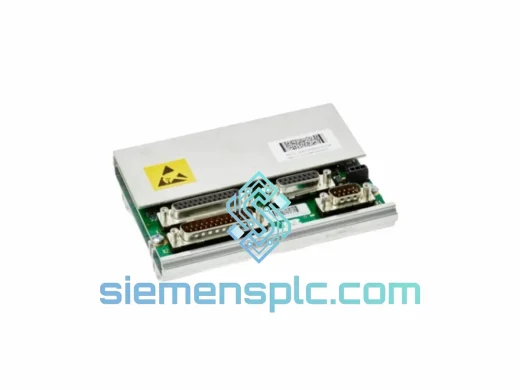
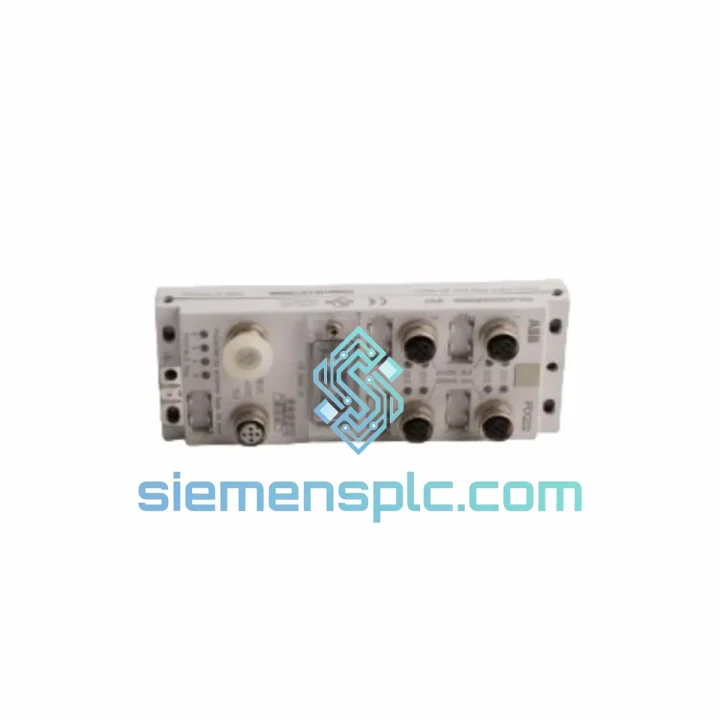
ABB DSQC697 3HAC037084-001 DeviceNet Communication Module
Request verified availability, condition, replacement risk review, packing options and courier lead time for 3HAC037084-001.
BrandABB
Part Number3HAC037084-001
ConditionAvailability Check
Lead TimeRFQ Confirmation
DocumentsDatasheet / photos by RFQ
ShippingExport packing available
Auto-filled RFQ
3HAC037084-001
Click Request Quote and the part number is inserted into the inquiry form automatically.
- Reply by email: [email protected]
- WhatsApp / Tel: +86 18359268345
- Mon-Sat 9:00-18:00 GMT+8
Procurement Data
Key Product Information
Core fields for model confirmation and RFQ routing. Detailed product narrative remains below.
- Brand
- ABB
- Primary Part Number
- 3HAC037084-001
- Product Type
- DeviceNet Communication Module
- Series / Family
- IRC5
- Manufacturer
- ABB Robotics
- Country of Origin
- SE
- Catalog Category
- Industrial Automation Spares
Model confirmed for inquiry
3HAC037084-001
Send quantity, destination and urgency. The RFQ form keeps this part number attached.
Request Quote
Product Overview
ABB DSQC697 3HAC037084-001 — Stop the Clock on Your Downtime
Your IRC5 robot just dropped off the DeviceNet network. The line is cold. Every minute costs real money — whether that’s $500/hr in a stamping plant or $2,000/hr on an automotive BIW line. You don’t need a brochure. You need the board, tested, boxed, and moving toward your dock today.
The DSQC697 (ABB part 3HAC037084-001, cross-reference 3HNA023282-001) is the DeviceNet communication option board for the ABB IRC5 controller family. When this board fails, your robot goes silent on the fieldbus — no I/O handshake, no conveyor sync, no weld trigger. There is no software workaround. The board must be replaced.
We stock this module in Xiamen. It ships same business day on orders confirmed before 15:00 CST via DHL Express or FedEx International Priority. Most destinations in Southeast Asia, Europe, and North America receive within 3–5 business days.
URGENT REQUIREMENT? Contact: [email protected] | WhatsApp: +86 18359268345
Quick Technical Datasheet
| Parameter | Detail | Status |
|---|---|---|
| Primary Part Number | 3HAC037084-001 | ✔ Ready to Ship |
| Alternate Part Numbers | DSQC697 / 3HNA023282-001 | ✔ Ready to Ship |
| Manufacturer | ABB Robotics | — |
| Compatible Controller | ABB IRC5 (Single, Dual, Panel-Mount Cabinet) | — |
| Fieldbus Protocol | DeviceNet (CAN-based, ISO 11898) | — |
| Baud Rate | 125 / 250 / 500 kbps (auto-detect) | — |
| Node Address Range | 0–63, set via RobotWare I/O configuration | — |
| Max Digital I/O | Up to 512 points (network-dependent) | — |
| Connector | 5-pin Open Style DeviceNet (V+, V−, CAN_H, CAN_L, Shield) | — |
| Form Factor | IRC5 internal DSQC-series option slot board | — |
| Operating Temperature | 0 °C to +55 °C | — |
| Storage Temperature | −25 °C to +70 °C | — |
| Weight | ~600 g | — |
| RobotWare Compatibility | RW 5.12 and later, all RW 6.x releases | — |
| Software Option Required | DeviceNet Master/Slave (RobotWare license) | — |
| Origin | Sweden (ABB Robotics) | — |
| Shipping Origin | Xiamen, China | ✔ In Stock |
Troubleshooting & Replacement Tips
Ten years of field calls on IRC5 systems teach you the same patterns. Here is what actually matters when you are standing in front of a dead cabinet:
Fault Codes That Point to the DSQC697
- 20223 — DeviceNet internal error: Board hardware fault. Power-cycle first; if it persists across two cold boots, the board is gone.
- 20224 — DeviceNet bus off: Could be wiring (check termination resistors — 121 Ω at both trunk ends), but if the network checks out clean, suspect the board’s CAN transceiver.
- 20225 — DeviceNet duplicate MAC ID: Two nodes sharing the same address. Before swapping the board, verify the replacement is configured to the same node address as the failed unit — otherwise you will trigger this fault on the new board immediately.
- 20230 — DeviceNet connection timeout: Slave device dropped off. Isolate whether it is the slave or the master (DSQC697) by checking the board’s LED indicators: MS (Module Status) and NS (Network Status).
LED Diagnostic Quick Reference
- MS solid green + NS solid green = normal operation
- MS solid red = unrecoverable fault — replace the board
- MS flashing red = recoverable fault — check RobotWare configuration
- NS flashing green = online, no connections established — check slave device power
- NS solid red = critical link failure — check trunk cable and termination
Step-by-Step Replacement Procedure
- Backup first. Use RobotStudio or the FlexPendant to create a full system backup (File → Backup → Create Backup). This preserves your I/O signal mapping and DeviceNet configuration. If the controller is non-responsive, locate the last known backup on the controller’s hard drive or USB.
- Record the node address. Before powering down, note the DeviceNet node address assigned to the DSQC697 in RobotWare (Controller → I/O → DeviceNet). You will need this during recommissioning.
- Power down safely. Set the main switch to OFF. Wait 60 seconds for capacitors to discharge before opening the cabinet door.
- Locate the option slot. The DSQC697 sits in the IRC5 option board slot, typically in the upper section of the drive module. It is secured by two M3 screws and a board-edge connector. Handle by the edges — the CAN transceiver IC is ESD-sensitive.
- Seat the replacement. Install the new DSQC697, torque screws to 0.5 Nm, reconnect the DeviceNet trunk cable to the 5-pin connector. Verify shield continuity with a multimeter before closing the cabinet.
- Restore and recommission. Power up, restore the system backup, and verify the DeviceNet node address matches your record from step 2. Cycle the DeviceNet network power and confirm MS/NS LEDs return to solid green within 30 seconds.
- I/O verification. Force-test each DeviceNet I/O signal from the FlexPendant I/O panel before releasing the robot to automatic mode. Do not skip this step — a misconfigured signal mapping can cause unexpected motion.
Configuration Notes
- The DSQC697 does not use physical DIP switches for node addressing — all configuration is done in RobotWare software. This is a common point of confusion for engineers coming from Profibus or older fieldbus platforms.
- If you are replacing a board on a controller running RobotWare 5.x and upgrading to a unit that was previously used on RW 6.x, verify firmware compatibility with ABB before installation.
- The DeviceNet Master/Slave software option license is tied to the controller, not the board. You do not need a new license when replacing the hardware.
Reliability in Harsh Conditions
The DSQC697 was designed to live inside an IRC5 cabinet on an automotive production floor — not in a climate-controlled server room. ABB’s design brief for the IRC5 option board series required operation across a 0–55 °C ambient range with no forced airflow directly on the board, tolerance for the vibration profiles generated by servo drives sharing the same cabinet enclosure, and immunity to the conducted and radiated EMI generated by high-current motor drives switching at multi-kHz frequencies.
The board’s CAN transceiver meets ISO 11898-2 electrical specifications, which mandate ±8 kV ESD protection on the bus lines — critical in environments where DeviceNet cables run alongside power cables in cable trays. The PCB uses conformal coating on production variants to resist condensation in facilities where cabinet doors are opened during seasonal temperature swings, causing brief moisture ingress.
Each unit we ship undergoes a functional power-on test and DeviceNet communication handshake verification. Boards are dispatched in anti-static ESD bags inside foam-lined cartons. We do not ship bare boards in bubble wrap — the CAN transceiver and FPGA on this board are sensitive to electrostatic discharge, and we have seen field failures traced directly to inadequate packaging from other suppliers.
Global Express Logistics from Xiamen
Our warehouse is located in Xiamen, Fujian Province — one of China’s primary export hubs with direct DHL and FedEx gateway access. This matters when you are managing a production stoppage and every hour of transit counts.
Standard Express Routing:
- Southeast Asia (Thailand, Vietnam, Malaysia, Indonesia): DHL Express — typically 2–3 business days door-to-door.
- Europe (Germany, Poland, Czech Republic, UK): FedEx International Priority or DHL Express — typically 4–5 business days.
- North America (USA, Canada, Mexico): FedEx International Priority — typically 3–5 business days.
- Middle East (UAE, Saudi Arabia, Turkey): DHL Express — typically 3–4 business days.
- India: DHL Express — typically 3–4 business days, subject to customs clearance.
Export Documentation Included: Commercial invoice, packing list, certificate of origin, and HS code declaration (HS 8537.10) are prepared for every shipment. For customers in the EU, we provide the necessary documentation to support customs clearance under standard import procedures. For urgent shipments requiring customs pre-clearance or broker coordination, contact us before placing the order so we can prepare the paperwork in advance.
Orders confirmed before 15:00 CST on business days ship same day. We provide DHL/FedEx tracking numbers within 2 hours of dispatch. If your freight forwarder or 3PL requires specific documentation formats, notify us at order confirmation and we will accommodate.
For critical production stoppages where standard express is not fast enough, ask about our charter courier option for same-day or next-flight-out dispatch to major hub airports.
Contact Information
Email: [email protected]
WhatsApp: +86 18359268345
Web: siemensplc.com
© 2026 siemensplc.com. All rights reserved.
Ready to quote
[email protected]
Send This Part Number to Sales
RFQ workflow
Quality workflow ->
Confirmation Process
01Model confirmation
We check the full part number, brand, series and visible nameplate information before quotation.
02Availability reply
Sales confirms stock path, condition option, quantity and realistic lead time for export dispatch.
03Packing & courier
DHL, FedEx, UPS or buyer courier arrangements can be reviewed with packing requirements.
Continue sourcing
Browse full catalog ->
Related Automation Parts
Similar brand or category products for fast comparison and multi-item RFQ lists.
ABB
RFQ Ready
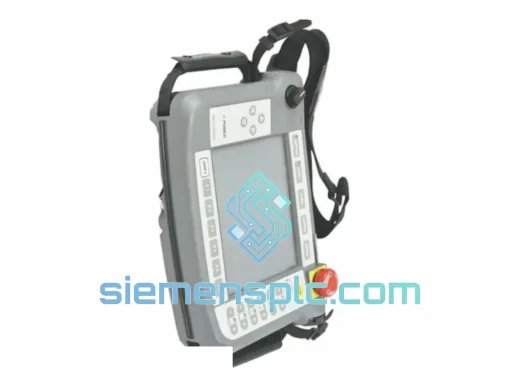
ABB TA8412N7600E912 3HNA021184-001 Servo Power Regulation Unit
IRC5
Origin SE
Servo Power Regulation Unit
ABB
RFQ Ready
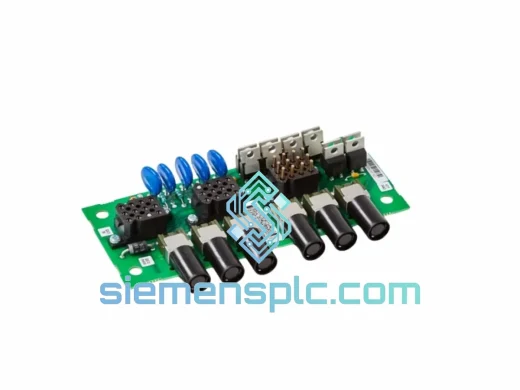
ABB DSQC561 3HAC048550-001 Serial Measurement Board
IRC5
Origin SE
PLC / Robot Controller Module
ABB
RFQ Ready
ABB 3HNA023200-001/00 TPPB-02 LCD Display
IRC5
Origin SE
Robot Teach Pendant Components