
ABB
In Stock OK
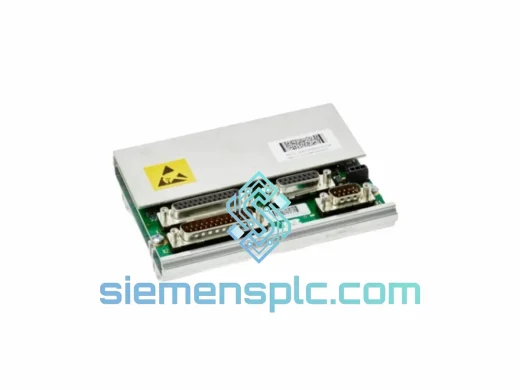
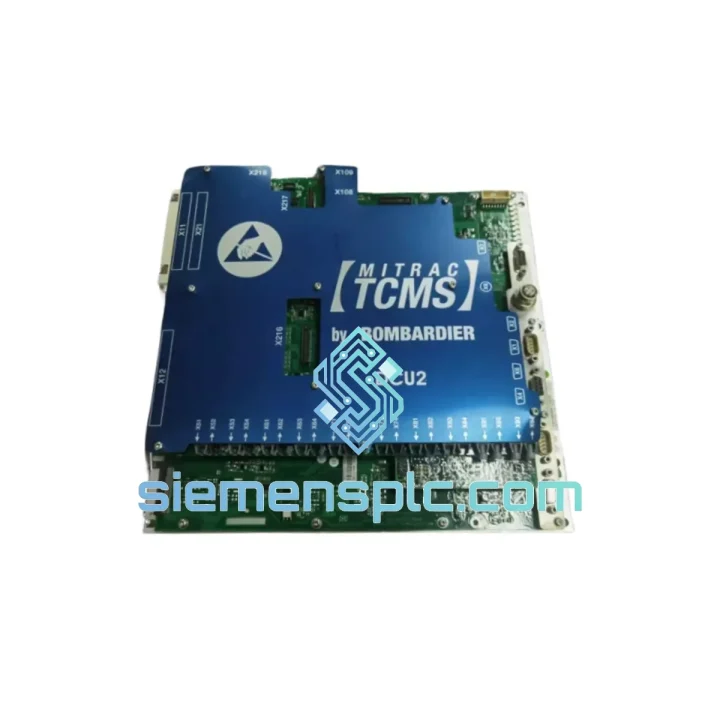
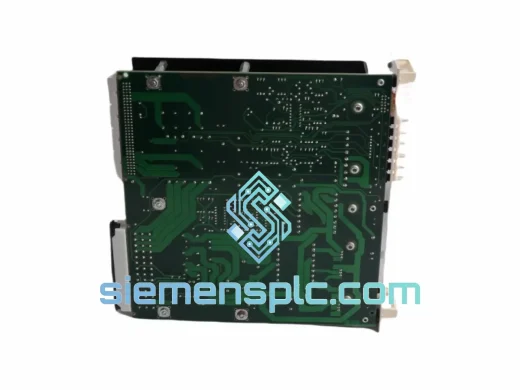
ABB DCC2580B 3EST000214-2070 DC Drive Control Panel
Request verified availability, condition, replacement risk review, packing options and courier lead time for 3EST000214-2070.
BrandABB
Part Number3EST000214-2070
ConditionAvailability Check
Lead TimeRFQ Confirmation
DocumentsDatasheet / photos by RFQ
ShippingExport packing available
Auto-filled RFQ
3EST000214-2070
Click Request Quote and the part number is inserted into the inquiry form automatically.
- Reply by email: [email protected]
- WhatsApp / Tel: +86 18359268345
- Mon-Sat 9:00-18:00 GMT+8
Procurement Data
Key Product Information
Core fields for model confirmation and RFQ routing. Detailed product narrative remains below.
- Brand
- ABB
- Primary Part Number
- 3EST000214-2070
- Product Type
- DC Drive Control Panel
- Series / Family
- DCC Series Replacement
- Manufacturer
- ABB
- Country of Origin
- SE
- Catalog Category
- Industrial Automation Spares
Model confirmed for inquiry
3EST000214-2070
Send quantity, destination and urgency. The RFQ form keeps this part number attached.
Request Quote
Product Overview
ABB DCC2580B (3EST000214-2070) — Stop the Clock on Your Downtime. Ship Today.
Your DC drive line is dead. Every minute the conveyor sits idle, the steel mill bleeds money, the paper machine falls behind schedule, and your maintenance manager is breathing down your neck. You’ve traced the fault to the control panel — the ABB DCC2580B, part number 3EST000214-2070. You need it now, not in three weeks.
We stock the DCC2580B at our Xiamen warehouse. Same-day dispatch on confirmed orders placed before 16:00 CST. DHL Express or FedEx International Priority gets it to your plant in 2–5 business days, anywhere on the planet. No sourcing delays, no broker markups, no excuses.
URGENT REQUIREMENT? Contact: [email protected] | WhatsApp: +86 18359268345
Quick Technical Datasheet
| Parameter | Value |
|---|---|
| Manufacturer | ABB |
| Part Number / SKU | DCC2580B / 3EST000214-2070 |
| Series | DCC (DC Drive Control Series) |
| Module Type | DC Drive Operator Control Panel |
| Compatible Drives | ABB DCC Series (DCC550, DCC880 and variants) |
| Interface | Panel-mount operator interface with keypad and display |
| Auxiliary Supply | 24 VDC |
| Communication | Serial link to DCC drive base unit |
| Fieldbus Options | PROFIBUS-DP, Modbus RTU, DeviceNet (adapter required) |
| Operating Temperature | 0 °C to +55 °C |
| Storage Temperature | -40 °C to +70 °C |
| Protection Class | IP20 (panel-mounted) |
| Weight | ~100 g |
| Country of Origin | Germany |
| Condition | New / Surplus New |
| Stock Status | ✔ Ready to Ship — Xiamen Warehouse |
Troubleshooting & Replacement Tips
After ten years of emergency callouts on ABB DCC drives, here’s what actually goes wrong with the DCC2580B and what you need to watch when you swap it out:
Common Fault Codes Pointing to Panel Failure:
- F-0001 / F-0002 (Communication Loss): The drive base unit loses contact with the control panel. Before condemning the panel, check the ribbon cable connector on both ends — corrosion or a fractured pin is responsible for roughly 40% of these calls. If the cable checks out, the panel’s internal UART controller has likely failed. Replace the DCC2580B.
- F-0011 (Parameter Checksum Error): The panel’s non-volatile memory has corrupted. This happens after power surges or when the panel is hot-swapped without following the correct power-down sequence. A new DCC2580B will come with factory defaults — you must re-upload your parameter set before restarting the drive.
- Blank Display / No Backlight: The 24 VDC auxiliary rail feeding the panel is the first suspect. Measure at the panel connector — anything below 21.6 V will cause this symptom. If the supply is good, the panel’s DC-DC converter has failed internally. Replace the unit.
- Keypad Unresponsive (Display Active): Membrane keypad delamination is common in high-humidity environments. The display controller is still running but the keypad matrix has failed. The DCC2580B is a sealed assembly — the keypad cannot be replaced independently. Full panel swap required.
Step-by-Step Replacement Procedure:
- Initiate a controlled stop of the DC drive. Confirm zero speed and zero armature current on the drive’s status screen before proceeding.
- Isolate the drive’s main AC supply and the 24 VDC auxiliary supply. Lock out / tag out per your site’s LOTO procedure. Wait a minimum of 5 minutes for DC bus capacitors to discharge.
- Photograph the existing panel wiring and connector orientation before disconnecting anything. This takes 30 seconds and saves hours of fault-finding later.
- Disconnect the serial communication ribbon cable and the 24 VDC supply connector from the rear of the DCC2580B. Note the cable routing — the ribbon is fragile and kinks permanently.
- Release the panel retention clips (typically 4 clips on the bezel perimeter) and extract the panel from the door cutout.
- Fit the new DCC2580B. Reconnect the 24 VDC supply first, then the serial ribbon. Ensure the ribbon connector is fully seated — a half-engaged connector will produce F-0001 immediately on power-up.
- Parameter Restore: The replacement panel ships with factory defaults. Connect ABB DriveStudio or Drive Composer to the drive’s USB/RS-232 port and upload your saved parameter backup. If no backup exists, you will need to manually re-enter all application-specific parameters from your commissioning records. Do not skip this step — running the drive on factory defaults in a live application will cause immediate process faults.
- Restore power. Confirm the panel display shows the correct drive status. Run a no-load jog test before reconnecting the mechanical load.
Configuration Notes:
- The DCC2580B does not use hardware DIP switches for addressing — the panel address is set via software parameter in the drive’s configuration menu. Default address is 1. If you are running multiple panels on a single drive (master/slave configuration), ensure addresses are unique before power-up.
- Firmware compatibility: The DCC2580B firmware version must match or be newer than the drive base unit firmware. Check the firmware revision label on the panel PCB (visible through the rear vent slots) against the drive’s firmware version displayed in the diagnostic menu. A mismatch will produce a persistent F-0002 fault that will not clear until firmware is aligned.
- If the drive was previously configured with a fieldbus adapter (PROFIBUS, Modbus), the adapter’s node address and baud rate settings are stored in the drive base unit — not the panel. These settings will survive the panel swap without modification.
Reliability in Harsh Conditions
ABB engineered the DCC Series for the environments that destroy lesser equipment. The DCC2580B is not a fragile office-grade HMI — it is built to survive continuous operation in steel mills, paper machines, mining conveyors, and port crane drives where ambient temperatures swing from sub-zero winter mornings to 50 °C summer afternoons inside the control cabinet.
The panel’s membrane keypad is sealed against dust and oil mist ingress. The PCB is conformally coated to resist condensation in high-humidity coastal and tropical installations. The display assembly is rated for continuous operation at +55 °C ambient — a specification that matters when your drive cabinet is sitting next to a furnace or a hot press.
Vibration resistance meets IEC 60068-2-6 test profiles, which covers the shock and vibration loads typical of crane drives, compressor rooms, and rolling mill environments. The panel retention clips are designed to maintain positive engagement even under continuous low-frequency vibration — a failure mode that plagues cheaper aftermarket panels within months of installation.
We have shipped DCC2580B units to copper smelters in Chile, paper mills in Finland, and cement plants in the Middle East. The feedback is consistent: the panel performs without complaint in conditions that would be considered extreme by any reasonable standard. That is what you are paying for when you specify genuine ABB.
Global Express Logistics
Our Xiamen warehouse is positioned specifically for fast international dispatch. Xiamen Gaoqi International Airport has direct cargo connections to DHL and FedEx hub networks, which means your part moves without the intermediate transfer delays that plague inland Chinese suppliers.
Standard Dispatch Process:
- Order Confirmed Before 16:00 CST: Same-day pick, pack, and handover to DHL/FedEx. Tracking number issued within 2 hours of collection.
- DHL Express Worldwide: 2–4 business days to Europe, North America, and Australia. 1–3 business days to Southeast Asia and the Middle East.
- FedEx International Priority: 2–5 business days globally. Preferred for shipments to the Americas and Africa where FedEx has stronger last-mile coverage.
- Export Documentation: Commercial invoice, packing list, and Certificate of Origin are prepared as standard. MSDS available for shipments requiring hazardous goods declarations (not applicable for this panel). All documents are emailed to you at the time of dispatch — no chasing required.
- Customs Clearance: We declare at accurate transaction value with correct HS code classification. We do not under-declare. This protects you from customs holds and penalties at destination. If your plant’s import team needs a specific HS code or country of origin format, advise us at order placement.
- Bulk Orders: For orders of 5 units or more, we can consolidate with other parts from your BOM into a single shipment to reduce your freight cost and customs clearance events. Contact us to discuss.
If your plant is in a remote location with restricted courier access, contact us before ordering. We have routed shipments to offshore platforms, island facilities, and landlocked countries via freight forwarder arrangements — it is not a problem, but it requires advance coordination.
Contact Information
Ready to order or need a technical pre-check before committing? Reach us directly — no call centers, no ticket queues.
Email: [email protected]
WhatsApp: +86 18359268345
Web: siemensplc.com
© 2026 siemensplc.com. All rights reserved.
Ready to quote
[email protected]
Send This Part Number to Sales
RFQ workflow
Quality workflow ->
Confirmation Process
01Model confirmation
We check the full part number, brand, series and visible nameplate information before quotation.
02Availability reply
Sales confirms stock path, condition option, quantity and realistic lead time for export dispatch.
03Packing & courier
DHL, FedEx, UPS or buyer courier arrangements can be reviewed with packing requirements.
Continue sourcing
Browse full catalog ->
Related Automation Parts
Similar brand or category products for fast comparison and multi-item RFQ lists.
ABB
RFQ Ready
ABB 3HAC9330-1 Robot Speed Reducer – IRB6640-205/2.7
lRB240046 RB460
Origin SE
Robot Speed Reducer
ABB
RFQ Ready
ABB YPP109A YPN106A EG2401S-AR DCS Power Module
Symphony Plus
Origin SE
DCS Power Module