ABB
In Stock OK
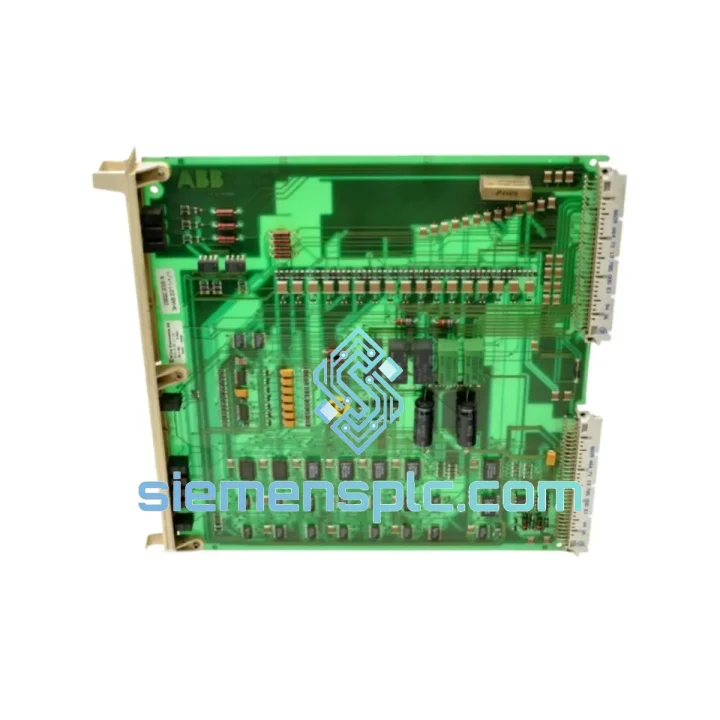
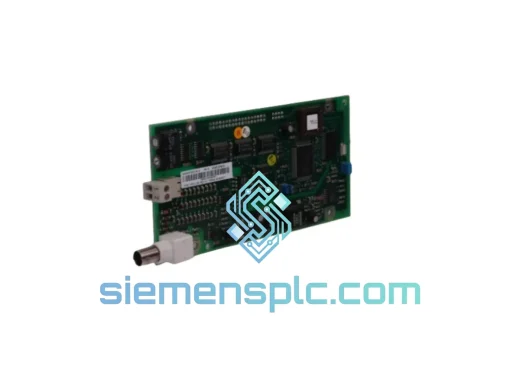
ABB DSQC256A 3HAB2211-1 Digital Input Module
Request verified availability, condition, replacement risk review, packing options and courier lead time for 3HAB2211-1.
BrandABB
Part Number3HAB2211-1
ConditionAvailability Check
Lead TimeRFQ Confirmation
DocumentsDatasheet / photos by RFQ
ShippingExport packing available
Auto-filled RFQ
3HAB2211-1
Click Request Quote and the part number is inserted into the inquiry form automatically.
- Reply by email: [email protected]
- WhatsApp / Tel: +86 18359268345
- Mon-Sat 9:00-18:00 GMT+8
Procurement Data
Key Product Information
Core fields for model confirmation and RFQ routing. Detailed product narrative remains below.
- Brand
- ABB
- Primary Part Number
- 3HAB2211-1
- Product Type
- Digital Input Module
- Series / Family
- IRC5
- Manufacturer
- ABB Robotics
- Country of Origin
- SE
- Catalog Category
- I/O Modules
- Operating Temp.
- 0°C to +55°C
- Humidity
- 5–95% RH, non-condensing
Model confirmed for inquiry
3HAB2211-1
Send quantity, destination and urgency. The RFQ form keeps this part number attached.
Request Quote
Product Overview
ABB DSQC256A 3HAB2211-1 — Stop the Clock on Your IRC5 Downtime
Every minute your IRC5 controller sits offline, the losses compound. A failed digital input module shouldn’t be a 2-week procurement nightmare. The ABB DSQC256A (3HAB2211-1) is on our shelf in Xiamen right now — inspected, tested, and ready to leave the warehouse within 24 hours of your order confirmation. We’ve shipped this exact module to automotive plants, semiconductor fabs, and food processing lines across three continents. When the robot stops, we move fast.
URGENT REQUIREMENT? Contact: [email protected] | WhatsApp: +86 18359268345
Quick Technical Datasheet
| Parameter | Value |
|---|---|
| Manufacturer | ABB Robotics |
| Part Number | DSQC256A |
| Cross-Reference | 3HAB2211-1 |
| Module Function | Digital Input Module |
| Compatible Platform | ABB IRC5 Robot Controller (single & dual cabinet) |
| Series | DSQC (Drive System Quality Control) |
| Input Voltage | 24 VDC |
| Input Channels | 16 x Digital Input |
| Signal Logic | Positive logic (PNP sourcing) |
| Connector Type | D-Sub 37-pin (X1, X2) |
| Backplane Interface | IRC5 internal I/O bus |
| Operating Temperature | 0°C to +55°C |
| Storage Temperature | -25°C to +70°C |
| Humidity | 5–95% RH, non-condensing |
| Weight | ~100 g |
| Origin | Germany (ABB OEM) |
| Condition | New / Tested Surplus |
| Availability | ✅ Ready to Ship — Xiamen Stock |
Troubleshooting & Replacement Tips
The DSQC256A fails in predictable ways. Here’s what you’ll see in the field and how to handle the swap without creating new problems:
Common Fault Signatures:
- Error 50024 / 50025 (I/O Unit Lost): The IRC5 controller loses communication with the DSQC256A mid-cycle. Usually triggered by a damaged backplane connector or a board-level capacitor failure after years of thermal cycling. If the error clears on restart but returns within hours, the board is failing — replace it, don’t chase the wiring.
- Error 50052 (I/O Unit Not Found at Startup): The controller boots but cannot enumerate the module. Check the unit number assignment first. If the unit number is correct and the error persists, the module’s onboard microcontroller has failed.
- Intermittent Input Signal Loss: Inputs read correctly at rest but drop during robot motion. Classic vibration-induced solder joint fatigue on the D-Sub connector pins. Reseat the connector first; if the fault returns, the board needs replacement.
- All Inputs Stuck HIGH or LOW: Internal logic supply failure. The 5V rail on the DSQC256A has collapsed. No field repair — swap the module.
Replacement Procedure (IRC5 Platform):
- Step 1 — Document the Unit Number: Before powering down, open RobotStudio or the FlexPendant and navigate to I/O Configuration. Record the unit number assigned to the DSQC256A (typically Unit 1 or Unit 2 in standard IRC5 builds). This is critical — the replacement module must be assigned the same unit number or your I/O signals will not map correctly.
- Step 2 — Safe Power-Down: Execute a controlled program stop. Set the controller to MOTORS OFF. Open the cabinet and wait 5 minutes for the capacitor bank to discharge before touching any boards.
- Step 3 — No DIP Switch on DSQC256A: Unlike some older DSQC modules, the DSQC256A does not use physical DIP switches for address setting. Unit addressing is handled entirely through RobotWare software configuration. Do not confuse this with the DSQC328 or DSQC332, which do use hardware addressing.
- Step 4 — Backplane Seating: The DSQC256A slides into the IRC5 I/O carrier on a guided rail. Apply firm, even pressure until you feel the backplane connector fully engage. A partially seated module will produce intermittent Error 50024 — the same symptom as a failed board. Confirm seating visually before closing the cabinet.
- Step 5 — Firmware Compatibility: The DSQC256A is compatible with RobotWare 5.12 through 6.x. If your IRC5 is running RobotWare 5.10 or earlier, verify the firmware revision on the replacement board matches your existing unit. Mismatched firmware revisions between I/O modules in the same controller can cause bus arbitration errors at startup.
- Step 6 — Post-Swap Verification: Power up the controller. Navigate to I/O Status on the FlexPendant and confirm the DSQC256A appears as active. Manually trigger each input signal from the field device and verify the corresponding I/O signal changes state. Do not run the robot program until all 16 inputs are verified.
Reliability in Harsh Conditions
The DSQC256A was designed for the inside of an IRC5 cabinet — not a climate-controlled server room. ABB’s industrial-grade PCB manufacturing process uses conformal coating on critical board sections to resist moisture ingress from coolant mist and high-humidity environments common in casting and machining cells. The board’s operating temperature ceiling of 55°C is validated under continuous load, not just peak conditions, which matters in summer shutdowns when cabinet cooling is reduced.
Vibration tolerance is built into the backplane connector design. The guided rail mounting system distributes mechanical stress away from the PCB solder joints during robot motion — a deliberate engineering choice for a module that lives inside a machine that moves. Units we supply from verified surplus stock are inspected for connector wear, board warping, and capacitor bulge before they leave our facility. A board that shows any sign of physical stress from a previous installation does not ship.
For installations in particularly aggressive environments — foundries, chemical processing, high-particulate machining — we recommend requesting a new-condition unit rather than tested surplus. The conformal coating on a new board provides a measurably higher margin against contamination-induced leakage currents that can cause false input readings over time.
Global Express Logistics
Our warehouse is in Xiamen, China — one of the most logistics-connected export hubs on the mainland. DHL Express and FedEx International Priority both operate direct flights from Xiamen Gaoqi International Airport to major industrial hubs in Europe, North America, Southeast Asia, and the Middle East. This is not a routing advantage we take for granted — it directly translates to shorter transit times for your urgent order.
- Order Cutoff: Orders confirmed with payment before 14:00 CST ship same business day.
- DHL Express Transit Times: Germany / Netherlands: 3–4 days | USA (East Coast): 4–5 days | Singapore / Malaysia: 2–3 days | UAE / Saudi Arabia: 3–4 days | Australia: 4–5 days.
- FedEx International Priority: Available as an alternative carrier for destinations where FedEx has a service advantage. We select the faster option by default unless you specify a carrier preference.
- Export Documentation: Commercial invoice, packing list, and certificate of origin are prepared for every international shipment. HS Code 8537.10 is pre-declared for customs clearance. For shipments requiring an end-user declaration or import license, notify us at order placement — we handle this routinely.
- Tracking: A tracking number is sent to your email within 2 hours of dispatch. For urgent shipments, we also send a WhatsApp notification with the tracking link.
- Packaging: The DSQC256A ships in an ESD-safe anti-static bag inside a foam-lined rigid carton. The outer carton is rated for air freight handling. We do not use bubble wrap alone for PCB modules — boards arrive protected.
Contact Information
📧 Email: [email protected]
📱 WhatsApp: +86 18359268345
🌐 Web: siemensplc.com
© 2026 siemensplc.com. All rights reserved.
Ready to quote
[email protected]
Send This Part Number to Sales
RFQ workflow
Quality workflow ->
Confirmation Process
01Model confirmation
We check the full part number, brand, series and visible nameplate information before quotation.
02Availability reply
Sales confirms stock path, condition option, quantity and realistic lead time for export dispatch.
03Packing & courier
DHL, FedEx, UPS or buyer courier arrangements can be reviewed with packing requirements.
Continue sourcing
Browse full catalog ->
Related Automation Parts
Similar brand or category products for fast comparison and multi-item RFQ lists.
ABB
RFQ Ready
ABB DSQC327A 3HAC17971-1 / DSQC431 Digital I/O Module
IRC5
Origin SE
Digital I/O Module