Allen-Bradley
RFQ Ready
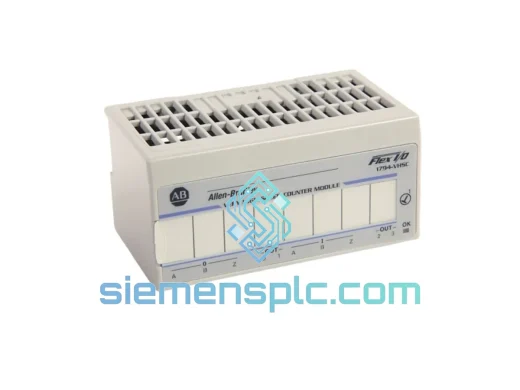
Allen-Bradley 1794-VHSC High Speed Counter Module – FLEX I/O
Flex I/O
Origin US
High Speed Counter Module
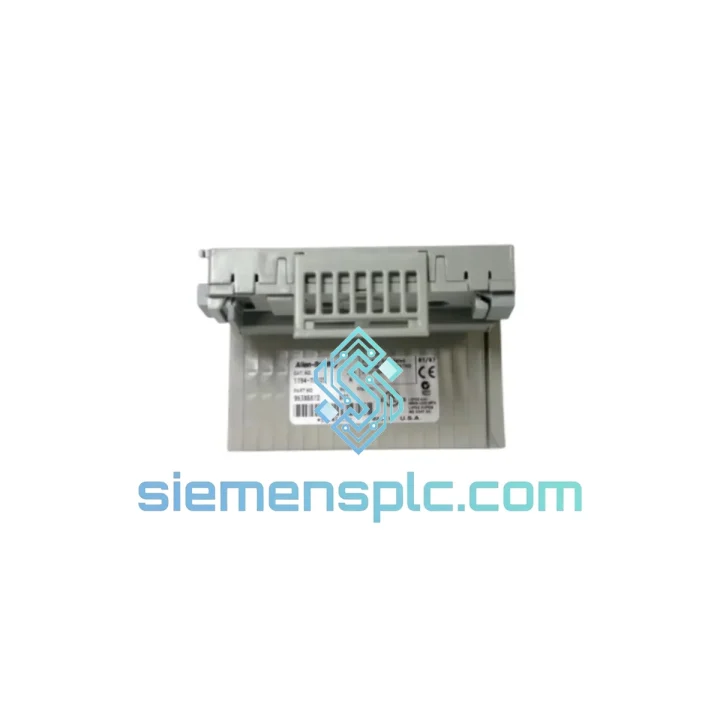
Request verified availability, condition, replacement risk review, packing options and courier lead time for 1794-TB32.
Click Request Quote and the part number is inserted into the inquiry form automatically.
Core fields for model confirmation and RFQ routing. Detailed product narrative remains below.
A failed terminal base shouldn’t shut down your entire line. The Allen-Bradley 1794-TB32 is a 32-point wiring terminal base at the heart of your FLEX I/O node — when it fails, every downstream I/O module goes dark with it. We stock this part in Xiamen and ship globally via DHL/FedEx Express. While your local distributor is quoting lead times in weeks, your replacement can be on a plane within 24 hours.
URGENT REQUIREMENT? Contact: [email protected] | WhatsApp: +86 18359268345
| Part Number | 1794-TB32 |
| Manufacturer | Allen-Bradley / Rockwell Automation |
| Series | FLEX I/O (1794 Series) |
| Type | 32-Point Wiring Terminal Base |
| Terminal Points | 32 |
| Mounting | DIN Rail |
| Compatible Adapters | 1794-AENT, 1794-ACN15, 1794-ADNK, 1794-APB |
| Compatible I/O Modules | 1794-IB16, 1794-OB16, 1794-IA16, 1794-OA16, 1794-IE8, 1794-OE8 |
| Country of Origin | USA |
| Weight | Approx. 200 g |
| Condition | New / Surplus New |
| Stock Status | ✔ Ready to Ship — Xiamen Warehouse |
The 1794-TB32 fails in predictable ways. Here’s what you’ll see on the floor and how to deal with it fast:
Symptom 1 — All I/O on the node goes offline simultaneously. This is the classic TB32 failure signature. The terminal base is the physical and electrical backbone connecting the adapter to every I/O module in the node. A cracked backplane connector or corroded terminal strip kills the entire node at once. Don’t waste time swapping individual I/O modules — pull the terminal base first.
Symptom 2 — Intermittent faults on specific I/O slots (Fault Code 16#0004 or 16#0010 in RSLogix 5000). These codes point to a communication fault between the adapter and a specific slot. Before condemning the I/O module, reseat it on the terminal base. If the fault migrates to a different slot when you move the module, the TB32’s backplane connector at that slot position is damaged. Replace the terminal base.
Symptom 3 — Physical terminal damage or loose wiring under vibration. The 1794-TB32 uses screw-clamp terminals. In high-vibration environments, terminal screws back out over time. If you’re seeing random I/O faults that correlate with machine cycles, check terminal torque (0.5–0.6 N·m per spec) before assuming module failure.
Replacement Procedure — Step by Step:
Key Configuration Note: The 1794-TB32 itself carries no firmware and requires no addressing. Node addressing is handled entirely by the adapter (e.g., 1794-AENT uses rotary switches or BOOTP/DHCP for IP assignment). If you’re replacing a failed node and the adapter is also being swapped, you will need to re-enter the IP address or rotary switch position to match the original configuration in your controller project.
The 1794-TB32 was engineered for industrial environments where consumer-grade electronics would fail within weeks. The screw-clamp terminal design maintains connection integrity under continuous vibration — a critical requirement in press lines, compressor rooms, and conveyor systems where terminal blocks on lesser products work loose within months. The housing is rated for operation from -20°C to +60°C ambient, covering the majority of industrial panel environments including unheated outdoor enclosures in northern climates and high-ambient machine rooms in tropical facilities.
Humidity resistance is built into the design. The terminal base operates at up to 95% relative humidity (non-condensing), which matters in food processing, pharmaceutical, and coastal installations where moisture ingress is a constant threat. The DIN rail mounting system uses a positive-locking mechanism that resists the creep and loosening seen with simple snap-fit designs under sustained vibration loads.
Every unit we ship has been stored in climate-controlled conditions. We do not sell parts that have been sitting in uncontrolled warehouses for years — connector oxidation and terminal corrosion from improper storage are real failure modes that show up weeks after installation, not on day one. Our inventory rotation policy ensures you receive a part that will perform from the moment it’s installed.
Our warehouse is located in Xiamen, Fujian — one of China’s primary export hubs with direct access to international freight lanes. This is not a drop-ship operation. Stock is physically on-hand, inspected, and ready to pack.
Standard export process:
We have shipped to manufacturing facilities in Germany, Saudi Arabia, Vietnam, Australia, Mexico, and across Southeast Asia. Customs clearance documentation is prepared to the standard required by each destination country. If your facility requires specific documentation (e.g., Form E for ASEAN preferential tariff, or a specific certificate of origin format), advise us at order placement and we will accommodate.
Email: [email protected]
WhatsApp: +86 18359268345
Web: siemensplc.com
© 2026 siemensplc.com. All rights reserved.
We check the full part number, brand, series and visible nameplate information before quotation.
Sales confirms stock path, condition option, quantity and realistic lead time for export dispatch.
DHL, FedEx, UPS or buyer courier arrangements can be reviewed with packing requirements.
Similar brand or category products for fast comparison and multi-item RFQ lists.