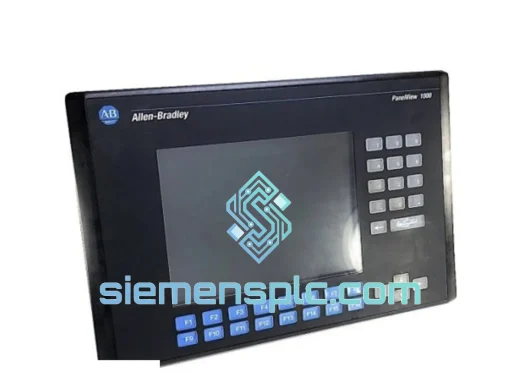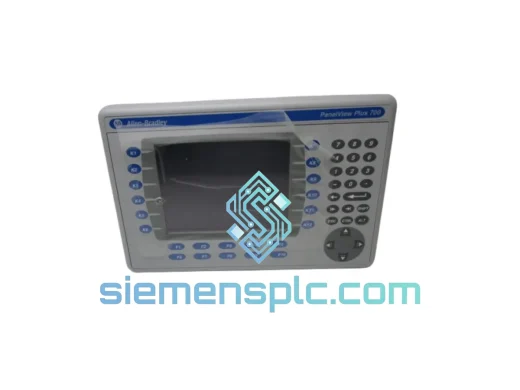
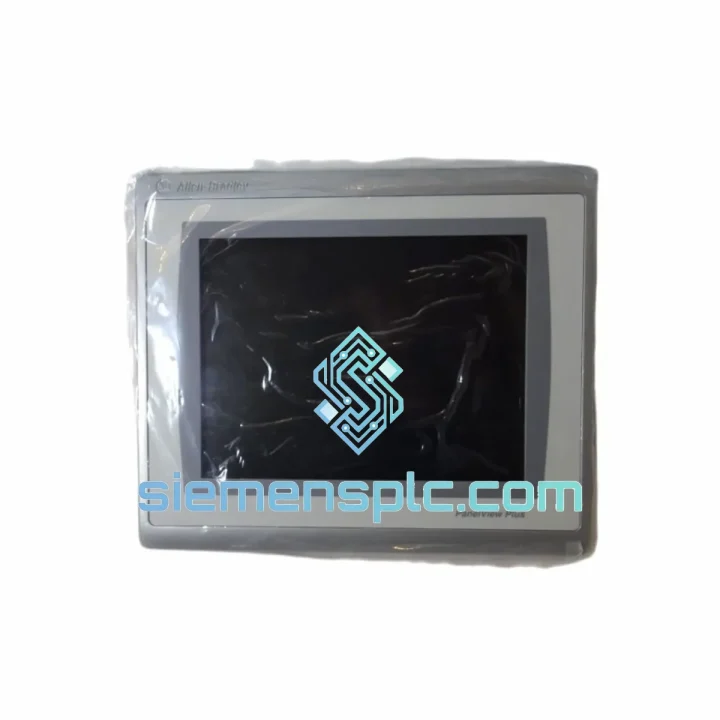
Allen-Bradley
In Stock OK
Allen-Bradley 2711P-T10C22D9P HMI Terminal
Request verified availability, condition, replacement risk review, packing options and courier lead time for 2711P-T10C22D9P.
BrandAllen-Bradley
Part Number2711P-T10C22D9P
ConditionAvailability Check
Lead TimeRFQ Confirmation
DocumentsDatasheet / photos by RFQ
ShippingExport packing available
Auto-filled RFQ
2711P-T10C22D9P
Click Request Quote and the part number is inserted into the inquiry form automatically.
- Reply by email: [email protected]
- WhatsApp / Tel: +86 18359268345
- Mon-Sat 9:00-18:00 GMT+8
Procurement Data
Key Product Information
Core fields for model confirmation and RFQ routing. Detailed product narrative remains below.
- Brand
- Allen-Bradley
- Primary Part Number
- 2711P-T10C22D9P
- Product Type
- HMI Terminal
- Series / Family
- PanelView
- Country of Origin
- US
- Catalog Category
- HMI Panels
- Humidity
- 5–95% RH, non-condensing
Model confirmed for inquiry
2711P-T10C22D9P
Send quantity, destination and urgency. The RFQ form keeps this part number attached.
Request Quote
Product Overview
Allen-Bradley 2711P-T10C22D9P — Stop the Clock on Your Downtime. Ship Today.
Every minute your line sits idle waiting on an HMI costs real money. A failed PanelView Plus 7 Standard terminal on a CompactLogix or ControlLogix system can halt an entire production cell — no operator interface, no process visibility, no output. We stock the 2711P-T10C22D9P specifically because it is one of the most failure-prone HMI models in high-cycle manufacturing environments, and because lead times from authorized distributors routinely stretch 8–16 weeks. We ship same day from Xiamen. That gap is exactly where we operate.
URGENT REQUIREMENT? Contact: [email protected] | WhatsApp: +86 18359268345
Quick Technical Datasheet
| Parameter | Specification | Status |
|---|---|---|
| Part Number | 2711P-T10C22D9P | ✅ Ready to Ship |
| Brand | Allen-Bradley / Rockwell Automation | |
| Series | PanelView Plus 7 Standard | |
| Display Size | 10.4 inch Color TFT LCD | |
| Resolution | 640 × 480 (VGA) | |
| Touch Type | Analog Resistive Touchscreen | |
| Backlight | LED (no CCFL aging issues) | |
| Communication | Dual EtherNet/IP, USB Host ×2, USB Device ×1, RS-232 | |
| Network Topology | DLR (Device Level Ring) — no external switch required | |
| Power Input | 24 VDC nominal (18–32 VDC range) | |
| Power Draw | ~30 W typical | |
| Operating Temp | 0 °C to +55 °C | |
| Storage Temp | −40 °C to +85 °C | |
| Humidity | 5–95% RH, non-condensing | |
| Ingress Protection | IP65 front face / NEMA 4, 4X, 12, 13 | |
| Memory | 512 MB RAM / 1 GB Flash | |
| OS | Windows CE 6.0 Embedded | |
| FT View ME Compatibility | v8.x through v13.x | |
| Weight | ~2.3 kg | |
| Mounting | Panel cutout, landscape | |
| Certifications | UL 508, CE, RoHS, ODVA EtherNet/IP Conformance |
Troubleshooting & Replacement Tips
After handling dozens of 2711P-T10C22D9P swap-outs in the field, these are the failure modes and gotchas that will burn you if you skip them:
Top Failure Modes on This Model
- Touchscreen Drift / Dead Zones — The analog resistive panel degrades in high-vibration or high-humidity environments. Symptom: operator touches a button, a different object activates. Before condemning the unit, run the built-in touch calibration utility (System → Calibrate Touch). If calibration fails to hold across reboots, the digitizer layer is physically worn — replace the terminal.
- Backlight Failure (Dim or No Display) — LED backlight assemblies on early production runs have a known failure mode around 30,000–40,000 operating hours. The CE boots normally (you can hear the startup chime via USB audio), but the screen appears black. Confirm by shining a flashlight at the display at an angle — if you see a faint image, it is the backlight, not the logic board.
- EtherNet/IP Communication Loss After Power Cycle — Caused by IP address conflict when the terminal’s static IP is not reserved in the managed switch. The D9P dual-port configuration is particularly susceptible when both ports are active on the same subnet. Assign a DHCP reservation or use static IP with a dedicated VLAN for HMI traffic.
- FactoryTalk View ME Runtime Version Mismatch — This is the #1 cause of a replacement unit appearing to work but refusing to load the application. The runtime version on the replacement terminal must match the .MER file version exactly. Check: System → About → Runtime Version. Downgrade or upgrade via USB using the FT View ME Runtime installer before going live.
- Flash Memory Corruption After Unexpected Power Loss — Windows CE 6.0 does not handle hard power cuts gracefully. If the terminal was running when power was lost, the CE file system may be partially corrupted. Symptom: terminal boots to a blank desktop or loops at the Rockwell splash screen. Recovery: boot from USB with a CE image restore tool. Always install a UPS on HMI panels.
Step-by-Step Replacement Procedure
- Document before you disconnect. Photograph the existing terminal’s IP configuration (Settings → Network), runtime version, and any custom startup scripts. You will need all of this on the replacement unit.
- Export the application file. If the terminal is still partially functional, copy the .MER file from Flash storage to a USB drive. This is your application backup — do not skip it.
- Power down the panel. Isolate 24 VDC at the terminal block. The 2711P-T10C22D9P draws from a single 24 VDC input — confirm with a multimeter before touching wiring.
- Remove the terminal. Four M4 screws on the rear mounting clamps. The panel cutout is 284 mm × 216 mm — verify your replacement unit matches before cutting a new opening.
- Transfer Ethernet cables carefully. The D9P has two RJ45 ports labeled Port 1 and Port 2. In a DLR ring, polarity matters — reconnect to the same port designations as the original unit. Swapping Port 1 and Port 2 in a ring will cause a network fault.
- First boot configuration. Set IP address, subnet, and gateway before loading the application. Navigate: Settings → Network Connections → Built-in Ethernet Adapter.
- Match the runtime version. Install the correct FT View ME runtime via USB before loading the .MER file. Mismatched versions will throw a “Version Mismatch” error at application load.
- Load and test. Copy the .MER file to the terminal, configure it to load at startup, and cycle power. Verify all PLC tags are communicating before handing back to operations.
Configuration Checklist Before Sign-Off
- ☐ IP address, subnet, gateway confirmed
- ☐ FT View ME runtime version matches .MER file
- ☐ DLR ring port assignments verified (Port 1 / Port 2)
- ☐ Touch calibration completed and tested
- ☐ Startup application configured to auto-load
- ☐ All alarm setpoints and recipe data verified against backup
- ☐ UPS or power conditioning confirmed on 24 VDC feed
Reliability in Harsh Conditions
The 2711P-T10C22D9P is built to IEC 61131-2 environmental standards and has been validated in conditions that would kill consumer-grade hardware inside a week. The IP65-rated front bezel keeps wash-down spray, cutting fluid mist, and airborne particulates out of the display assembly — critical in food processing and metalworking environments where daily cleaning is mandatory. The operating temperature ceiling of 55 °C means it survives inside a sealed NEMA 4X enclosure in a foundry or outdoor compressor station without forced-air cooling, provided the enclosure thermal design is correct.
Vibration tolerance is validated to IEC 60068-2-6 (sinusoidal) and IEC 60068-2-64 (random), covering the frequency ranges typical of compressor skids, stamping press auxiliary panels, and mobile equipment cabs. The LED backlight eliminates the cold-start failure mode of CCFL-backlit predecessors — the display reaches full brightness immediately at 0 °C, which matters on outdoor panels in northern climates where CCFL units would take 10–15 minutes to warm up.
The solid-state Flash storage (no spinning disk) means the unit tolerates the shock events that occur when a forklift clips a panel enclosure or a press cycle sends a shockwave through the floor. We have seen these terminals survive physical abuse that destroyed the enclosure around them. That is the kind of hardware you want between your operators and your process.
Global Express Logistics
Our warehouse is located in Xiamen, Fujian Province — one of China’s primary industrial export hubs with direct access to DHL, FedEx, and UPS international gateways. When you place an order before 14:00 CST, the unit ships the same business day. Here is what the logistics chain looks like in practice:
- Day 0 (Order Confirmed): Unit pulled from stock, inspected, photographed, and packed in anti-static bag with foam-lined export carton. Commercial invoice and packing list prepared. Shipment booked with DHL Express or FedEx International Priority based on destination and your preference.
- Day 1: Parcel collected by courier and cleared through Xiamen customs. Tracking number issued and sent to you via email and WhatsApp.
- Day 2–4 (Most Destinations): Delivery to major industrial hubs in Southeast Asia, Europe, the Middle East, and North America. DHL Express typically achieves 2–3 business days to Germany, UK, and the US; 1–2 days to Singapore, Malaysia, and Thailand.
- Customs Clearance: We prepare accurate HS code documentation (HS 8537.10 for HMI terminals) and commercial invoices that comply with destination country import requirements. For EU shipments, we include CE declaration of conformity documentation to facilitate customs release.
- Emergency Freight: For genuine production emergencies, contact us via WhatsApp for same-day courier booking with guaranteed next-flight-out options to major international airports.
We have shipped to over 40 countries. Downtime does not respect time zones — neither do we.
Contact Information
📧 Email: [email protected]
💬 WhatsApp: +86 18359268345
🌐 Web: siemensplc.com
© 2026 siemensplc.com. All rights reserved.
Ready to quote
[email protected]
Send This Part Number to Sales
RFQ workflow
Quality workflow ->
Confirmation Process
01Model confirmation
We check the full part number, brand, series and visible nameplate information before quotation.
02Availability reply
Sales confirms stock path, condition option, quantity and realistic lead time for export dispatch.
03Packing & courier
DHL, FedEx, UPS or buyer courier arrangements can be reviewed with packing requirements.
Continue sourcing
Browse full catalog ->
Related Automation Parts
Similar brand or category products for fast comparison and multi-item RFQ lists.
Allen-Bradley
RFQ Ready
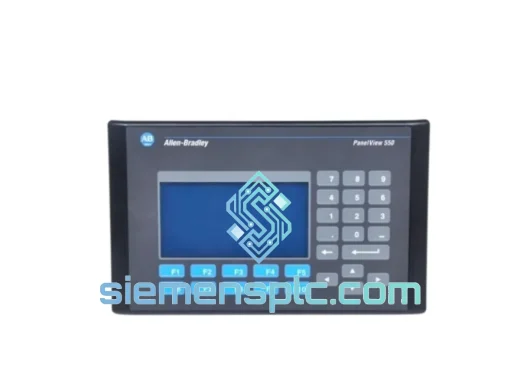
Allen-Bradley 2711-B5A8X HMI Terminal – PanelView 550
PanelView
Origin US
HMI Terminal