GE Fanuc Automation
RFQ Ready
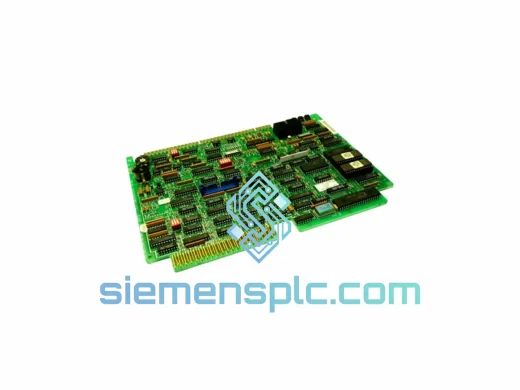
GE IC600FP841K Field Processor Module
Fanuc
Origin US
Field Processor Module
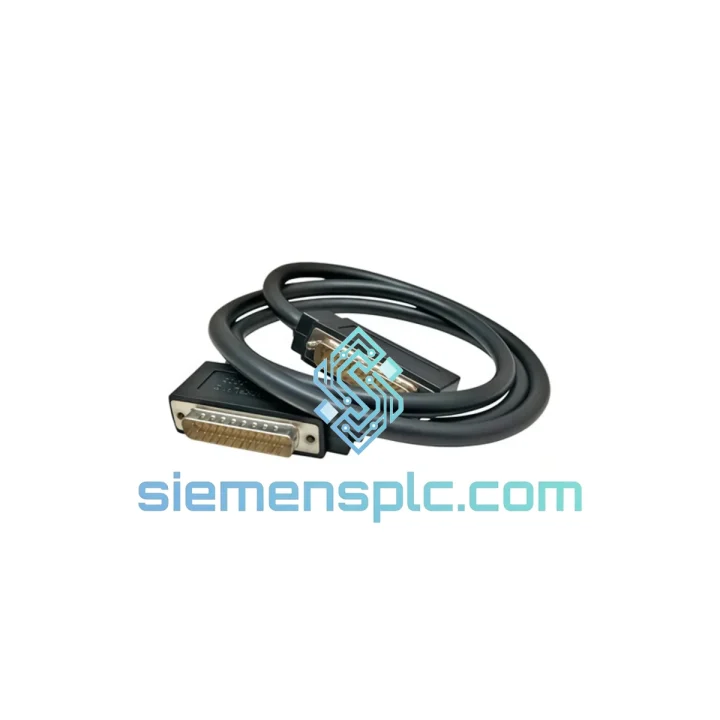
Request verified availability, condition, replacement risk review, packing options and courier lead time for IC693CBL300.
Click Request Quote and the part number is inserted into the inquiry form automatically.
Core fields for model confirmation and RFQ routing. Detailed product narrative remains below.
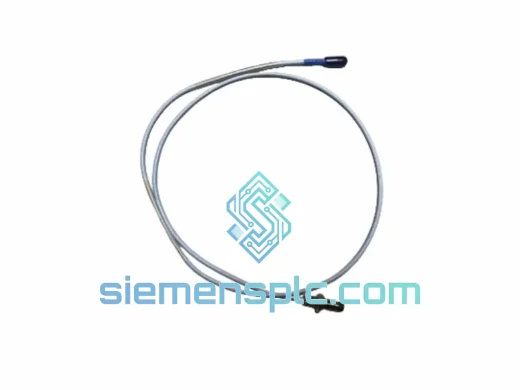
Every minute a Series 90-30 system sits offline costs real money. A failed or damaged IC693CBL300 bus extension cable kills communication between your CPU rack and every expansion rack downstream — I/O goes dark, the CPU faults, and production stops. This is not a slow-burn failure. It is an immediate, line-halting event. We stock the GE IC693CBL300 in Xiamen and ship same-day via DHL Express or FedEx International Priority. Your replacement is already on the shelf.
URGENT REQUIREMENT? Contact: [email protected] | WhatsApp: +86 18359268345
| Parameter | Specification |
|---|---|
| Part Number / SKU | IC693CBL300 |
| Manufacturer | GE Fanuc Automation (General Electric) |
| Product Series | Series 90-30 |
| Product Type | Backplane Bus Extension Cable |
| Function | Rack-to-rack backplane bus interconnect for multi-rack 90-30 systems |
| Compatible Racks | IC693CHS391, IC693CHS392, IC693CHS393, IC693CHS397, IC693CHS398, IC693CHS399 |
| Compatible CPUs | All Series 90-30 CPUs: IC693CPU311 through IC693CPU374 |
| Max Expansion Racks | Up to 7 expansion racks per CPU rack |
| Connector Type | Proprietary GE Series 90-30 backplane bus connector (both ends) |
| Operating Temperature | 0°C to +60°C |
| Storage Temperature | -40°C to +85°C |
| Compliance | CE, UL Listed, RoHS |
| Weight | ~200 g |
| Country of Origin | United States |
| Stock Status | ✔ Ready to Ship – Xiamen Warehouse |
The IC693CBL300 is a passive cable assembly, but its failure mode is deceptively destructive. Here is what you will see on-site and how to handle it fast:
Symptom 1 – Expansion rack I/O modules show FAULT or go offline in Proficy Machine Edition.
Root cause: The backplane bus signal is broken at the cable connector. Pull the cable at both ends and inspect the connector pins under a flashlight. Bent or corroded pins on the proprietary bus connector are the #1 failure point, especially in high-vibration environments. Do not attempt to straighten pins — replace the cable.
Symptom 2 – CPU logs a “Rack Communication Fault” or “Bus Timeout” error (PLC fault table code 0x0083 or similar).
Root cause: Intermittent bus signal loss, often caused by a cracked cable jacket or a connector that has worked loose from vibration. Reseat both ends firmly. If the fault clears momentarily and returns, the cable is failing — order the replacement now, not after the next shutdown.
Symptom 3 – Entire expansion rack disappears from the hardware configuration scan.
Root cause: Complete bus open-circuit. The CPU cannot enumerate the expansion rack at all. Swap the IC693CBL300 first before condemning the rack chassis or power supply — the cable is the most common single point of failure in this scenario.
Replacement Procedure (field-verified steps):
Critical note on daisy-chain configurations: If you are running three or more racks in series, each rack-to-rack hop requires its own IC693CBL300. A fault in the second cable will take down all downstream racks. Always carry a spare on-site for multi-rack systems.
The IC693CBL300 is built to GE Fanuc’s industrial-grade cable specification — not a commercial-grade assembly. The cable jacket is rated for continuous flex and abrasion resistance in environments where cable trays vibrate at motor-drive frequencies. The shielded construction suppresses EMI from adjacent VFDs, servo drives, and high-current relay panels that are standard in the same control cabinets where Series 90-30 systems live.
Operating temperature range of 0°C to +60°C covers the full envelope of industrial control panel environments, including summer conditions in non-air-conditioned enclosures in Southeast Asia and the Middle East. The connector housing is rated for repeated insertion cycles — relevant in facilities that perform scheduled preventive maintenance and disconnect/reconnect the cable during annual shutdowns.
In high-humidity environments such as coastal plants, food processing facilities, and tropical manufacturing sites, the connector pins are the vulnerability. Inspect the mating connectors on the rack chassis for oxidation during replacement. If the rack-side connector shows corrosion, clean with contact cleaner before seating the new cable — a corroded mating surface will degrade a new cable within months.
All IC693CBL300 units we ship are inspected for connector pin integrity, cable jacket condition, and correct part marking before leaving our Xiamen facility. We do not ship units with cosmetic damage to the connector housing, as field experience shows that housing cracks correlate with internal conductor damage that causes intermittent faults.
Our Xiamen warehouse is positioned for fast export to every major industrial market. Here is the actual shipping flow from order confirmation to your receiving dock:
Day 0 – Order Confirmed: Payment or PO received before 15:00 CST triggers same-day pick, pack, and export documentation preparation. Commercial invoice, packing list, and HS code declaration (HS 8544.42 for shielded cable assemblies) are generated immediately.
Day 1 – Customs Clearance & Carrier Handoff: Shipment is handed to DHL Express or FedEx International Priority at Xiamen Gaoqi International Airport. Both carriers operate daily freighter departures from Xiamen. Export customs clearance is handled by our licensed freight forwarder — no delays from documentation errors.
Transit Times (typical, not guaranteed):
For genuinely critical shutdowns where every hour counts, contact us directly before placing the online order. We can arrange airport-to-airport freight with same-day departure and courier pickup at the destination airport for the fastest possible door delivery. We have executed sub-48-hour deliveries to Germany and Singapore for emergency shutdown situations.
Tracking numbers are provided within 2 hours of carrier handoff. All shipments are fully insured at declared value. Import duties and taxes at destination are the buyer’s responsibility — we provide accurate commercial invoices to support customs clearance at your end.
Email: [email protected]
WhatsApp: +86 18359268345
Web: siemensplc.com
© 2026 siemensplc.com. All rights reserved.
We check the full part number, brand, series and visible nameplate information before quotation.
Sales confirms stock path, condition option, quantity and realistic lead time for export dispatch.
DHL, FedEx, UPS or buyer courier arrangements can be reviewed with packing requirements.
Similar brand or category products for fast comparison and multi-item RFQ lists.