
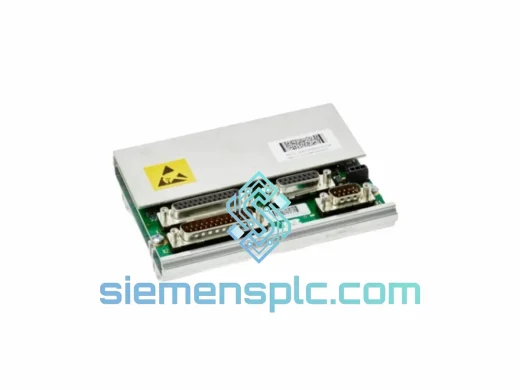
Makino
In Stock OK
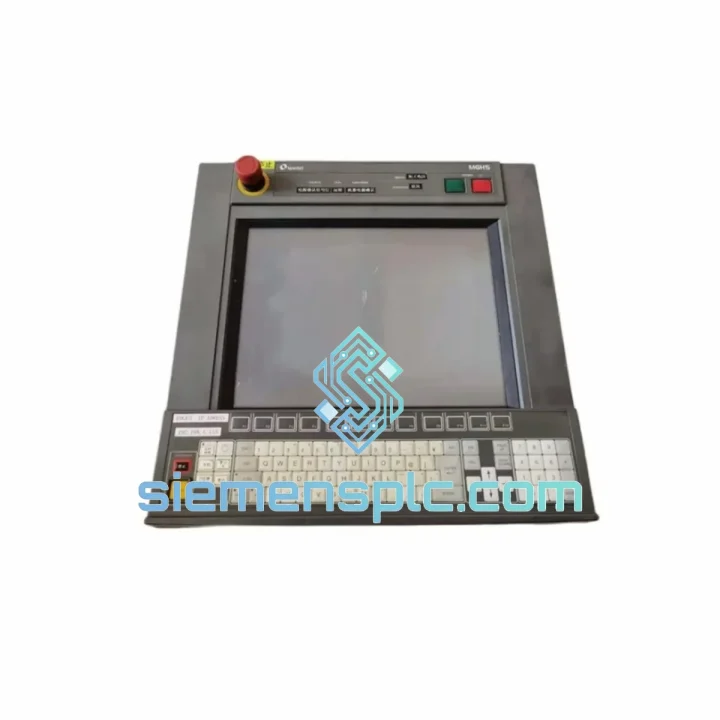
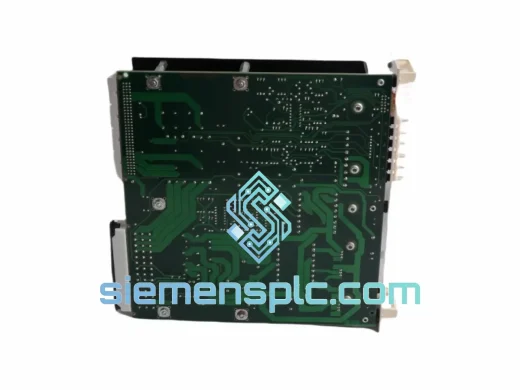
MAKINO UP-MF13-A Wire EDM Control Panel
Request verified availability, condition, replacement risk review, packing options and courier lead time for UP-MF13-A.
BrandMakino
Part NumberUP-MF13-A
ConditionAvailability Check
Lead TimeRFQ Confirmation
DocumentsDatasheet / photos by RFQ
ShippingExport packing available
Auto-filled RFQ
UP-MF13-A
Click Request Quote and the part number is inserted into the inquiry form automatically.
- Reply by email: [email protected]
- WhatsApp / Tel: +86 18359268345
- Mon-Sat 9:00-18:00 GMT+8
Procurement Data
Key Product Information
Core fields for model confirmation and RFQ routing. Detailed product narrative remains below.
- Brand
- Makino
- Primary Part Number
- UP-MF13-A
- Product Type
- Wire EDM Control Panel
- Series / Family
- UP Series
- Manufacturer
- MAKINO
- Country of Origin
- Not specified
- Catalog Category
- Industrial Automation Spares
Model confirmed for inquiry
UP-MF13-A
Send quantity, destination and urgency. The RFQ form keeps this part number attached.
Request Quote
Product Overview
MAKINO UP-MF13-A: Stop the Clock on Your Wire EDM Downtime — Ship Within 24 Hours
Every hour your MAKINO UP Series Wire EDM sits idle, you’re bleeding money. A failed control panel shouldn’t mean a week of waiting on slow supply chains. We stock the UP-MF13-A in Xiamen and move fast — DHL/FedEx express out the door within 24 hours of payment confirmation. This is the exact OEM panel your machine needs, not a substitute, not a clone.
URGENT REQUIREMENT? Contact: [email protected] | WhatsApp: +86 18359268345
Quick Technical Datasheet
| Parameter | Detail |
|---|---|
| Part Number | UP-MF13-A |
| Manufacturer | MAKINO |
| Series | UP Series Wire EDM (UP3 / UP5 / UP6 and MF variants) |
| Component Type | CNC Operator Control Panel Unit |
| Interface | MF Series control architecture bus |
| Weight | Approx. 3.5 kg |
| Origin | Japan (OEM) |
| Condition | New OEM / Verified Surplus (confirm on inquiry) |
| Firmware Compatibility | Matches UP Series MF13 control generation — confirm machine S/N before order |
| Stock Status | ✔ Ready to Ship — Xiamen Warehouse |
| Lead Time | 24–48 hrs dispatch; 3–5 days delivery (DHL/FedEx express) |
Troubleshooting & Replacement Tips
The UP-MF13-A fails in predictable ways. Here’s what field experience tells you before you even open the cabinet:
Common Failure Signatures:
- Blank or frozen operator panel display — backlight driver or panel MCU failure. Machine may still run in auto mode but operator input is lost. Replace the panel unit; do not attempt PCB-level repair on-site.
- Alarm 410 / 411 (Panel Communication Error) — typically a failed ribbon cable or the panel’s internal communication IC. If reseating the cable doesn’t clear it within two power cycles, the panel is the culprit.
- Intermittent key response / ghost inputs — membrane switch layer delamination, common in high-humidity environments. Accelerates in shops without climate control. Full panel swap is the only reliable fix.
- Panel powers on but machine won’t enter READY state — cross-check the panel firmware revision against your machine’s NC unit version. A mismatch here will block initialization. MAKINO UP Series uses a handshake protocol between the panel and the NC; version drift after a partial machine upgrade is a known trap.
Replacement Procedure — Key Steps:
- Power down the machine fully. Isolate at the main breaker — do not rely on E-stop alone for panel work.
- Photograph all cable routing and connector positions before disconnecting anything. The MF13 panel has 4–6 connectors depending on machine variant; labeling them takes 2 minutes and saves 20.
- Check the DIP switch configuration on the rear of the old panel before removal. The UP-MF13-A uses address switches to identify itself on the machine bus. Your replacement unit must be set identically — factory default is typically all OFF, but machines that have had prior panel swaps may have non-default settings.
- Seat the new panel, reconnect all cables, and power up. The NC will perform a self-address scan on first boot. If the panel address is wrong, you’ll get a bus error immediately — power down, correct the DIP switches, retry.
- After successful boot, run a full axis jog test and verify all operator keys register correctly before returning the machine to production.
- Log the swap in your maintenance record with the new panel serial number. MAKINO service will ask for this if you ever need NC-level support.
No special firmware flashing is required for a like-for-like UP-MF13-A swap on machines that have not had NC software upgrades. If your machine has been updated to a newer NC version, contact us — we can advise on panel firmware compatibility before you order.
Reliability in Harsh Conditions
Wire EDM shops are not clean rooms. Coolant mist, dielectric fluid vapor, vibration from adjacent heavy machinery, and temperature swings between shifts — the UP-MF13-A is built to handle all of it. MAKINO’s industrial-grade panel construction uses conformal-coated PCBs to resist moisture ingress, reinforced connector housings rated for repeated insertion cycles, and a sealed membrane keypad that blocks fine metallic particulate — a real concern in any shop running EDM alongside grinding or milling operations.
Vibration tolerance is validated to IEC 60068-2-6 standards, covering the frequency ranges typical of machine tool environments. Thermal cycling performance is rated across the full -10°C to +55°C operating range, meaning the panel handles both cold-start mornings in unheated facilities and sustained heat buildup during long production runs without drift or lockup.
The units we supply from stock are stored in climate-controlled conditions in our Xiamen warehouse. Each unit is individually bagged with desiccant and inspected for connector integrity before dispatch. You’re not getting a panel that’s been sitting in a damp container for six months.
Global Express Logistics
Our dispatch hub is in Xiamen, Fujian — one of China’s primary export ports with direct DHL and FedEx service connections. Here’s how a typical urgent order moves:
- Day 0: Order confirmed and payment received. Unit pulled from stock, inspected, and packed. Commercial invoice and packing list prepared for customs.
- Day 1: Shipment handed to DHL Express or FedEx International Priority. Tracking number issued to buyer within 2 hours of pickup.
- Day 2–4: In-transit. DHL Express typically delivers to major industrial hubs in Southeast Asia within 2 days, Europe in 3–4 days, North America in 3–5 days.
- Day 3–5: Delivery to your facility. HS code pre-declared on all shipments to minimize customs clearance delays. Full commercial documentation included.
For buyers in regions with import duty sensitivities, we can advise on HS code classification and provide any additional documentation your customs broker requires. We’ve shipped to manufacturing facilities in Germany, Thailand, Mexico, India, Australia, and across the Middle East — the paperwork is not a problem.
Freight insurance is available on request. For orders above a threshold value, we recommend it — ask us when you inquire.
Contact Information
Don’t wait on a contact form. Reach us directly:
- 📧 Email: [email protected]
- 💬 WhatsApp: +86 18359268345
- 🌐 Web: siemensplc.com
© 2026 siemensplc.com. All rights reserved.
Ready to quote
[email protected]
Send This Part Number to Sales
RFQ workflow
Quality workflow ->
Confirmation Process
01Model confirmation
We check the full part number, brand, series and visible nameplate information before quotation.
02Availability reply
Sales confirms stock path, condition option, quantity and realistic lead time for export dispatch.
03Packing & courier
DHL, FedEx, UPS or buyer courier arrangements can be reviewed with packing requirements.
Continue sourcing
Browse full catalog ->
Related Automation Parts
Similar brand or category products for fast comparison and multi-item RFQ lists.
ABB
RFQ Ready
ABB 3HAC9330-1 Robot Speed Reducer – IRB6640-205/2.7
lRB240046 RB460
Origin SE
Robot Speed Reducer
ABB
RFQ Ready
ABB YPP109A YPN106A EG2401S-AR DCS Power Module
Symphony Plus
Origin SE
DCS Power Module