Mitsubishi Electric
RFQ Ready
Mitsubishi SD2DYE-A SD-2DYE-05 Digital Output Module – MELSEC-Q
MELSEC-Q
Origin JP
PLC Module
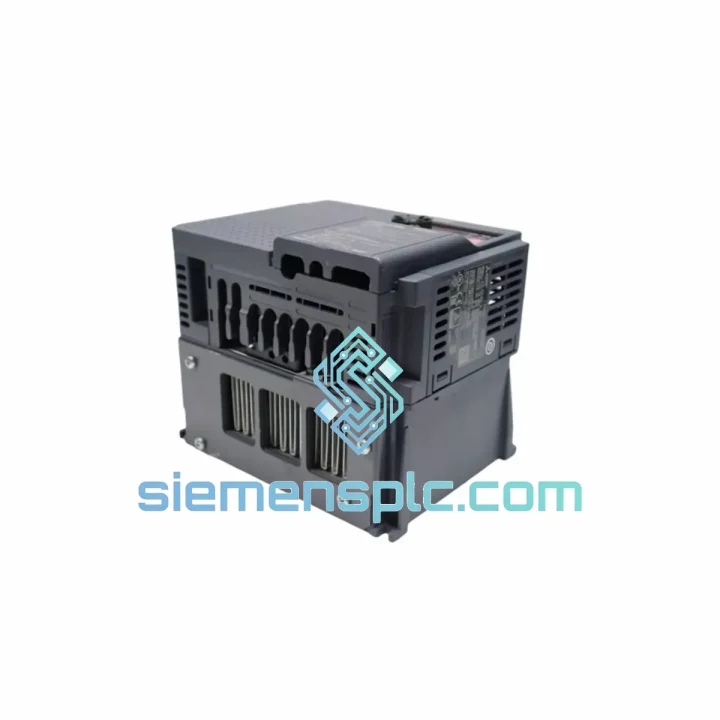
Request verified availability, condition, replacement risk review, packing options and courier lead time for GX41N.
Click Request Quote and the part number is inserted into the inquiry form automatically.
Core fields for model confirmation and RFQ routing. Detailed product narrative remains below.
You already know what a failed GX41N means on the floor: 32 input points gone dark, sensors blind, the Q-Series CPU throwing X-device errors, and your line supervisor breathing down your neck. There is no workaround. You cannot remap 32 discrete inputs to a spare slot that doesn’t exist. You need the exact module, and you need it now. That is precisely why we stock the Mitsubishi Electric GX41N in Xiamen — not in a warehouse three weeks away, but on a shelf, tested, boxed, and ready to clear customs today.
The GX41N is not a commodity part. It is the primary digital input interface for MELSEC-Q Series control systems deployed across automotive stamping lines, semiconductor fabs, pharmaceutical batch reactors, and food packaging machinery worldwide. When it fails — and after years of 24/7 cycling, they do fail — the replacement window is measured in hours, not days. We built our inventory model around that reality.
URGENT REQUIREMENT? Contact: [email protected] | WhatsApp: +86 18359268345
| Parameter | Specification | Status |
|---|---|---|
| Part Number | GX41N | ✅ Ready to Ship |
| Manufacturer | Mitsubishi Electric | |
| Series | MELSEC-Q | |
| Module Type | DC Digital Input | |
| Input Points | 32 points | |
| Rated Input Voltage | DC 24V | |
| Input Current | Approx. 4 mA (at DC 24V) | |
| Isolation Method | Photocoupler | |
| Input Type | Sink / Source compatible | |
| Response Time | 1 ms / 5 ms (selectable) | |
| Operating Temperature | 0°C to 55°C | |
| Storage Temperature | -25°C to 75°C | |
| Connector Type | 40-pin connector (FCN-361J040-AU) | |
| Weight | Approx. 200 g | |
| Compatible Base Units | Q33B, Q35B, Q38B, Q312B | |
| Origin | Japan | |
| Stock Location | Xiamen, China | ✅ In Stock |
After handling GX41N failures across multiple industries, these are the patterns that show up repeatedly on the bench and on the floor:
Symptom: X-device inputs stuck OFF, no response to field signals
First check: measure DC 24V at the module’s power terminal. If voltage is present and the LED indicators on the module are completely dark — not even the RUN LED — the photocoupler array has likely failed internally. This is the most common failure mode on modules with 5+ years of continuous operation in high-cycle applications. The module itself is the fault. Replace it.
Symptom: Intermittent input chattering, false triggers on X-addresses
Before condemning the GX41N, check the input filter time setting in GX Works2 (I/O Assignment → Module Detail → Input Response Time). Factory default is 10 ms. If someone changed it to 1 ms to chase faster sensor response, electrical noise on long cable runs will cause false triggering. Reset to 10 ms and monitor. If chattering persists after filter adjustment, the photocoupler on that specific channel is degraded — module replacement is the correct action.
Symptom: Specific input points fail while others work normally
The GX41N uses a shared common terminal configuration. If a subset of inputs (e.g., X00–X07) fail while X08–X1F remain functional, check the corresponding COM terminal for that group. A corroded or loose COM connection will take out the entire group. Clean and re-torque the terminal. If the COM terminal checks out and the channel group is still dead, the internal input circuit for that group has failed — replace the module.
Replacement procedure — what to do before you pull the module:
Firmware note: The GX41N is a pure hardware I/O module with no onboard firmware to update. CPU firmware version does not affect GX41N compatibility within the Q-Series platform. If you are migrating from an older Q-Series CPU to a newer variant, the GX41N remains fully compatible — no module-side changes required.
The GX41N was not designed for a climate-controlled server room. It was built for the environments where automation actually runs: foundry floors with airborne metal particulate, coastal chemical plants with salt-laden humidity, outdoor pump stations cycling through 40°C summer heat and sub-zero winter nights, and press shops where the floor vibrates continuously at 10–57 Hz from 500-ton stamping presses.
Mitsubishi Electric’s MELSEC-Q platform is rated to IEC 61131-2 environmental standards. The GX41N specifically carries vibration resistance of 5–8.4 Hz at 3.5 mm amplitude and 8.4–150 Hz at 9.8 m/s² — sufficient for direct panel mounting adjacent to heavy machinery without shock-absorbing mounts. The photocoupler isolation barrier provides 500 VAC dielectric withstand between field wiring and the backplane bus, protecting the CPU from the voltage transients that are routine in motor-heavy environments.
Humidity tolerance extends to 10–90% RH non-condensing. In practice, this means the module handles the humidity swings common in unheated factory buildings in tropical climates — the kind of environment where lesser modules develop leakage currents across the PCB surface within 18 months. The conformal coating on the GX41N’s PCB provides an additional barrier against condensation-driven corrosion on the input circuit traces.
Every unit we ship from Xiamen is stored in climate-controlled conditions with anti-static and moisture-barrier packaging. Long-term storage in a humid warehouse is one of the fastest ways to degrade a module before it ever sees a base unit. We don’t do that.
Our dispatch hub is in Xiamen, Fujian — one of China’s primary export ports with direct DHL and FedEx gateway access. This is not a drop-shipping arrangement. Stock is physically on-site. When you confirm an order before 14:00 CST, same-day dispatch is standard.
Typical transit times from Xiamen:
Every shipment includes a commercial invoice with accurate HS code classification (HS 8537.10 for PLC modules), country of origin documentation, and full tracking from pickup to delivery. For customers in countries with import duty exemptions or preferential tariff agreements with China, we provide the documentation required to support your customs declaration. If your procurement team needs a proforma invoice before PO issuance, we generate it within the hour.
For genuinely critical downtime situations — where the line is stopped and every hour has a dollar figure attached — contact us directly on WhatsApp. We will confirm stock, generate the invoice, and coordinate same-day pickup with the courier. We have done this on weekends. We will do it again.
📧 Email: [email protected]
💬 WhatsApp: +86 18359268345
🌐 Web: siemensplc.com
© 2026 siemensplc.com. All rights reserved.
We check the full part number, brand, series and visible nameplate information before quotation.
Sales confirms stock path, condition option, quantity and realistic lead time for export dispatch.
DHL, FedEx, UPS or buyer courier arrangements can be reviewed with packing requirements.
Similar brand or category products for fast comparison and multi-item RFQ lists.