
Siemens
In Stock OK
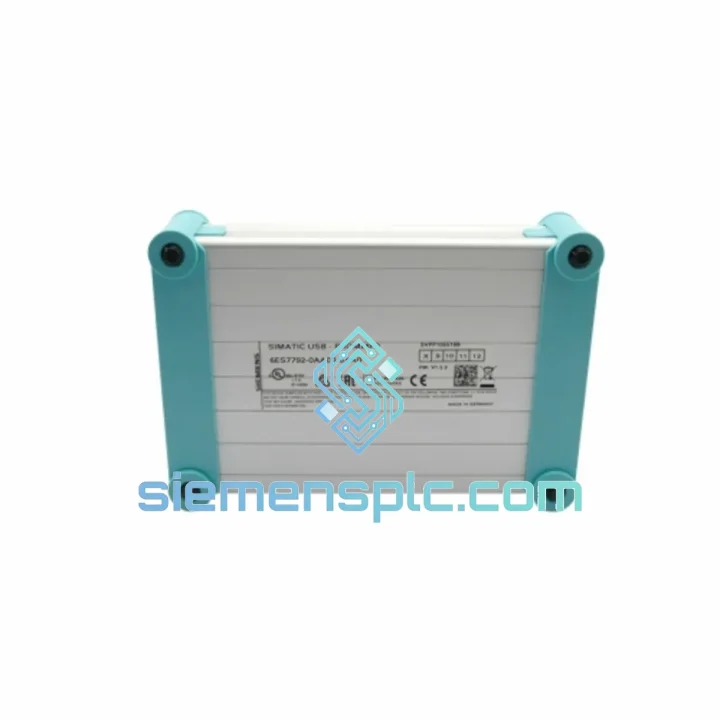
Siemens 6ES7 792-0AA00-0XA0 PLC Programming Cable
Request verified availability, condition, replacement risk review, packing options and courier lead time for 792-0AA00-0XA0.
BrandSiemens
Part Number792-0AA00-0XA0
ConditionAvailability Check
Lead TimeRFQ Confirmation
DocumentsDatasheet / photos by RFQ
ShippingExport packing available
Auto-filled RFQ
792-0AA00-0XA0
Click Request Quote and the part number is inserted into the inquiry form automatically.
- Reply by email: [email protected]
- WhatsApp / Tel: +86 18359268345
- Mon-Sat 9:00-18:00 GMT+8
Procurement Data
Key Product Information
Core fields for model confirmation and RFQ routing. Detailed product narrative remains below.
- Brand
- Siemens
- Primary Part Number
- 792-0AA00-0XA0
- Product Type
- PLC Programming Cable
- Series / Family
- SIMATIC S7-200
- Manufacturer
- Siemens AG
- Country of Origin
- DE
- Catalog Category
- PLCs & Controllers
- Operating Temp.
- 0 °C to +60 °C
Model confirmed for inquiry
792-0AA00-0XA0
Send quantity, destination and urgency. The RFQ form keeps this part number attached.
Request Quote
Product Overview
6ES7 792-0AA00-0XA0 Down? Every Minute of Downtime Costs You Money — We Ship Same Day
Your S7-200 CPU is dark. The line is stopped. Your maintenance team is staring at a dead USB-Prommer and the nearest authorized distributor quotes you 2–3 weeks lead time. That’s not acceptable. We stock the Siemens 6ES7 792-0AA00-0XA0 USB-Prommer in Xiamen, verified and ready to dispatch within hours. DHL Express to most destinations in Southeast Asia, the Middle East, and Europe lands in 2–5 business days. The math is simple: the cost of this cable is nothing compared to what your idle line burns per hour.
This is the genuine Siemens PC/PPI Multi-Master USB cable — the only officially supported interface between a Windows engineering station and the SIMATIC S7-200 CPU family. No clones, no third-party emulation, no driver nightmares at 2 AM during a critical restart.
⚡ URGENT REQUIREMENT? Contact: [email protected] | WhatsApp: +86 18359268345
Quick Technical Datasheet
| Part Number | 6ES7 792-0AA00-0XA0 |
| Manufacturer | Siemens AG |
| Series | SIMATIC S7-200 |
| Interface (PC Side) | USB 2.0 Type-A |
| Interface (PLC Side) | RS-485 / PPI Multi-Master (9-pin D-Sub) |
| Max Baud Rate | 187.5 kbps |
| Compatible Software | STEP 7-Micro/WIN V4.0 SP9+ |
| OS Support | Windows 7 / 10 / 11 (USB driver required) |
| Cable Length | ~3 m |
| Operating Temperature | 0 °C to +60 °C |
| Protection Class | IP20 |
| Certifications | CE, UL |
| Stock Status | ✅ Ready to Ship — Xiamen Warehouse |
| Dispatch Lead Time | Same day / Next business day |
Troubleshooting & Replacement Tips
After 10 years of field work on S7-200 installations, these are the failure patterns and swap pitfalls that actually matter:
Common Failure Modes of the 6ES7 792-0AA00-0XA0
-
USB enumeration failure: Windows Device Manager shows “Unknown Device” or a yellow exclamation mark. Root cause is almost always a corrupted or mismatched USB driver — not a dead cable. Before condemning the unit, reinstall the Siemens USB-Prommer driver from the STEP 7-Micro/WIN installation directory (
SiemensSTEP 7 MicroWINS7MicroWinUSB). On Windows 10/11, disable driver signature enforcement during install if needed. - Communication timeout in Micro/WIN: Error 0x0085 or “No response from PLC” after the cable enumerates correctly. Check the PLC-side RS-485 connector first — pin 3 (RxD/TxD-P) and pin 8 (RxD/TxD-N) are the signal lines. Corroded or bent pins on the CPU’s RS-485 port are a frequent culprit on machines that have been running for 5+ years.
- Multi-drop PPI network issues: If you’re connecting to a network with multiple S7-200 nodes, the USB-Prommer must be set to PPI Multi-Master mode in Micro/WIN’s communication settings. Leaving it in PPI Single-Master mode causes intermittent dropouts when other masters are active on the bus.
- Baud rate mismatch: The CPU’s PPI port baud rate is set in the System Block (SB). Default is 9.6 kbps. If a previous engineer changed it to 187.5 kbps and you’re connecting at 9.6 kbps, Micro/WIN will time out. Use the “Search” function in Micro/WIN’s communication dialog to auto-detect the baud rate before assuming the cable is faulty.
Replacement Procedure — Field Checklist
- Power down the engineering station before swapping the cable. Hot-swapping USB on older industrial PCs with marginal USB controllers can corrupt the driver stack.
- After connecting the new 6ES7 792-0AA00-0XA0, let Windows complete driver installation before launching Micro/WIN. Rushing this step causes the driver to bind to the wrong COM port.
- Verify the assigned virtual COM port number in Device Manager. Micro/WIN must be pointed to the same port. If the port number jumped (e.g., from COM3 to COM7 after the swap), update it in the communication settings.
- Run a “Double-Click to Refresh” in Micro/WIN’s communication dialog. If the CPU appears in the network list, the cable is functional. If not, check the RS-485 termination — on long cable runs (>50 m), missing termination resistors cause reflections that look like cable faults.
- No address switches or DIP settings are required on this cable — it is fully auto-configured by the Micro/WIN software. Unlike some third-party clones that require manual baud rate jumpers, the genuine 6ES7 792-0AA00-0XA0 negotiates all parameters in firmware.
Reliability in Harsh Conditions
Industrial environments are not kind to interface cables. The 6ES7 792-0AA00-0XA0 is built to Siemens’ industrial-grade specifications, not consumer electronics tolerances. The RS-485 transceiver inside the cable’s PLC-side adapter is optically isolated — ground potential differences between the engineering laptop and the PLC panel (common in older plants with poor earthing) will not damage the cable or corrupt communication. This isolation is the single most important reason to use the genuine article over a clone: unprotected clones fail silently when ground loops are present, producing intermittent errors that are nearly impossible to diagnose.
The cable’s outer jacket is rated for continuous operation from 0 °C to +60 °C, with short-term excursions to +70 °C. In foundry and press environments where ambient temperatures near the panel can spike during production cycles, this margin matters. The connector housings are reinforced nylon — they survive the repeated plug/unplug cycles that field engineers put them through during commissioning and maintenance rounds.
Vibration resistance is inherent in the cable’s construction: the USB connector uses a standard Type-A plug with a friction-fit retention mechanism, and the RS-485 D-Sub connector locks with thumbscrews. On mobile maintenance carts or in environments with significant floor vibration (presses, compressors, conveyors), secure both ends before walking away. A loose RS-485 connector mid-session will produce a communication error that looks identical to a cable failure.
Global Express Logistics
Our warehouse is located in Xiamen, Fujian Province, China — one of the country’s primary export hubs with direct access to DHL, FedEx, and UPS international gateways. For urgent orders placed before 15:00 CST, same-day dispatch is standard. Here’s how the logistics chain works:
- Order confirmation → Warehouse pick: Within 2 hours of payment confirmation, the unit is pulled, inspected, and packed with an anti-static bag and rigid outer carton.
- Export documentation: Commercial invoice, packing list, and certificate of origin are prepared in parallel. For customers in countries requiring import permits for electronic components, notify us at order time and we will coordinate the documentation package.
- DHL Express / FedEx International Priority: Typical transit times — Southeast Asia: 2–3 business days; Middle East: 3–4 business days; Europe: 3–5 business days; Americas: 4–6 business days. Tracking number provided within 24 hours of dispatch.
- Customs clearance: HS Code 8537.10 applies to this product. Declared value matches invoice value — no under-declaration. For VAT-registered importers in the EU, we can provide EORI-compatible documentation.
- Bulk orders: For quantities of 5 units or more, consolidated air freight via SF International or Cainiao Priority is available at reduced per-unit shipping cost. Contact us for a freight quote before placing a large order.
Contact Information
For urgent procurement, technical pre-sales questions, or bulk pricing:
- 📧 Email: [email protected]
- 💬 WhatsApp: +86 18359268345
- 🌐 Web: siemensplc.com
© 2026 siemensplc.com. All rights reserved.
Ready to quote
[email protected]
Send This Part Number to Sales
RFQ workflow
Quality workflow ->
Confirmation Process
01Model confirmation
We check the full part number, brand, series and visible nameplate information before quotation.
02Availability reply
Sales confirms stock path, condition option, quantity and realistic lead time for export dispatch.
03Packing & courier
DHL, FedEx, UPS or buyer courier arrangements can be reviewed with packing requirements.
Continue sourcing
Browse full catalog ->
Related Automation Parts
Similar brand or category products for fast comparison and multi-item RFQ lists.
Siemens
RFQ Ready
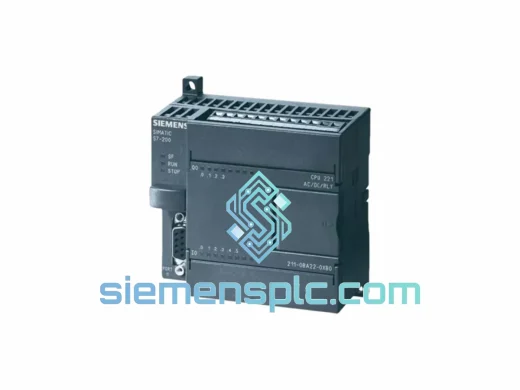
Siemens 6ES7211-0BA22-0XB0 PLC CPU Module – SIMATIC S7-200
SIMATIC S7-200
Origin DE
PLC CPU Module
Siemens
RFQ Ready
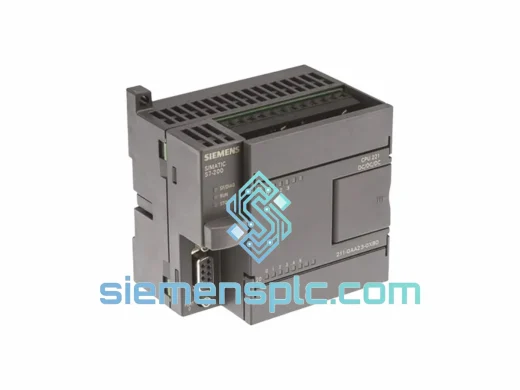
Siemens 6ES7211-0AA23-0XB0 PLC CPU Module – SIMATIC S7-200
SIMATIC S7-200
Origin DE
PLC CPU Module
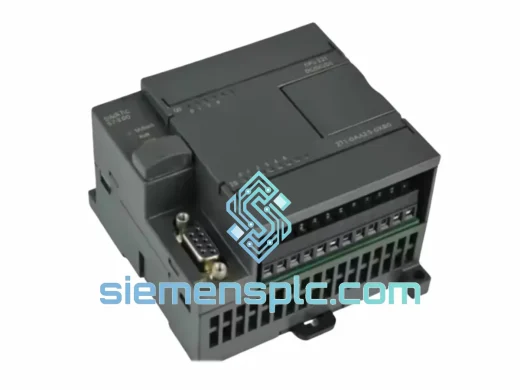
Siemens
RFQ Ready
Siemens 6ES7212-1BB23-0XB8 PLC CPU Module – SIMATIC S7-200
SIMATIC S7-200
Origin DE
PLC CPU Module