

Siemens
RFQ Ready
SIEMENS 6GK5108-0BA00-2AA3 Industrial Ethernet Switch
SIMATIC
Origin DE
Industrial Ethernet Switch
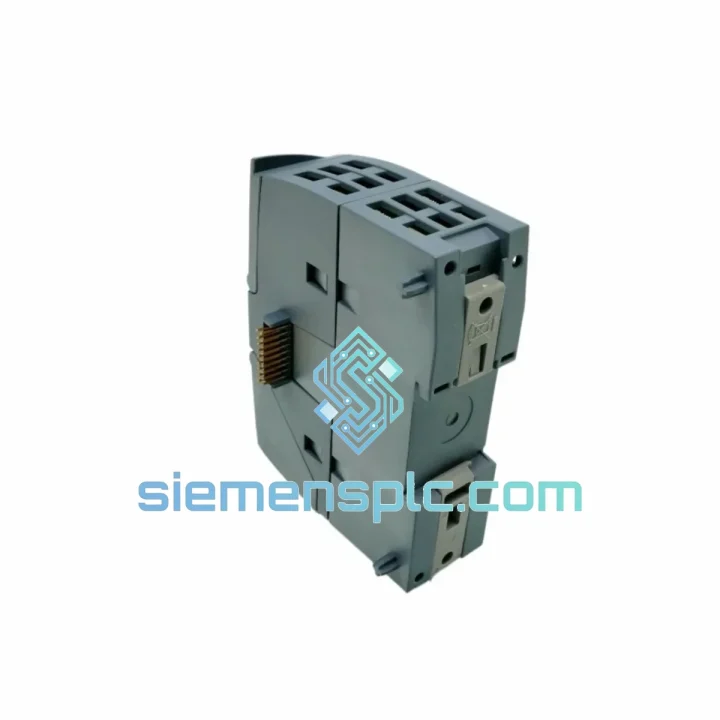
Request verified availability, condition, replacement risk review, packing options and courier lead time for 6GK7243-5DX30-0XE0.
Click Request Quote and the part number is inserted into the inquiry form automatically.
Core fields for model confirmation and RFQ routing. Detailed product narrative remains below.
Your PROFIBUS segment is dead. The S7-1200 CPU is throwing BF faults. Production is stopped. You’ve already pulled the CP 1243-5 and confirmed it’s the culprit — now you need a replacement on-site, fast. We stock the Siemens 6GK7243-5DX30-0XE0 in Xiamen and ship same-day via DHL Express. Most customers in Southeast Asia and the Middle East have the unit in hand within 48–72 hours. Europe and the Americas: 3–5 business days.
This is not a grey-market listing. Every unit is inspected against Siemens MLFB structure, firmware version, and label authenticity before it leaves our warehouse. You get what the label says.
⚡ URGENT REQUIREMENT? Contact: [email protected] | WhatsApp: +86 18359268345
| Parameter | Value | Status |
|---|---|---|
| Order Number (MLFB) | 6GK7243-5DX30-0XE0 | ✅ Ready to Ship |
| Product Series | SIMATIC NET CP 1243-5 | |
| Compatible Platform | SIMATIC S7-1200 (all CPU variants) | |
| Fieldbus Protocol | PROFIBUS DP (EN 50170 / IEC 61158) | |
| DP Role | Master Class 1 only | |
| Max DP Slaves | 32 per segment | |
| Baud Rate Range | 9.6 kbit/s – 12 Mbit/s (auto-detect) | |
| Physical Interface | 9-pin Sub-D female (RS-485) | |
| Supply Voltage | 24 V DC via S7-1200 backplane bus | |
| Power Consumption | ≈ 1.6 W | |
| Dimensions (W×H×D) | 30 × 100 × 75 mm | |
| Weight | ≈ 120 g | |
| Operating Temperature | 0 °C to +60 °C (horizontal); 0 °C to +50 °C (vertical) | |
| Storage Temperature | −40 °C to +70 °C | |
| Relative Humidity | 10 % – 95 % non-condensing | |
| Protection Rating | IP20 | |
| Certifications | CE, UL, cULus, ATEX Zone 2 | |
| TIA Portal Support | V13 SP1 and above (STEP 7 Basic/Professional V11 SP2+) | |
| Mounting | 35 mm DIN rail, left-side expansion of S7-1200 CPU | |
| Origin | Germany | |
| Stock Location | Xiamen, China | ✅ In Stock |
Fault Symptoms That Point to a Failed CP 1243-5:
Before You Swap — Rule These Out First:
Step-by-Step Replacement Procedure:
Common Post-Replacement Issues:
Industrial automation environments are not kind to electronics. The CP 1243-5 was engineered to operate continuously in conditions that would degrade consumer-grade hardware within weeks.
Vibration & Mechanical Shock: The module is tested to IEC 60068-2-6 (sinusoidal vibration) and IEC 60068-2-27 (mechanical shock). The backplane connector design uses a positive-locking mechanism that maintains electrical continuity under continuous vibration — critical in press rooms, compressor halls, and mobile equipment installations where resonance frequencies can loosen conventional connectors over time.
Thermal Cycling: Operating range of 0 °C to +60 °C (horizontal mounting) covers the majority of industrial cabinet environments. The internal components are selected for extended temperature cycling without solder joint fatigue — a common failure mode in modules that run hot-cold cycles repeatedly over years of service. Storage down to −40 °C means the module survives unheated warehouse storage in cold climates without degradation.
Humidity & Condensation: Rated to 95 % relative humidity non-condensing. The conformal coating on the PCB provides a barrier against moisture ingress in high-humidity environments such as food processing, coastal installations, and tropical climates. Note: “non-condensing” is the key qualifier — if your cabinet breathes and condensation forms on cold surfaces, add a cabinet heater. The CP will handle humidity; it will not handle liquid water on the PCB.
EMC & Electrical Noise: Certified to EN 61000-6-2 (industrial immunity) and EN 61000-6-4 (industrial emissions). The RS-485 PROFIBUS interface includes differential signaling that inherently rejects common-mode noise — essential in environments with large motor drives, welding equipment, or high-current switching loads running parallel to PROFIBUS cable runs. Keep PROFIBUS cable separated from power cables by at least 20 cm and use cable type A (shielded, twisted pair) per EN 50170 for maximum noise immunity.
We operate from Xiamen, China — one of the most logistics-efficient export cities in Asia, with direct DHL and FedEx hub access. When you place an order before 14:00 CST, same-day dispatch is standard for in-stock units.
Shipping Routes & Estimated Transit Times:
Export Documentation: Commercial invoice, packing list, and certificate of origin issued with every shipment. HS Code 8537.10 applies for customs classification in most jurisdictions. For customers requiring formal import documentation, ATA Carnet support, or specific country-of-origin certificates, contact us before ordering — we handle this routinely.
EXW Xiamen: If you have a preferred freight forwarder or consolidator, we offer EXW Xiamen terms. Provide your forwarder’s pickup details and we coordinate directly. This is common for customers consolidating multiple part numbers into a single shipment.
Tracking: A DHL or FedEx tracking number is sent to your email within 2 hours of dispatch. For urgent shipments, we provide the airway bill number via WhatsApp so you can track in real time.
Packaging: Each 6GK7243-5DX30-0XE0 ships in ESD-safe anti-static bag, foam-padded inner box, and double-wall corrugated outer carton. The module arrives at your site in the same condition it left our warehouse — no exceptions.
Production line down? Send us the part number and required quantity right now — we respond within 30 minutes during business hours (08:00–20:00 CST, Monday–Saturday).
© 2026 siemensplc.com. All rights reserved.
We check the full part number, brand, series and visible nameplate information before quotation.
Sales confirms stock path, condition option, quantity and realistic lead time for export dispatch.
DHL, FedEx, UPS or buyer courier arrangements can be reviewed with packing requirements.
Similar brand or category products for fast comparison and multi-item RFQ lists.


