

Siemens
RFQ Ready
SIEMENS 6GK5108-0BA00-2AA3 Industrial Ethernet Switch
SIMATIC
Origin DE
Industrial Ethernet Switch
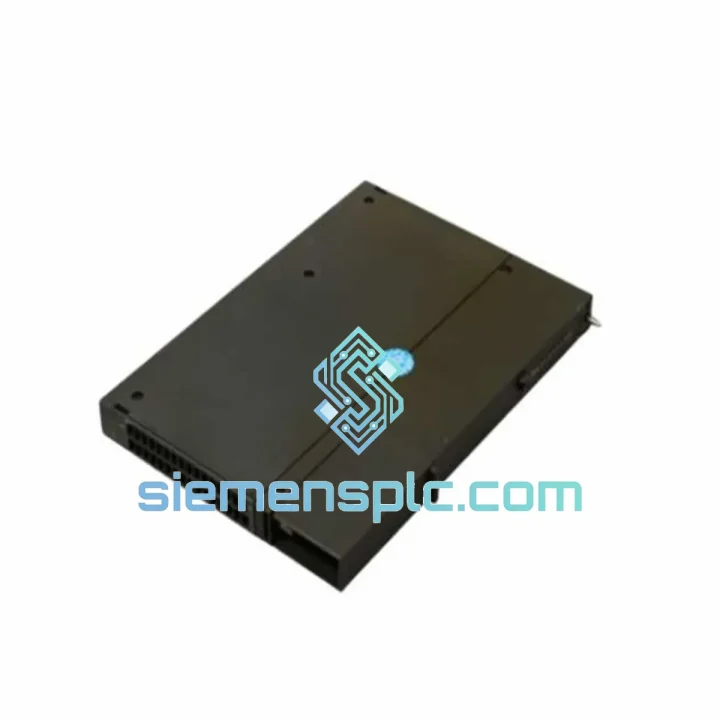
Request verified availability, condition, replacement risk review, packing options and courier lead time for 6GK7443-1EX20-0XE0.
Click Request Quote and the part number is inserted into the inquiry form automatically.
Core fields for model confirmation and RFQ routing. Detailed product narrative remains below.
Your S7-400 rack just lost its Ethernet backbone. The SCADA screen is blank. The shift supervisor is standing behind you. Every minute of unplanned downtime on a process line costs real money — and the clock is running. The Siemens 6GK7443-1EX20-0XE0 CP 443-1 EX is the exact module you need, and we have it on the shelf in Xiamen right now.
This is not a generic listing. This is a field-sourced, verified-original Siemens SIMATIC NET CP 443-1 EX communications processor — the dedicated Industrial Ethernet interface card for the S7-400 platform. It offloads all TCP/IP and ISO transport processing from the CPU, handles up to 64 simultaneous connections, and drops straight into your existing rack without a firmware migration headache — provided you match the revision correctly (more on that below).
We ship DHL Express and FedEx IP from Xiamen. Most orders to Southeast Asia clear customs within 48 hours. Europe and North America typically land in 3–5 business days door to door. If your line is down, contact us directly — we will prioritize your shipment.
URGENT REQUIREMENT? Contact: [email protected] | WhatsApp: +86 18359268345
| Parameter | Specification | Status |
|---|---|---|
| Part Number | 6GK7443-1EX20-0XE0 | ✔ Ready to Ship |
| Product Family | SIMATIC NET CP 443-1 EX | |
| Compatible Platform | SIMATIC S7-400 (central & expansion rack) | |
| Network Interface | Industrial Ethernet 10/100 Mbit/s, RJ45 | |
| Auto-Negotiation | Yes — 10/100 Mbit/s, full/half duplex | |
| Autocrossing (MDI/MDI-X) | Yes | |
| Max Simultaneous Connections | 64 | |
| Protocols | S7 Comm, TCP/IP, UDP, ISO Transport, FETCH/WRITE, Open IE | |
| Power Supply | Via S7-400 backplane bus (no external PSU required) | |
| Operating Temperature | 0 °C to +60 °C | |
| Storage Temperature | -40 °C to +70 °C | |
| Degree of Protection | IP20 | |
| Weight | Approx. 800 g | |
| Certifications | CE, UL, cULus | |
| Engineering Tool | STEP 7 v5.x + SIMATIC NET; TIA Portal (legacy mode) | |
| H-System Redundancy | Supported (S7-400H paired CP configuration) | |
| Origin | Germany | |
| Condition | 100% Original Siemens — New / Tested Surplus | ✔ Ready to Ship |
Ten years of field work on S7-400 systems teaches you that swapping a CP 443-1 EX is never as simple as pulling the old card and pushing in the new one. Here is what actually matters on site:
1. Slot assignment is fixed in hardware configuration — do not skip this step.
The CP 443-1 EX does not auto-address. Its slot number is hardcoded in the STEP 7 HW Config. Before you pull the failed module, note the exact rack number and slot number. When you insert the replacement, it must go into the identical physical slot. If you move it even one slot, the CPU will throw a hardware configuration mismatch fault (OB 86 / event 39:00xx) and refuse to go RUN. If the original slot is mechanically damaged, you will need to reconfigure HW Config, recompile, and download — budget 30–60 minutes for that.
2. Firmware revision matching — the -0XE0 suffix matters.
The order number suffix 0XE0 indicates the hardware revision of this specific variant. Confirm your STEP 7 project was configured against this exact revision. Mismatched firmware between the configured version and the physical module can cause the CP to come up in STOP or generate persistent diagnostic alarms. Check the firmware version label on the module faceplate and cross-reference with your HW Config object properties before powering up.
3. IP address and MAC address — the replacement module ships with factory defaults.
The new CP 443-1 EX has no IP address assigned out of the box. You must assign the IP address via STEP 7 (PG/PC → Accessible Nodes → Assign IP Address) or via the Primary Setup Tool (PST) before the CPU can establish any Ethernet connections. The MAC address of the replacement will differ from the failed unit — update any MAC-based firewall rules or managed switch port security configurations accordingly.
4. Common fault codes on CP 443-1 EX failure:
5. S7-400H redundancy switchover check.
If this CP is part of an H-system, after replacing the module in the standby rack, force a manual switchover and verify the replacement CP takes over master role cleanly. Do not assume it works — test it during a planned maintenance window before returning the system to production.
The CP 443-1 EX was not designed for a server room. It was designed for the inside of a control cabinet on a steel mill floor, a chemical reactor building, or an offshore platform. The module is built to Siemens’ industrial-grade mechanical and electrical standards, which means it has been validated against the conditions that destroy consumer and commercial-grade electronics within months.
Vibration resistance is tested to IEC 60068-2-6 — the module withstands continuous sinusoidal vibration across the frequency ranges typical of rotating machinery, compressors, and vehicle-mounted cabinets. Shock resistance per IEC 60068-2-27 covers the impulse loads from cabinet doors slamming, forklift traffic, and mechanical impacts during maintenance.
Thermal cycling is a known killer of solder joints and electrolytic capacitors. The CP 443-1 EX is rated for continuous operation from 0 °C to +60 °C with storage down to -40 °C, covering the full range from unheated outdoor enclosures in northern climates to hot process areas in tropical facilities. The conformal coating on the PCB provides baseline protection against condensation and humidity ingress — critical in coastal industrial sites and facilities with steam processes.
EMC immunity is tested to the SIEMENS industrial standard, which exceeds the basic EN 61000 series requirements. In environments with large VFDs, welding equipment, or high-power switching gear — exactly the environments where S7-400 systems are deployed — the CP 443-1 EX maintains stable Ethernet communication without the packet loss and connection drops that plague lower-grade hardware.
The backplane bus connector is gold-plated and rated for repeated insertion cycles, which matters when you are doing the third emergency swap in two years on a module that keeps failing due to a root cause you have not fixed yet. The mechanical locking lever provides positive retention — the module will not vibrate loose in a high-vibration environment.
We operate from Xiamen, Fujian — one of China’s primary export hubs with direct access to international freight lanes via Xiamen Gaoqi International Airport and Xiamen Port. For emergency MRO shipments, air freight is the only option that matters.
Standard express routing from Xiamen:
Every shipment includes full commercial invoice, packing list, and country-of-origin documentation. For customers in countries with specific import requirements for industrial electronics (CE marking documentation, ECCN classification, etc.), we prepare the necessary paperwork as part of the standard export process — no additional charge.
Modules are packed in anti-static bags, placed in foam-lined rigid boxes, and outer-packed in double-wall corrugated cartons. The packaging survives the handling that express courier networks actually deliver — not the handling they promise. Tracking numbers are provided within 2 hours of shipment booking. For urgent orders placed before 14:00 CST, same-day dispatch is available subject to stock confirmation.
If your procurement team requires a formal quotation with HS code, unit price, and shipping cost for import customs purposes, contact us and we will issue it within 30 minutes during business hours.
Email: [email protected]
WhatsApp: +86 18359268345
Web: siemensplc.com
© 2026 siemensplc.com. All rights reserved.
We check the full part number, brand, series and visible nameplate information before quotation.
Sales confirms stock path, condition option, quantity and realistic lead time for export dispatch.
DHL, FedEx, UPS or buyer courier arrangements can be reviewed with packing requirements.
Similar brand or category products for fast comparison and multi-item RFQ lists.


