

Siemens
RFQ Ready
SIEMENS 6GK5108-0BA00-2AA3 Industrial Ethernet Switch
SIMATIC
Origin DE
Industrial Ethernet Switch
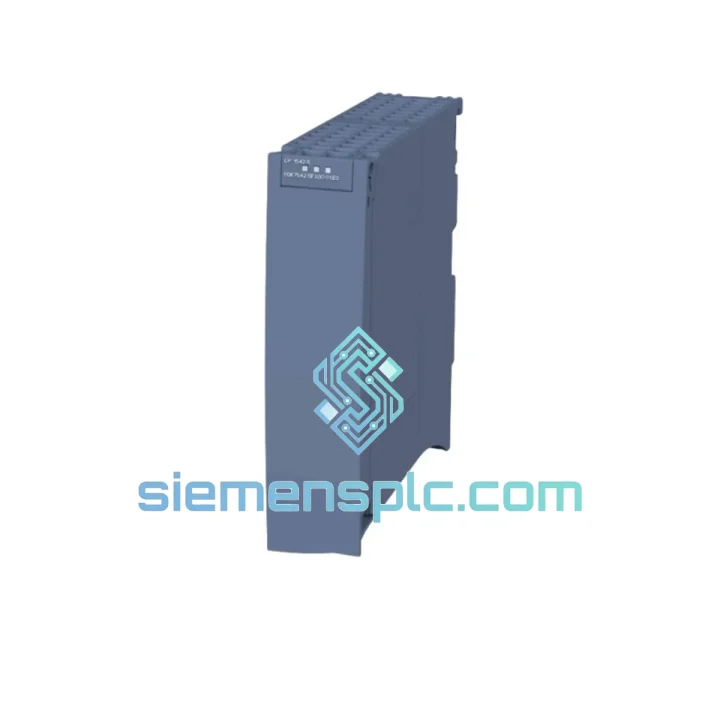
Request verified availability, condition, replacement risk review, packing options and courier lead time for 6GK7542-5FX00-0XE0.
Click Request Quote and the part number is inserted into the inquiry form automatically.
Core fields for model confirmation and RFQ routing. Detailed product narrative remains below.
A failed CP 542-5 doesn’t just drop a module — it takes your entire PROFIBUS segment offline. ET 200 racks go dark, drives lose their setpoints, and your S7-1500 CPU sits there with a red BF LED while production grinds to a halt. We’ve seen it happen at 2 AM on a Sunday. That’s exactly why we stock the 6GK7542-5FX00-0XE0 in Xiamen, ready to clear customs and land on your bench faster than your maintenance team can finish the incident report.
This is not a catalog listing. This is a stocked unit, inspected, firmware-verified, and packed in ESD-safe material — waiting for your purchase order right now.
⚡ URGENT REQUIREMENT? Contact: [email protected] | WhatsApp: +86 18359268345
| Parameter | Specification | Status |
|---|---|---|
| Order Number (MLFB) | 6GK7542-5FX00-0XE0 | ✅ Ready to Ship |
| Module Family | SIMATIC NET CP 542-5 | |
| Compatible Platform | SIMATIC S7-1500 (all CPU variants) | |
| Fieldbus Protocol | PROFIBUS DP / FMS (IEC 61158 / EN 50170) | |
| Baud Rate Range | 9.6 kbit/s – 12 Mbit/s (auto-detect) | |
| DP Operating Modes | DP Master Class 1 & 2 + DP Slave (simultaneous) | |
| Max. DP Slaves | 125 nodes per segment | |
| FMS Connections | Up to 32 | |
| Physical Interface | 9-pin Sub-D (RS-485), galvanically isolated | |
| Backplane Bus | S7-1500 proprietary high-speed system bus | |
| Power Draw | Typ. 3.5 W (backplane-powered, no external PSU) | |
| Operating Temperature | 0 °C to +60 °C | |
| Storage Temperature | -40 °C to +70 °C | |
| Humidity | 5 % – 95 % RH, non-condensing | |
| Protection Rating | IP20 | |
| Dimensions (W×H×D) | 35 × 147 × 129 mm | |
| Weight | ~350 g | |
| Configuration Tool | TIA Portal V13 SP1 and above | |
| Certifications | CE, UL, cULus, ATEX Zone 2 | |
| Country of Origin | Germany |
Symptom: BF LED solid red on CP 542-5 after power-up
This is the most common call we get. Nine times out of ten it’s not the module — it’s a bus termination issue left over from the old unit. Before you even slot in the replacement, walk the PROFIBUS cable and confirm both ends are terminated with 220 Ω / 390 Ω resistors. A missing terminator at 12 Mbit/s will kill your bus within seconds of going online.
Replacement procedure (field-tested, no TIA Portal laptop required for initial swap):
Common fault codes to know:
Configuration note — DP address assignment: The CP 542-5 does not use physical DIP switches for addressing. All DP master/slave addresses are set exclusively in TIA Portal hardware configuration. If you’re replacing a unit that was previously configured as a DP slave with a specific station address, verify the address in your TIA Portal project before going online — a duplicate address on the bus will cause both nodes to fail.
Industrial environments don’t care about your maintenance schedule. The CP 542-5 is built to operate continuously in conditions that would kill consumer-grade hardware inside a week.
The RS-485 physical interface is galvanically isolated from the S7-1500 backplane. This matters in plants where ground potential differences between control cabinets and field devices can reach several volts — without isolation, those transients travel straight into your backplane and take out the CPU along with the CP. The isolation barrier stops them cold.
Vibration resistance meets IEC 60068-2-6 (sinusoidal, 5–150 Hz, 1 g) and IEC 60068-2-27 (shock, 15 g / 11 ms). In practice, this means the module survives being mounted in a cabinet bolted to a press frame or a compressor skid without connector fatigue or PCB cracking over a multi-year service life.
The operating temperature ceiling of +60 °C is measured at the module face, not ambient. In a sealed cabinet with poor airflow, ambient can easily reach 45–50 °C — the CP 542-5 handles it without thermal throttling or communication degradation. Storage down to -40 °C means units can be warehoused in unheated facilities in northern climates without cold-soak damage to capacitors or solder joints.
Humidity tolerance up to 95 % RH (non-condensing) covers coastal and tropical installations where moisture ingress into control rooms is a persistent problem. The conformal coating on the PCB provides an additional barrier against corrosive atmospheres in chemical and wastewater applications.
ATEX Zone 2 compatibility (with appropriate enclosure) means the module can be specified for installations in areas with occasional explosive atmospheres — a requirement in oil & gas upstream and petrochemical processing where PROFIBUS DP is still the dominant fieldbus for legacy installations.
Our warehouse is in Xiamen, China — one of the country’s primary export hubs with direct DHL and FedEx gateway access. Here’s what happens from the moment you confirm your order:
Production line down? Don’t wait for a quote form response.
📧 Email: [email protected]
📱 WhatsApp: +86 18359268345
🌐 Web: siemensplc.com
© 2026 siemensplc.com. All rights reserved.
We check the full part number, brand, series and visible nameplate information before quotation.
Sales confirms stock path, condition option, quantity and realistic lead time for export dispatch.
DHL, FedEx, UPS or buyer courier arrangements can be reviewed with packing requirements.
Similar brand or category products for fast comparison and multi-item RFQ lists.


